


The ZSA Voyager shows up in nearly every low-profile split keyboard roundup, and deservedly so. It's a well-built keyboard from a company that cares about the details.
But if you're looking at the Voyager because you want something small, there's something you should know before you order: the Voyager is a low-profile keyboard, not a compact one. It uses standard MX key spacing, 19.05mm between keys, the same as the full-size keyboard on your desk right now. The switches are short. The footprint isn't.
The Iris CE is the other approach. CE stands for Compact Edition, and it uses Choc V1 switches with smaller spacing, 17mm vertically and 18mm horizontally. That's the difference this whole post is about.
The short version
| Iris CE | ZSA Voyager | |
|---|---|---|
| Price, assembled | $294.96 aluminum, $259.96 polycarbonate | $365 including shipping |
| Price, kit | $254.96 aluminum, $219.96 polycarbonate | Not offered |
| Total keys | 56 | 52 |
| Thumb keys per side | 4 | 2 |
| Key spacing | 17mm × 18mm (Choc spacing) | 19.05mm × 19.05mm (MX spacing) |
| Switches | Kailh Choc V1 | Kailh Choc V1 |
| Hotswap | Yes | Yes |
| Case | Aluminum or polycarbonate, four finishes; Aluminum plates | Steel bottom plate |
| RGB | 12 underglow plus per-key | Per-key |
| Controller | RP2040 | STM32 |
| Firmware | QMK with VIA | QMK with Oryx |
| Wireless | No | No |
| Weight | 435g aluminum, 340g polycarbonate | Similar class |
Spacing is the decision
Two millimeters per key doesn't sound like much. Across six columns and four rows, it adds up to a board you can throw in a bag versus one you plan a desk around.
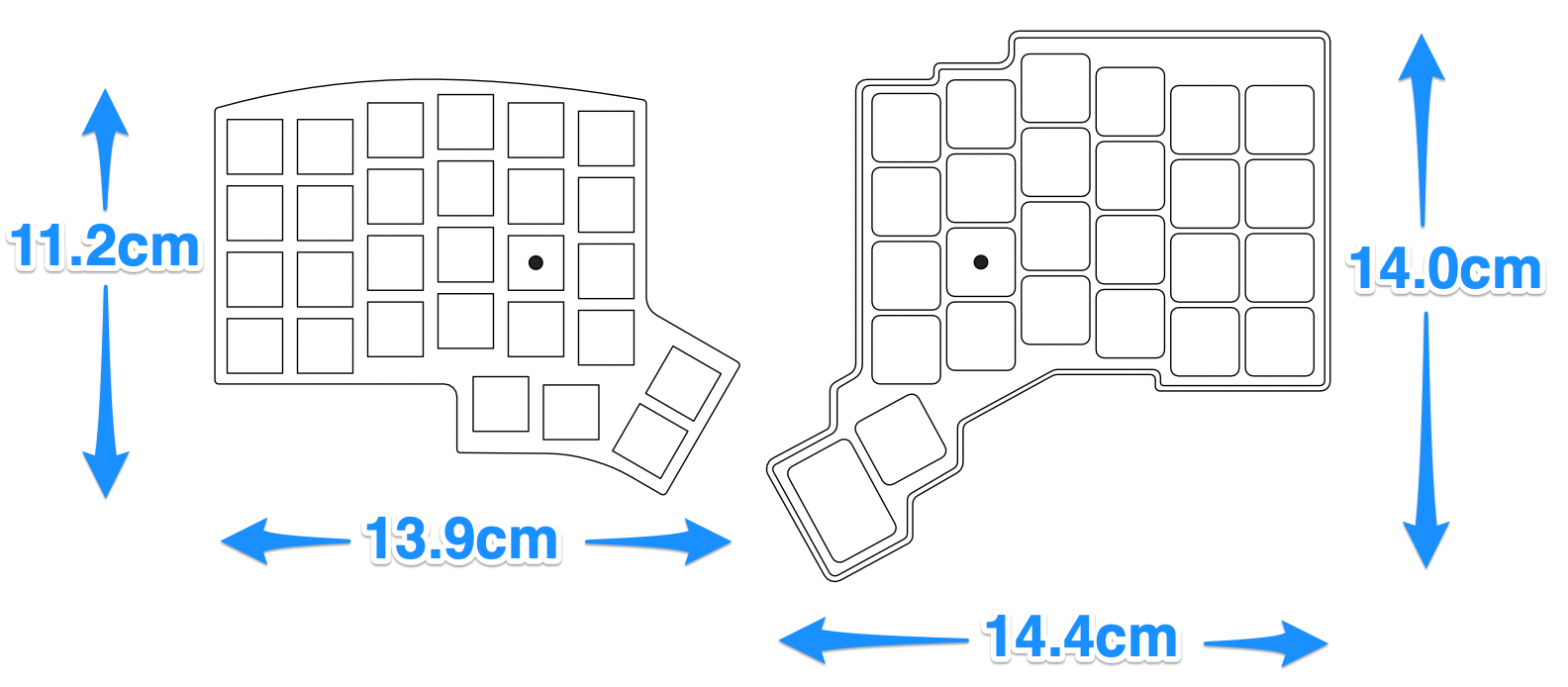
More importantly, it changes how the keyboard feels. Choc spacing means less finger travel for every keystroke. Your hands move less, your fingers stretch less, and the outer columns are closer to where your pinkies naturally sit. For people with smaller hands, this is often what makes a split keyboard finally click.
It's not automatically better. Tighter spacing takes adjustment, and it's a real one. Fingers that have spent twenty years at 19.05mm need a week or two to stop overshooting. If you're already learning a columnar stagger, a new thumb cluster, and layers all at once, adding a spacing change on top is a lot of adjustment happening simultaneously.
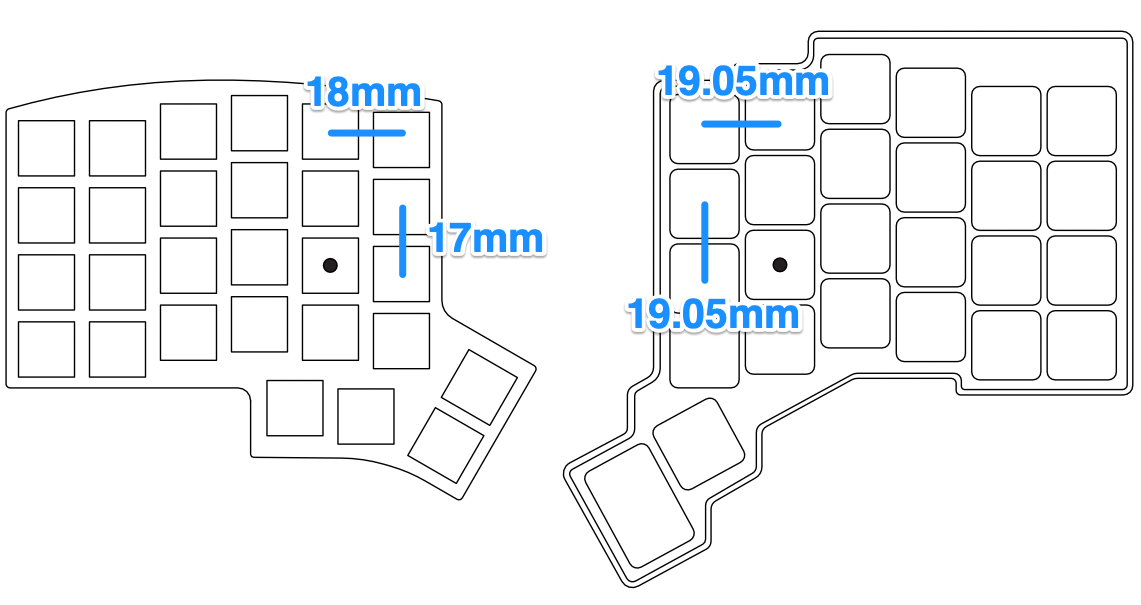
That's the honest trade. The Voyager asks you to learn a split keyboard. The Iris CE asks you to learn a split keyboard and a new key spacing, but it gives you a meaningfully smaller keyboard in return.
Best for the Iris CE: smaller hands, people who travel with their keyboard, and anyone who has tried a full-spacing split and still felt like they were reaching.
Best for the Voyager: people who want the low-profile feel without changing finger distances at all. If that's you, our Iris LM is the same idea for a lot less money, and it's the fairer comparison.
What's identical
Worth being clear about, because it narrows the decision usefully.
Both take Kailh Choc V1 switches, and only Choc V1. The Voyager offers four V1 variants at checkout: Choc Brown (tactile, 60g), Choc White (clicky, 60g), Choc Red (linear, 50g), and Choc Pro Red (linear, 35g). We stock Choc V1 in Brown, Red, and White. Since both boards are hotswap, you can put any Choc V1 switch you can find into either of them. This is not a differentiator in either direction.
Both are hotswap. Switches come out without any soldering iron needed.
Both are wired only. Neither company pretends otherwise. ZSA has an "It's Not Wireless?" entry in their own FAQ.
Both run QMK. What differs is the software you use to talk to it, covered below.
Thumb keys: four versus two
The Iris CE has 56 keys, a 4×6 matrix per half with the same vertical stagger as the Ergodox, plus four thumb keys per side. The Voyager has 52, with two thumb keys per side.
All four extra keys are on the thumbs, which is where they matter most. Space, backspace, enter, and at least one layer toggle all want to live in the thumb cluster on a split board. With two per side, you're deciding what wins on day one, before you know what you'll want back.
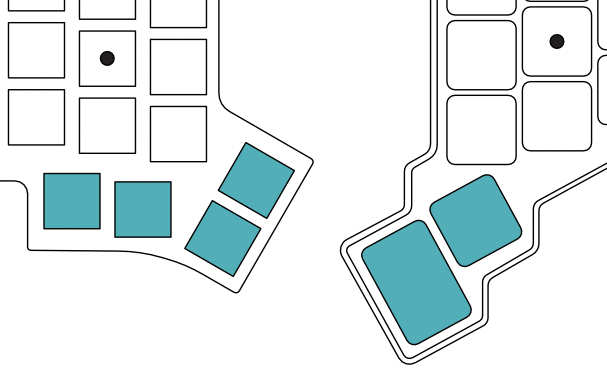
In ZSA's defense, this is a design stance rather than a miss. Some people run 36-key layouts on purpose and find a four-key thumb cluster to be four keys of unnecessary reach. If you already know you're that person, the Voyager's restraint is a feature. If you're still working it out, room to be wrong is worth having.
The configurator
Oryx, ZSA's browser-based configurator, is excellent. Best first-run experience in this category by a distance. The visual editor is clear, Keymapp gives you a live training view, and if you've never remapped a keyboard, Oryx gets you to a working layout faster than anything else here.
The catch is that Oryx is ZSA's. Your layout lives in their system, and the path to a keymap runs through their web app.
The Iris CE uses VIA. Plug it in, open VIA, click a key, change it. Effective immediately, no account, no compile, no sync. VIA works across boards from a lot of manufacturers, so whatever you learn here carries over to your next keyboard.
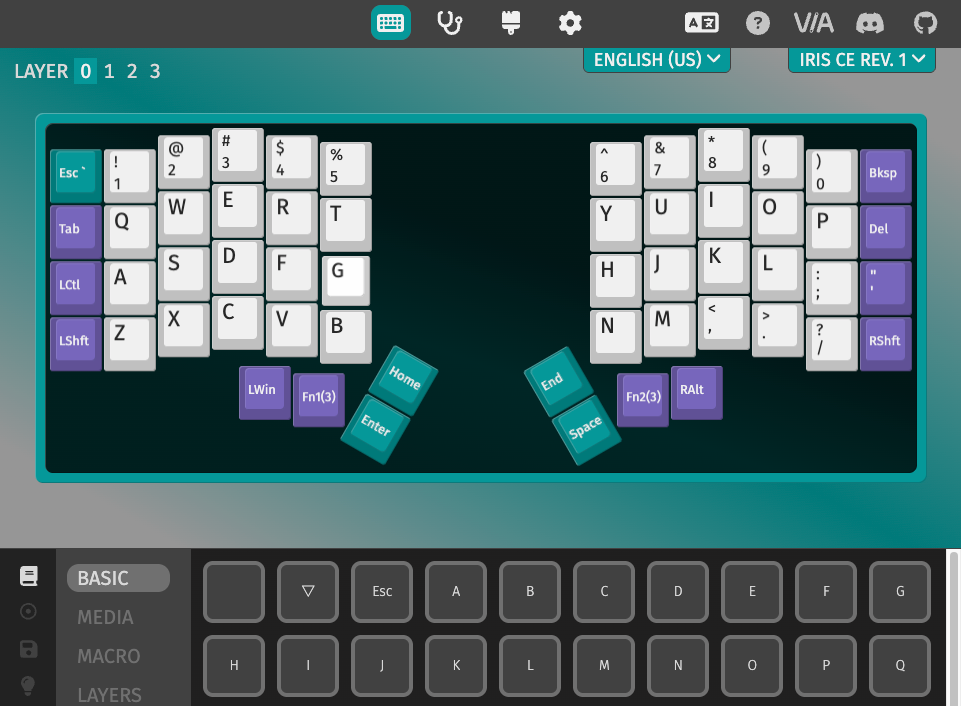
More polished and theirs, or more portable and nobody's. Pick your tradeoff.
Where the Voyager wins
Build and finish. The Voyager is beautifully made. The magnetic tenting feet, the accessories, the packaging. ZSA is very good at this, and it shows.
One decision. It arrives assembled and working. No barebones-versus-kit question, no case material to pick, no separate switch order.
Tenting is in the box. Our tenting is a separate purchase, but you can always add it on later.
Reputation and community. More people own one, more people have written up their layouts, and you'll find more answers when you get stuck.
Where the Iris CE wins
Price. The aluminum kit version is $254.96, fully assembled $294.96. Polycarbonate kit is $219.96. The Voyager is $365 including shipping, plus import fees outside the U.S. That's close to two Iris CEs for one Voyager.
It's actually compact. The point of the whole post.
Four thumb keys per side.
Case choice. Black aluminum, translucent black polycarbonate, frosted white polycarbonate, or atomic purple polycarbonate. Aluminum at 435g, polycarbonate at 340g. If you want a keyboard that looks like something you picked rather than something you were issued, it's here.
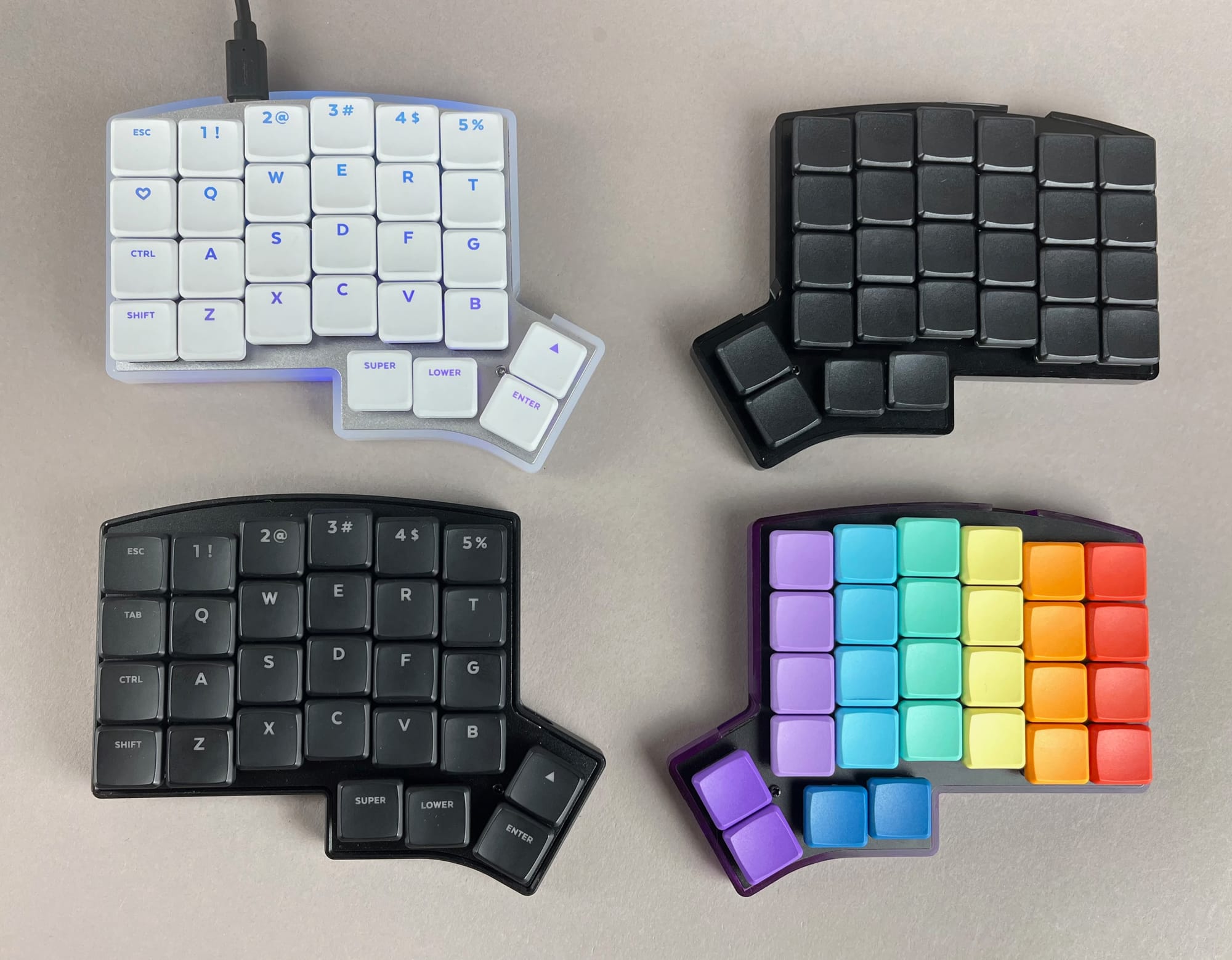
RGB you can see. Six underglow LEDs per half plus per-key lighting. The frosted, translucent, atomic purple cases exist specifically for this.
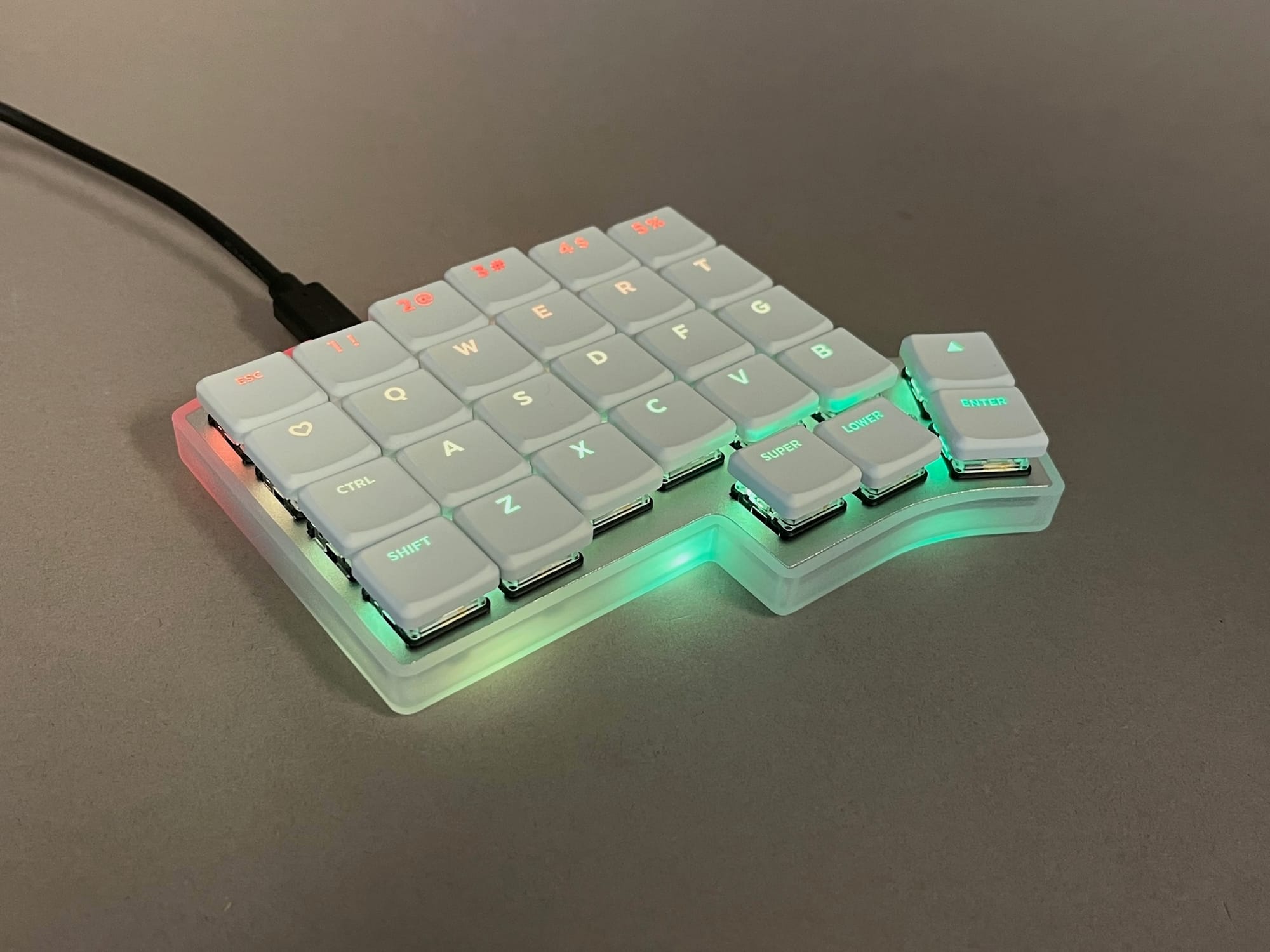
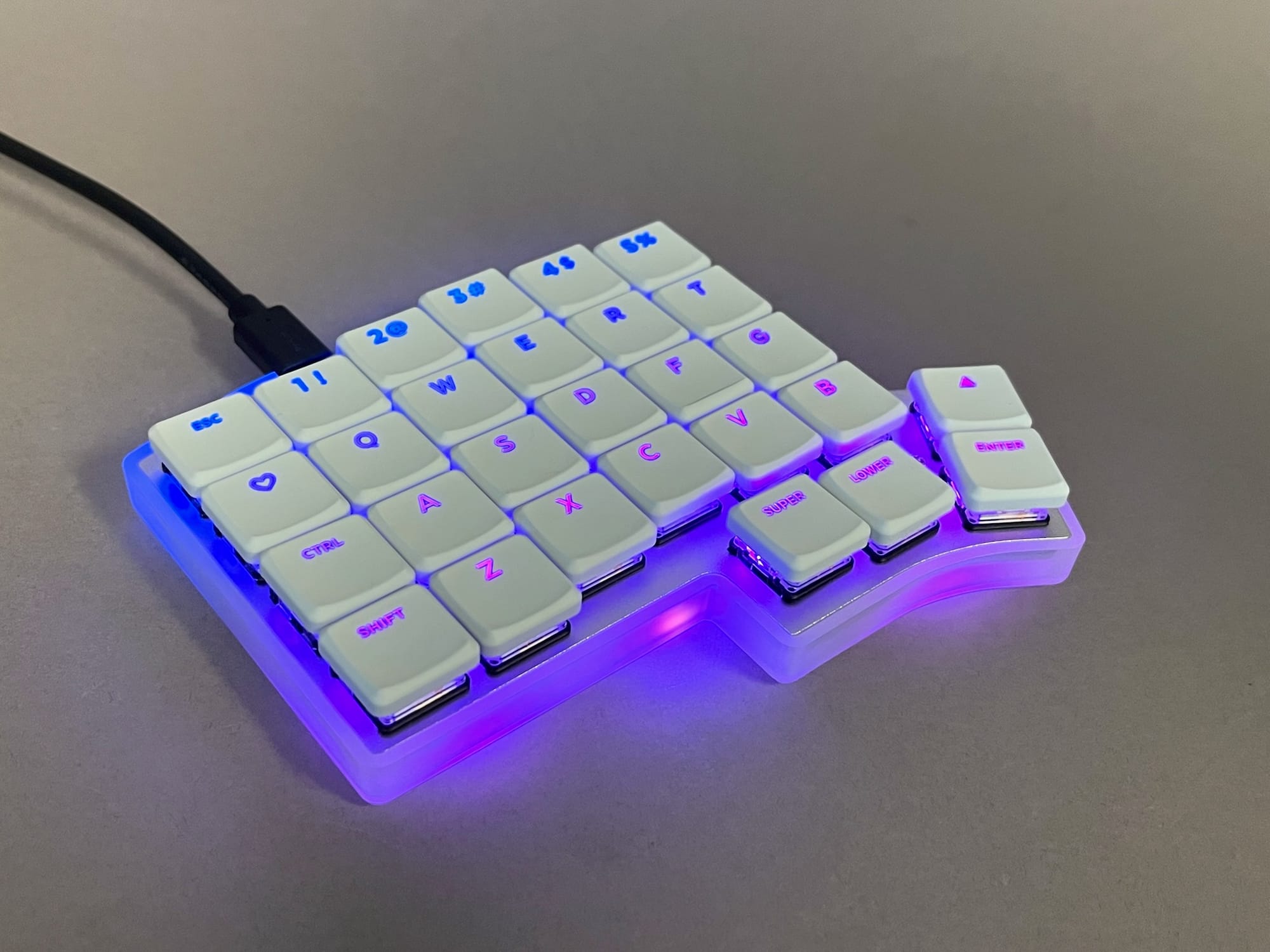
Per-key and Underglow RGB with the Frosted White Case
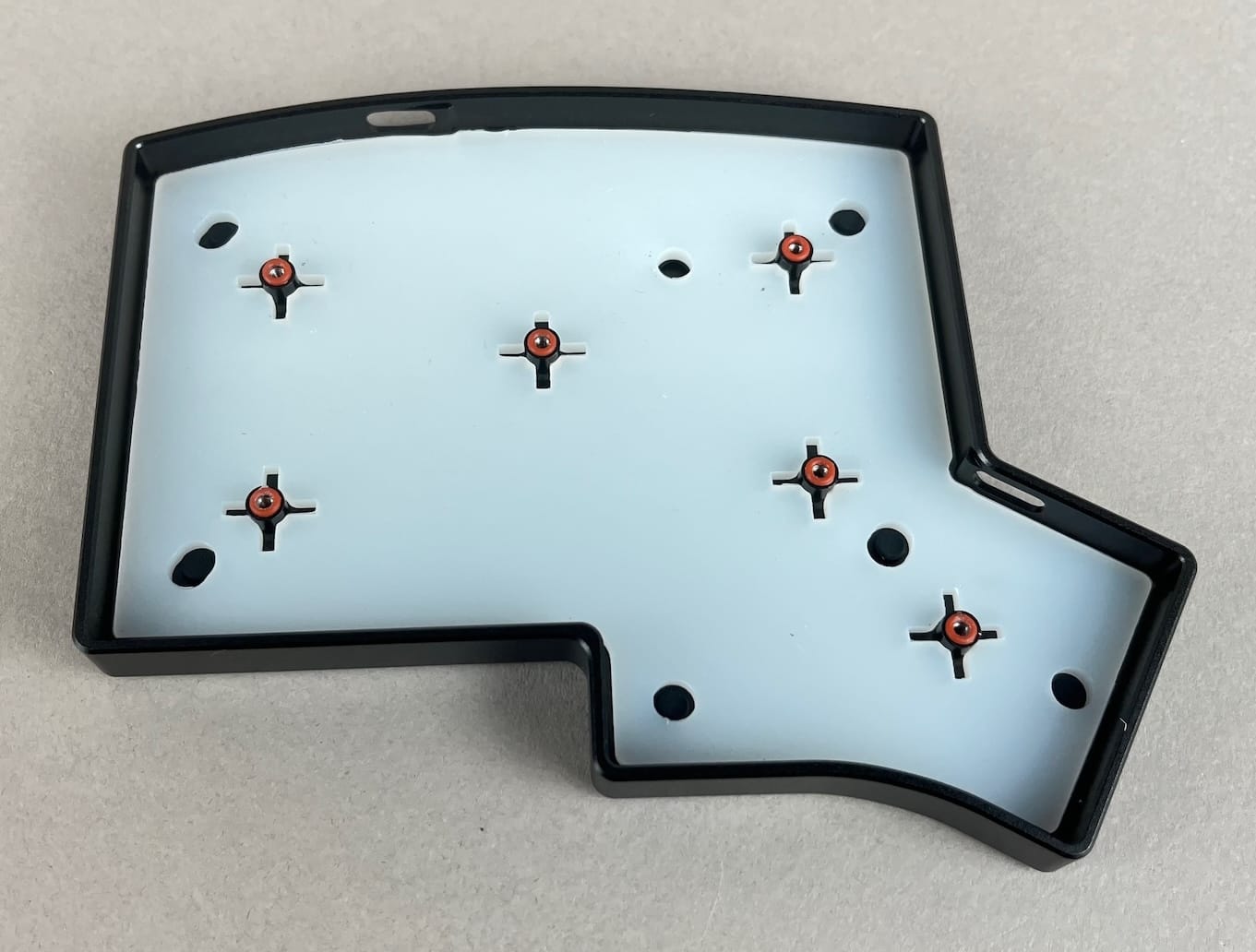
Sound and feel. The Iris CE has foam between the switch plate and PCB, as well as a silicone dampener and O-rings in the tray of the keyboard, which gives it a deeper and more uniform sound and feel. The Voyager uses a plastic piece instead.
Buy only what you need. Barebones, kit, or assembled. If you already own switches and keycaps, don't pay for more. For instance, you can buy Ambient Choc Silent Switches, and those will work with the Iris CE.
A warranty and parts that arrive fast. Every Keebio keyboard comes with a 2-year warranty, and we ship replacement parts from the U.S. instead of from Taiwan. If something goes wrong, that's the difference between a part arriving this week and waiting on international shipping.
Which should you pick?
Buy the Voyager if: you want full MX spacing in a low-profile board, you want the most polished out-of-the-box experience available, you're comfortable with two thumb keys per side, and the price gap isn't decisive.
Buy the Iris CE if: you want a genuinely compact board and not just a thin one, you want four thumb keys per side, you want to choose how it looks, or you'd rather spend $219 to $295 than $365.
Buy the Iris LM if: you want what the Voyager offers, full MX spacing with low-profile switches, at Keebio prices. It's the closer match to the Voyager than the CE is, and it opens up usage of Choc V2 and Gateron KS-33 low-profile switches as well.
Wait if: you've never typed on a Choc switch. Spacing and switch feel are both big adjustments, and you want to make one decision at a time. A switch tester is the cheap way to start.
The Iris CE comes in aluminum and three polycarbonate finishes, as a barebones, a kit, or fully assembled. Have a look at the Iris CE →
Member discussion