


If you've been shopping for a low-profile split keyboard, you've run into the ZSA Voyager. It's in every roundup, it's been reviewed by PC Gamer and Notebookcheck, and the people who own one tend to really like it. That's earned. It's a very good keyboard.
The Iris LM is the closest thing to it that we make, and honestly the closest thing to it that anyone makes. Both are low-profile splits. Both use standard MX key spacing at 19.05mm, rather than the tighter Choc spacing most low-profile boards use. Both are hotswap, both are wired, both run QMK.
So this isn't a comparison where one board is obviously for a different person. It's a narrow one. Let's go through it.
The short version
| Iris LM | ZSA Voyager | |
|---|---|---|
| Price, assembled | $345.96 aluminum, $275.96 polycarbonate | $365 including shipping |
| Price, kit | $305.96 aluminum, $245.96 polycarbonate | Not offered |
| Price, barebones | $209.99 aluminum, $139.99 polycarbonate | Not offered |
| Total keys | 56 | 52 |
| Thumb keys per side | 4 | 2 |
| Key spacing | 19.05mm × 19.05mm | 19.05mm × 19.05mm |
| Switch families | Choc V1, Choc V2, or Gateron KS-33 | Choc V1 only, four variants |
| Hotswap | Yes | Yes |
| Case | CNC-milled aluminum or polycarbonate | Steel bottom plate |
| RGB | 12 underglow plus per-key | Per-key |
| Controller | STM32G431 | STM32 |
| Firmware | QMK with VIA | QMK with Oryx |
| Wireless | No | No |
| Weight | 450g aluminum, 347g polycarbonate | Similar class |
What's the same, and it's a lot
Both boards put low-profile switches on standard MX spacing, 19.05mm in both directions. That's worth saying out loud because it's unusual. Most Choc-based boards shrink the key spacing along with the switch height, down to roughly 18mm across and 17mm down. Our own Iris CE does exactly that.
Boards that keep MX spacing with low-profile switches are making a specific bet: that you want the shorter travel and the lower hand position, but you don't want to relearn how far your fingers reach. Both of these boards make that bet. If that's what you're after, you can't go wrong on this axis with either one.
The Iris LM and the Voyager have nearly identical widths, but the big difference is that the depth of the Iris LM is shorter, giving some more desk space.
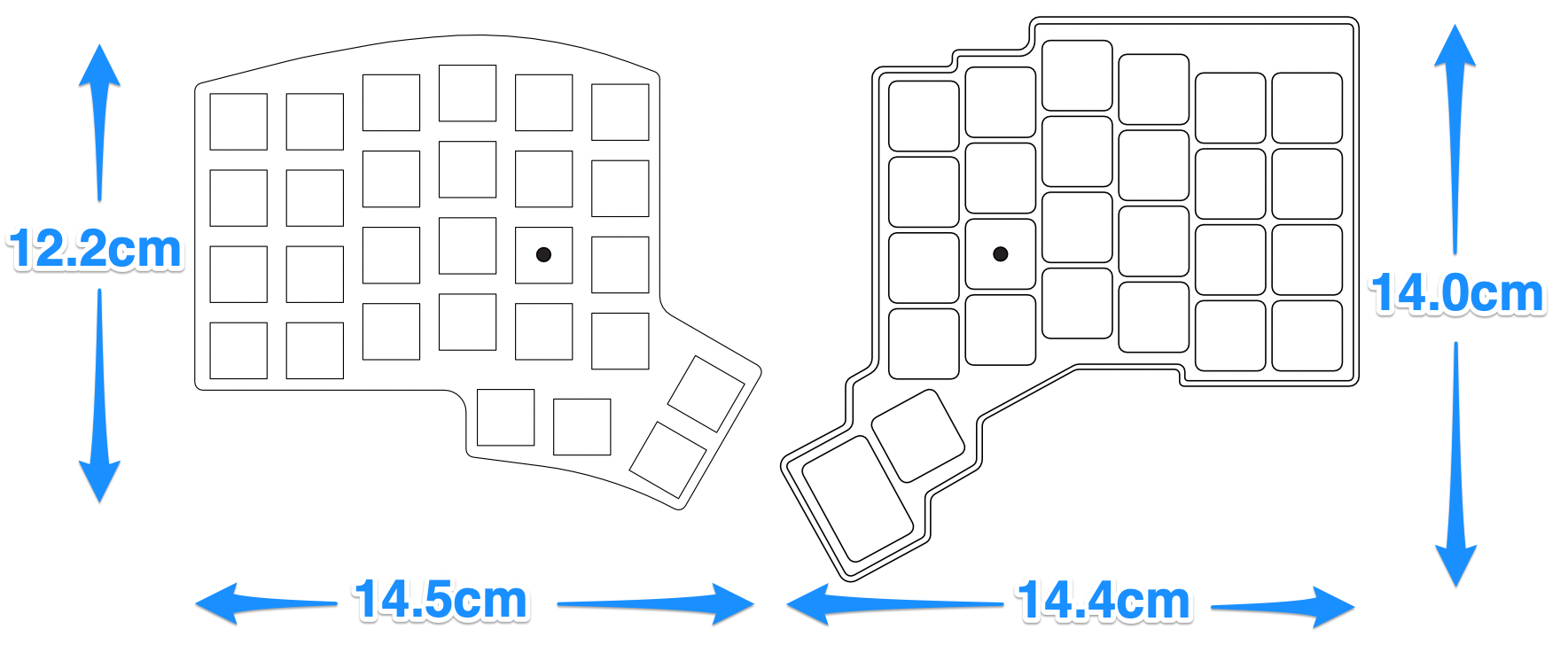
Both are hotswap, so switches come out with a puller and go back in without soldering. Both run QMK underneath. Both are wired only, and neither company is hiding that. ZSA has an "It's Not Wireless?" entry in their own FAQ.
That's the shared ground. Here's where they part.
Thumb keys: four versus two
The Voyager gives you two thumb keys per side. The Iris LM gives you four. That's the 52 versus 56 in the table, and every one of those four extra keys is on a thumb.
On a split keyboard, thumb keys carry the work your pinkies used to do. Space, backspace, enter, and at least one layer toggle all want to live down there. With two per side, you're making those calls on day one, before you know which ones you'll want back.
To be fair to ZSA, this is a design position, not an oversight. If you've already settled into a minimal layout and you like the discipline of a small key count, extra keys you never press are extra keys in the way. Plenty of people run 36-key layouts happily and would find our thumb cluster excessive.
But if you're building your first split layout, having room to be wrong is worth real money.
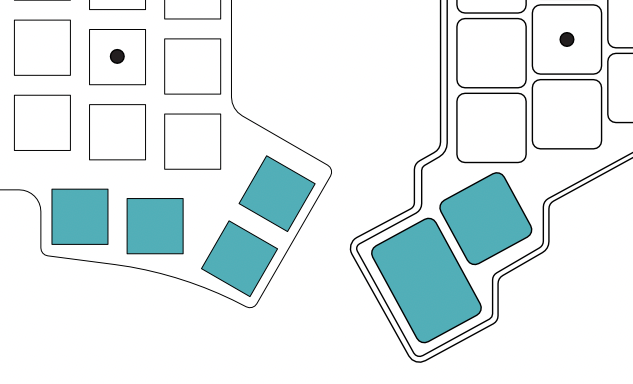
Consider the Iris LM if you are: a first-time split user, or someone who wants space, enter, backspace, and two layer keys all within thumb reach.
Switches: one family versus three + silent options
Both boards take Kailh Choc V1. The Voyager offers four V1 variants at checkout: Choc Brown (tactile, 60g), Choc White (clicky, 60g), Choc Red (linear, 50g), and Choc Pro Red (linear, 35g). Good spread, and Pro Red in particular is a nice light option.
The Iris LM goes wider at the PCB level. The Kailh version takes Choc V1 and Choc V2. The Gateron version takes Gateron KS-33 Low-Profile 2.0. Those are genuinely different switches, not just different weightings of the same one. Choc V2 has a different stem and a different sound profile than V1. Gateron KS-33 is a different family altogether.
Choc V2 switches are a real game changer, as there are more options for silent switches, which most people find important, especially for office usage.
Since both boards are hotswap, you can put any Choc V1 switch you like in either of them regardless of what shipped in the box. The difference is what the board is capable of, and the Iris LM covers three switch families, whereas the Voyager only covers one.
Whether that matters depends entirely on whether you already know what you like. If you've typed on Choc Reds and you're happy, this section is noise. If you haven't settled, it's the difference between having options later and not.

Consider the Iris LM if you: haven't landed on a switch yet, or know you want Choc V2 or Gateron KS-33 switches specifically.
The configurator
Both boards run QMK. What differs is how you get a keymap onto them.
ZSA built Oryx, a browser-based configurator, and it's excellent. It's the best first-run experience in this category, and it isn't close. Clear visual editor, and Keymapp gives you a live training view while you learn. If you have never remapped a keyboard before, Oryx will get you to a working layout faster than anything else here. Real credit for that.
The tradeoff is that Oryx is ZSA's. Your layout lives in their system, and the path to a keymap runs through their web app.
The Iris LM uses VIA. Plug the board in, open VIA, click a key, change it. It takes effect immediately, with no account, no compile step, and no sync. VIA also works across boards from a lot of different manufacturers, so what you learn transfers to whatever you own next.
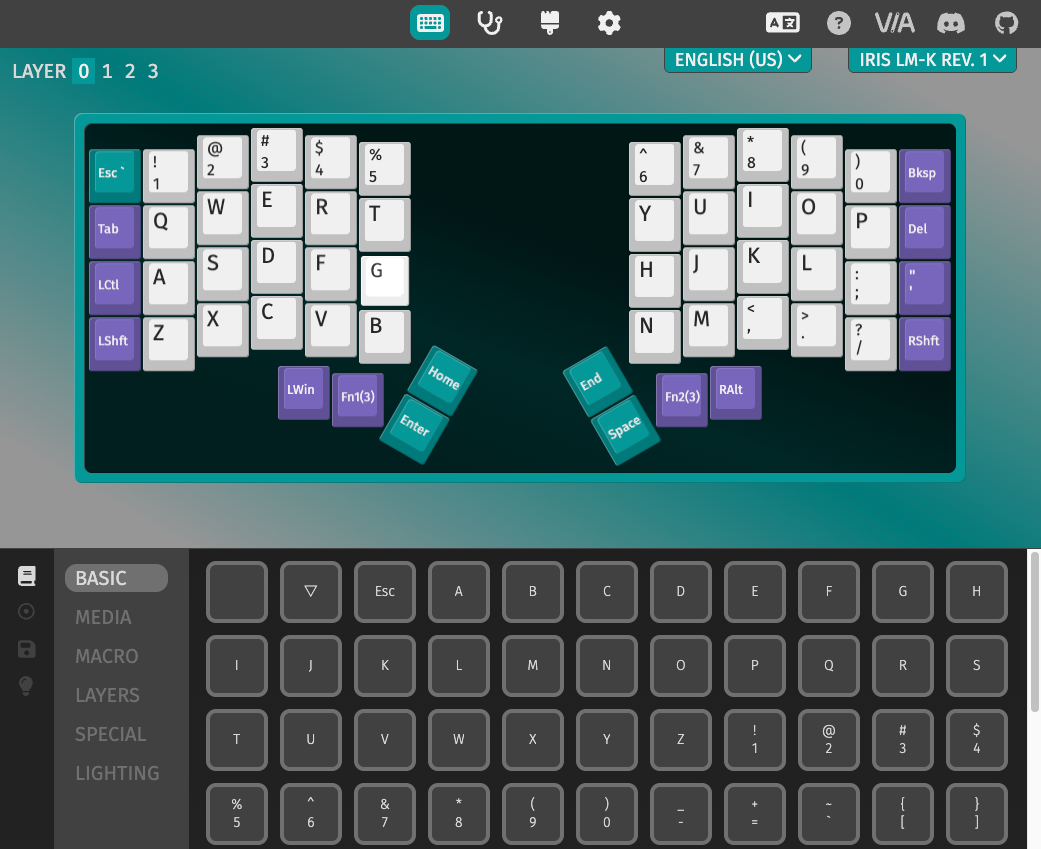
Neither is wrong. Oryx is more polished and belongs to ZSA. VIA is more portable and belongs to nobody.
Consider the Iris LM if you are: interested in open source projects, or coming from a keyboard that already uses VIA.
Where the Voyager wins
Build and finish. The Voyager is beautifully made. The magnetic tenting feet, the accessories, the packaging. ZSA is very good at this, and it shows.
It arrives finished. One configuration, one decision, ships assembled with switches and keycaps in it. If you want a keyboard rather than a project, that's worth something real.
Onboarding. Between Oryx, Keymapp, and their training material, ZSA has thought harder than anyone about your first two weeks with a split keyboard.
Tenting is included. The magnetic feet come in the box. Our tenting is a separate purchase, but you can always add it on later.
If those are the things you're buying, buy them.
Where the Iris LM wins
Price, by a lot. Aluminum barebones is $209.99. Kit with switches and keycaps, $305.96. Polycarbonate barebones is $139.99. The Voyager is $365 including shipping, and buyers outside the U.S. have reported import fees on top.
Twice the thumb keys.
Three switch families instead of one. Your choice of using Choc V1, Choc V2, or Gateron KS-33 low-profile switches.
Case choice. CNC-milled aluminum with isolation mounting, or polycarbonate in translucent black or frosted white. Aluminum is 450g, polycarbonate 347g.
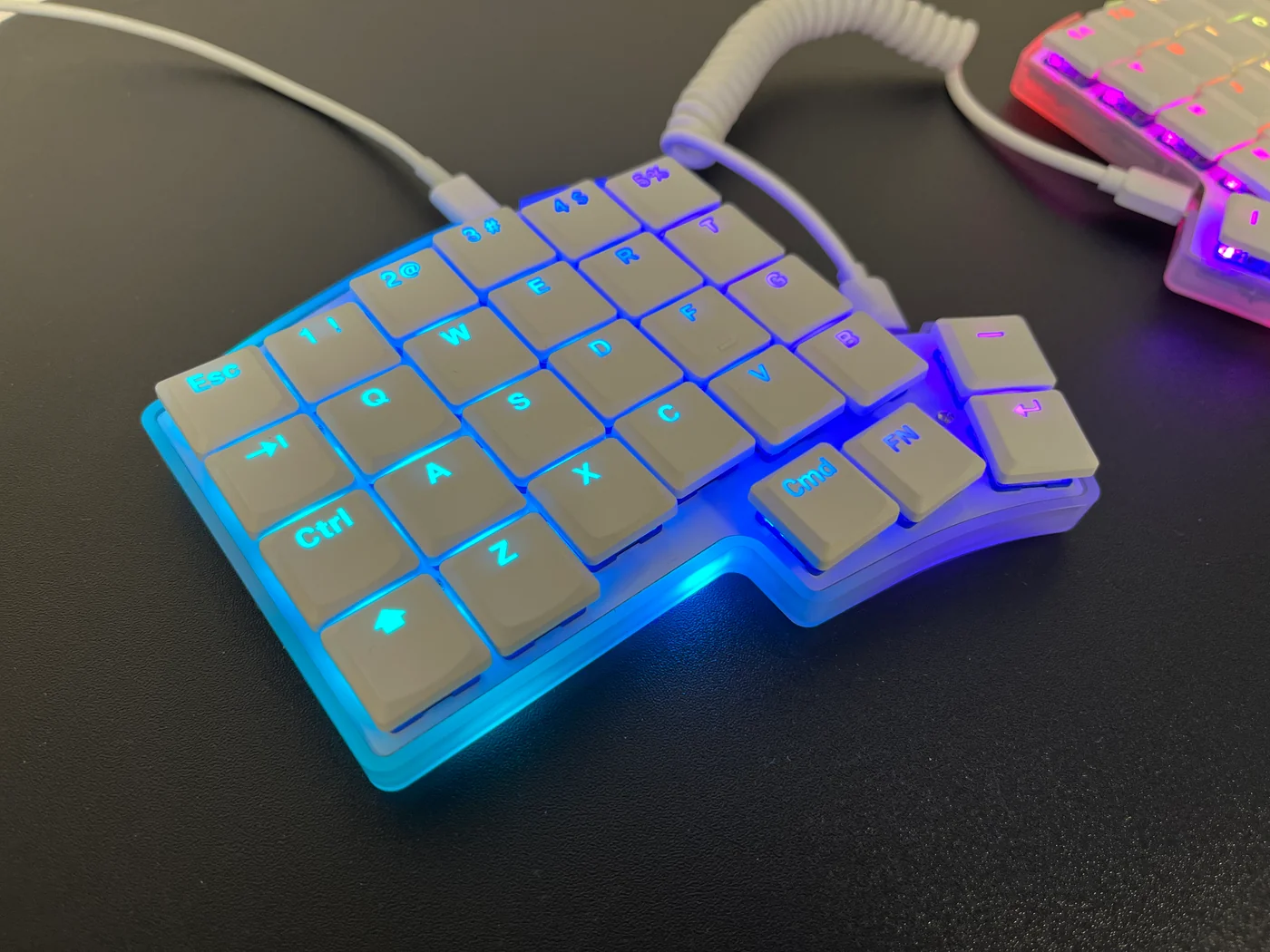
RGB you can see. Six underglow LEDs per half plus per-key lighting, which the translucent polycarbonate cases are built for.
Sound and feel. The Iris LM has foam between the switch plate and PCB, as well as a silicone dampener and O-rings in the tray of the keyboard, which gives it a deeper and more uniform sound and feel. The Voyager uses a plastic piece instead.
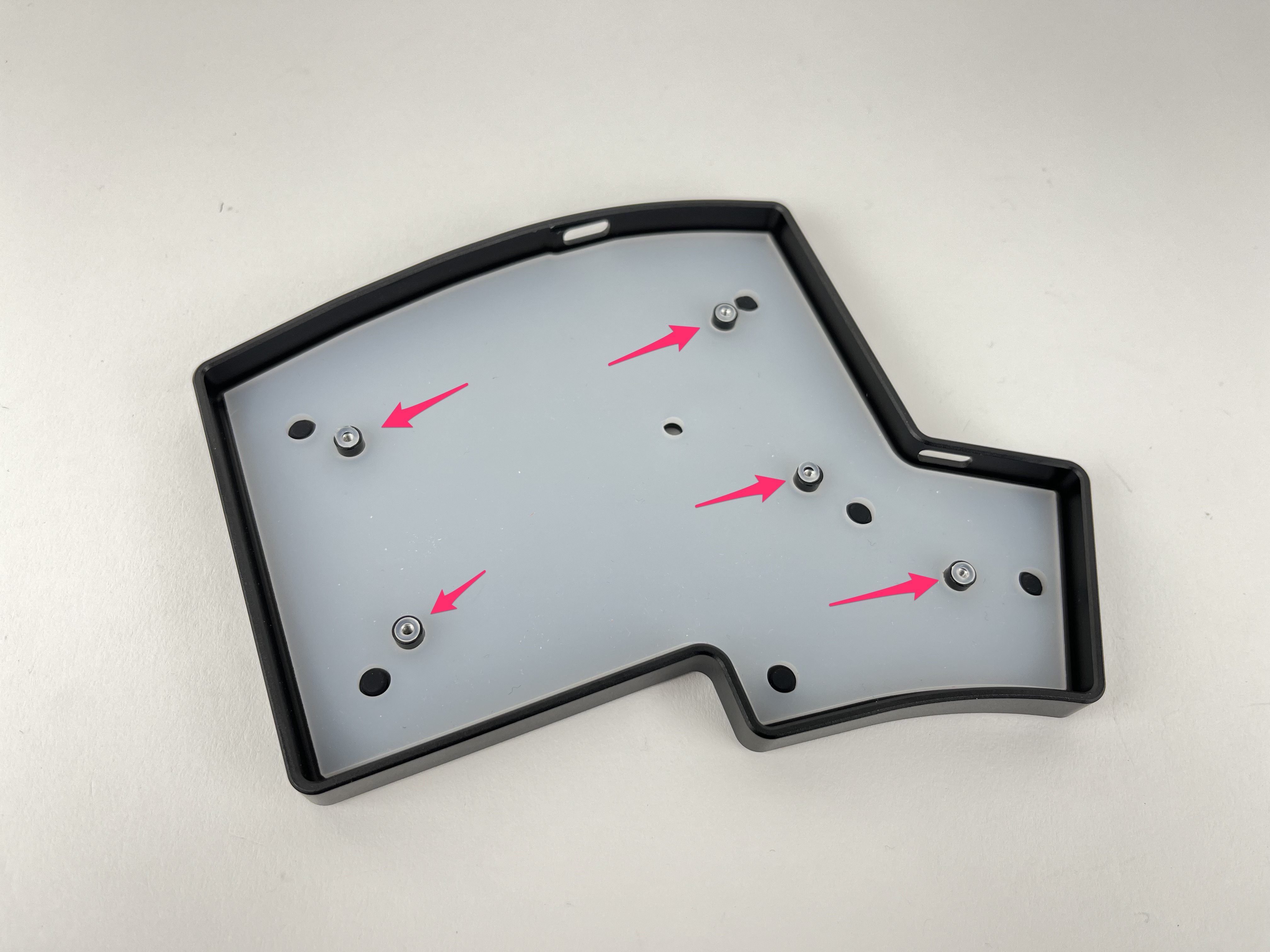
Buy only what you need. Barebones if you already have switches and keycaps. Kit if you want to build it. Assembled if you don't. The Voyager is one SKU at one price.
Support that reaches you quickly. Every Keebio keyboard comes with a 2-year warranty, and when you need a part, we ship it from the U.S. rather than from Taiwan. That is the difference between a replacement showing up this week and waiting on an international parcel.
Which should you pick?
Buy the Voyager if: you want a keyboard that arrives perfect and you never think about again, you're already settled on a minimal thumb cluster and a Choc V1 switch, Oryx's onboarding is worth the premium, and $365 isn't the deciding factor.
Buy the Iris LM if: you want four thumb keys per side while you work out your layout, you want Choc V2 or Gateron KS-33 on the table, you'd rather keep your keymap in an open tool, or you'd rather spend $140 to $345 than $365.
Look at the Iris CE instead if: you actually want a compact board. Both keyboards on this page use full MX spacing, which makes them roughly desk-sized. The CE runs Choc V1 at its native 17mm by 18mm spacing and is genuinely smaller as a result.
Buy neither yet if: you've never used a low-profile switch. Choc V1, Choc V2, and Gateron KS-33 feel meaningfully different, and that decision matters more than which board you put them in. A switch tester costs a lot less than finding out the expensive way.
The Iris LM comes in aluminum and polycarbonate, as a barebones, a kit, or fully assembled. Have a look at the Iris LM →
Member discussion