


Low-profile mechanical keyboards have a distinct appeal: a slimmer form factor, shorter travel, and a sleek look that feels right at home on a desk. But keycap compatibility can be confusing at first glance. Unlike the standard MX world, where almost any keycap works on almost any board, low-profile has a few distinct switch ecosystems, and not every keycap works across all of them. Here is a breakdown of the keycap options we carry and which ones are compatible with each.
The Two Switch Families to Know
Before diving into specific keysets, it helps to understand the two main low-profile switch families:
Kailh Choc V1 is the original low-profile Choc switch and has its own proprietary stem design: two small prongs instead of the cross-shaped MX stem found on most standard switches. Keycaps made for Choc V1 are not compatible with standard MX stems, and vice versa.

Kailh Choc V2 and Gateron KS-33 Low-Profile 2.0 both use a standard MX-compatible stem, which means they can use a wider variety of keycaps, including many designed for regular full-height boards, just with a reduced cap height for a lower profile feel.
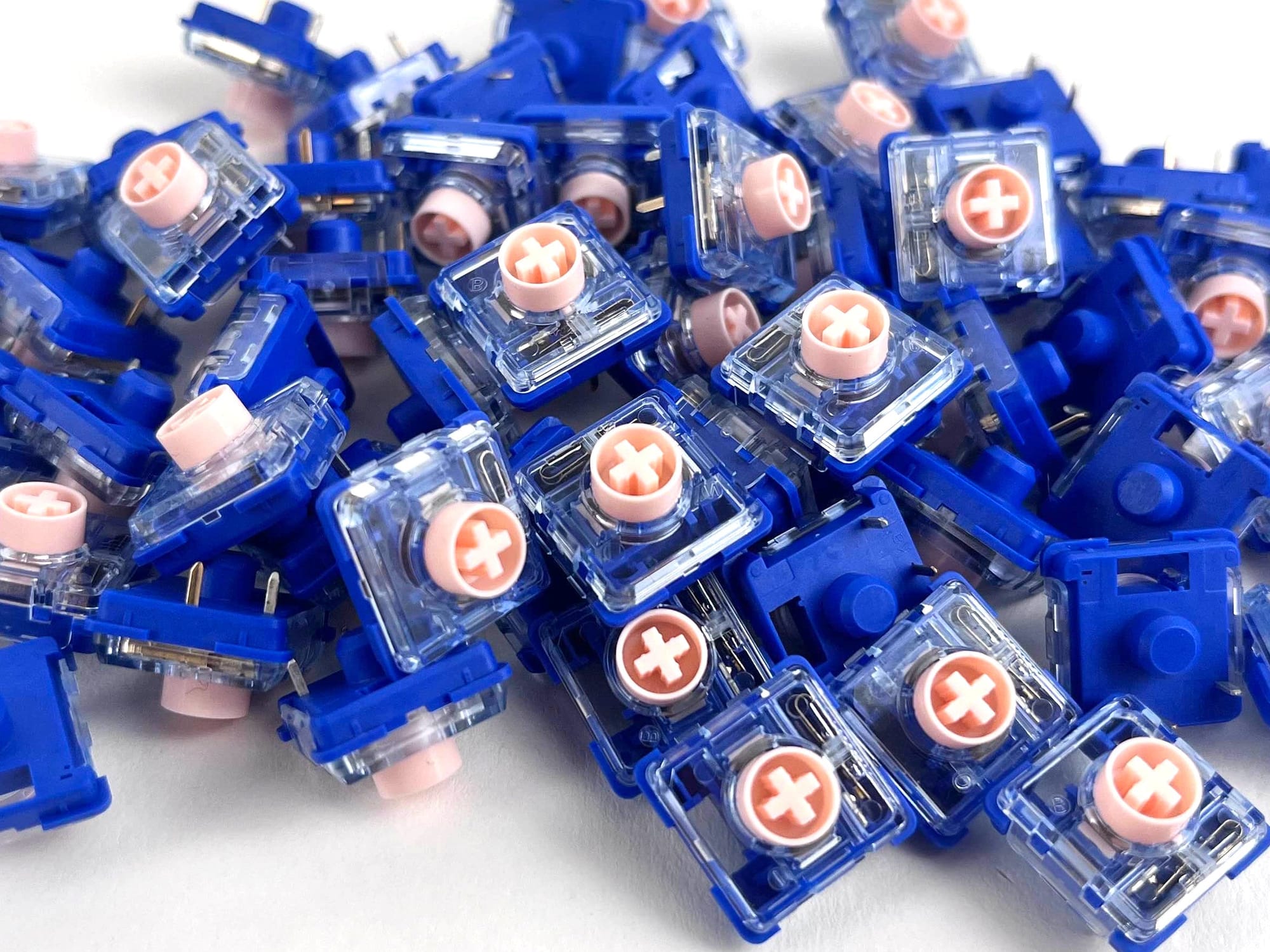

(Left) Kailh Choc V2, (Right) Gateron KS-33MMB
Knowing which switch is in your board is the critical first step before shopping for keycaps.
MBK Keycaps (Choc V1 Only)
The MBK profile is the most popular keycap family purpose-built for Kailh Choc V1 switches. MBK keycaps feature a slightly curved top surface, close spacing (16.5mm x 17.5mm) that matches the tighter pitch of Choc boards, and a low, flat profile that makes them feel at home on ergonomic and ortholinear keyboards.

All MBK keycaps are compatible with Kailh Choc V1 only and will not fit Choc V2, KS-33 switches, or MX switches.
Because MBK keycaps are predominantly 1u keys with a handful of wider convex variants, they are best suited to ergo and ortholinear boards where most keys are 1u. They are not a great fit for standard-stagger boards that require a full complement of wider modifier keys, and Choc V1 stabilizers aren't particularly great.
Compatible with: Kailh Choc V1 only
Best for: Ergonomic/ortho boards (Iris CE, Chocopad, Sofle Choc, Corne Choc, etc.)
MBK PBT Blank Choc Keycaps

These are sold individually, which makes them ideal for custom color mixes on smaller boards. Available in 14 colors, including Black, White, Violet Purple, Lavender Purple, Arctic Blue, Mint Green, Cream Yellow, Rose Pink, Chili Red, Steel Grey, Fuchsia Pink, Shadow Grey, Ocean Blue, and Tiger Orange.

Made by FKcaps, they come in five types: 1u blank, 1u homin
g (with a lip on the bottom edge), 1u convex, 1.5u convex, and 2u convex. The convex variants are especially useful for thumb keys on split ergonomic boards like the Iris CE.
MBK Glow R2 Choc Keycap Set

The MBK Glow takes everything that makes the standard MBK great and adds RGB shine-through. The legends are laser-etched on ABS material, allowing backlight to pass through cleanly. Available in Black or White, the set includes homing key variants for QWERTY, Dvorak, and Colemak layouts, plus convex space keys.
This set is a natural companion for boards with per-key RGB, like the Iris CE. As with all MBK keycaps, the kitting is focused on 1u keys with convex options for thumb clusters, making it best suited to ergo/ortho layouts.
MBK Dot Glow

A more minimal take on the Choc V1 shine-through keycap. Instead of legends, every key features a single laser-etched dot. The set comes with 58 standard 1u dot keycaps, 2 homing dot keycaps, 2 1u convex keycaps, and 2 1.5u convex keycaps (64 total). Currently available in Black only.
It is a great choice if you prefer a clean, legend-free look with just a subtle indicator for homing keys. Ideal for touch typists who do not need legends at all and want something that glows elegantly.
Other Choc V1 Profiles
MBK is the most widely available Choc V1 keycap profile, but it is not the only one. A couple of others are worth knowing about if you are shopping around.
MCC (designed by MoErgo) is a cylindrical profile for Choc V1, giving it a slight concave scoop across the top surface compared to MBK's flatter feel. It is made from POM, a material with a smooth, buttery texture that resists shine over time. MCC keycaps are designed to be visually compatible with MBK, so you can mix the two on the same board. Like MBK, they are only available in 1u and convex sizes, making them best suited to ergo and ortho layouts.

DDC (designed by Lowprokb) is another cylindrical Choc V1 profile, this time aiming for a feel closer to traditional Cherry or OEM profile, just adapted for Choc spacing and switch stems. It is injection molded in PBT. A good option if you are coming from a standard keyboard and want something more familiar underhand.
Both profiles use the same two-prong Choc V1 stem and the same close key spacing as MBK, so they will only work on boards designed for Choc V1 switches.
LPF and THT Keycaps (Choc V2 and Gateron KS-33)
For Choc V2 and Gateron KS-33 switches, you have two keycap families to choose from: LPF (Low Profile) and THT (Tai-Hao Thins). Both use a standard MX stem, so they mount to these switches just like a regular MX keycap would, but the cap height is reduced compared to full-size profiles like Cherry or OEM, keeping the overall profile lower.
Both the LPF and THT families are available in kittings designed for traditional-stagger keyboards (like the Quefrency LM and Sinc LM), as well as a smaller ergo/ortho-focused set.
LPF Legend Glow MX Keycap Set

The original LPF keyset, kitted for split ergonomic and ortholinear boards. Made with ABS and laser-etched shine-through legends, the set includes 80x 1u keys, 2x 1.25u, 2x 1.5u, 2x 2u, 2x vertical 2u, and 6x homing 1u keys. Homing variants are included for QWERTY (F and J), Colemak (T and N), and Dvorak (H and U). Currently available in Black only.
Compatible with: Kailh Choc V2, Gateron KS-33 (MX stem)
Best for: Ergonomic/ortho boards (Iris LM, Nyquist LM, etc.)
Tai-Hao THT Low-Profile MX Ergo/Ortho Keycap Set

The ergo/ortho variant of the THT lineup. This is an all-1u set containing 65 doubleshot PBT shine-through keycaps, perfect for ergonomic and ortholinear boards where the vast majority of keys are 1u. It pairs well with MX-stem-compatible ergo boards, such as the Iris LM.
The caps are 18.1 x 18.1 mm and include homing bars on the F and J keys. A sample pack of other THT keycaps is included in the set as a bonus. Available in Black or White. If you need Colemak or Dvorak homing keys, those are available separately in the THT Colevrak Kit.
Compatible with: Kailh Choc V2, Gateron KS-33 (MX stem)
Best for: Ergonomic/ortho boards (Iris LM, Nyquist LM, etc.)
LPF Shine 110-Key Keycap Set

The LPF Shine is a comprehensive 110-key set with ABS construction and laser-engraved shine-through legends, designed specifically with the Quefrency LM and Sinc LM in mind. The kitting covers a full traditional-stagger layout, including a good selection of modifier sizes: 91x 1u, 2x homing 1u, 8x 1.25u, 2x 1.5u, 2x 1.75u, 1x 2u, 3x 2.25u, and 1x 2.75u.

Two modifier style options are available: Normal (standard font size on modifiers) and Mini Text Modifiers (smaller font on bottom-row text legends and F-keys, which can actually look cleaner at low profile heights). If you plan to use icon mods, the difference will not matter.
Compatible with: Kailh Choc V2, Gateron KS-33 (MX stem)
Best for: Standard-stagger boards (Quefrency LM, Sinc LM)
Tai-Hao THT Low-Profile MX 98-Key Keycap Set

The 98-key THT set is the standard-stagger version of the THT lineup, with kitting designed by Keebio specifically for split staggered keyboards. It ships with 83x 1u, 6x 1.25u, 2x 1.5u, 2x 1.75u, 3x 2.25u, 1x 2u, and 1x 2.75u, which is enough to cover the Quefrency LM and Sinc LM without issue. Note that no long spacebar (6u/6.25u/7u) is included, which is expected for split keyboard use cases.
One thing to be aware of: unlike the LPF Shine set, where the larger modifier keys have full text or icon legends on them, the THT 98-key set uses a dot on the wider keycaps instead. The 1u alphanumeric keys have standard legends, but the modifiers keep things minimal with just a dot. This gives the set a cleaner look, though it does mean you will need to know your layout by feel or refer to your board's layout diagram for modifier placement.
The caps are doubleshot PBT with shine-through legends, which gives them a durability and texture edge over laser-etched ABS. Alice and Arisu keyboards are mentioned as potentially compatible, though you may need to substitute 1.25u keys in place of 1.5u keys depending on the board.
Compatible with: Kailh Choc V2, Gateron KS-33 (MX stem)
Best for: Standard-stagger boards (Quefrency LM, Sinc LM)
Quick Reference
| Keycap Set | Switch Compatibility | Best Suited For |
|---|---|---|
| MBK PBT Blank | Kailh Choc V1 only | Ergo/ortho boards |
| MBK Glow R2 | Kailh Choc V1 only | Ergo/ortho boards |
| MBK Dot Glow | Kailh Choc V1 only | Ergo/ortho boards |
| LPF Shine 110-Key | Choc V2, Gateron KS-33 | Standard-stagger boards (Quefrency LM, Sinc LM) |
| THT 98-Key | Choc V2, Gateron KS-33 | Standard-stagger boards (Quefrency LM, Sinc LM) |
| THT Ergo/Ortho | Choc V2, Gateron KS-33 | Ergo/ortho boards |
The key takeaway: MBK profile keycaps are exclusively for Choc V1, while LPF and THT keycaps target Choc V2 and KS-33 switches. And when it comes to kitting, make sure to match the keyset to your board's layout. If you are building a Quefrency LM or Sinc LM, you will want a set that covers the full range of modifier sizes for a traditional-stagger layout. If you are on an ergo or ortho board, the all-1u sets have you covered.
Have questions about which keycap set is right for your build? Drop us a message or hop into our Discord server.
Other Keycap Profiles
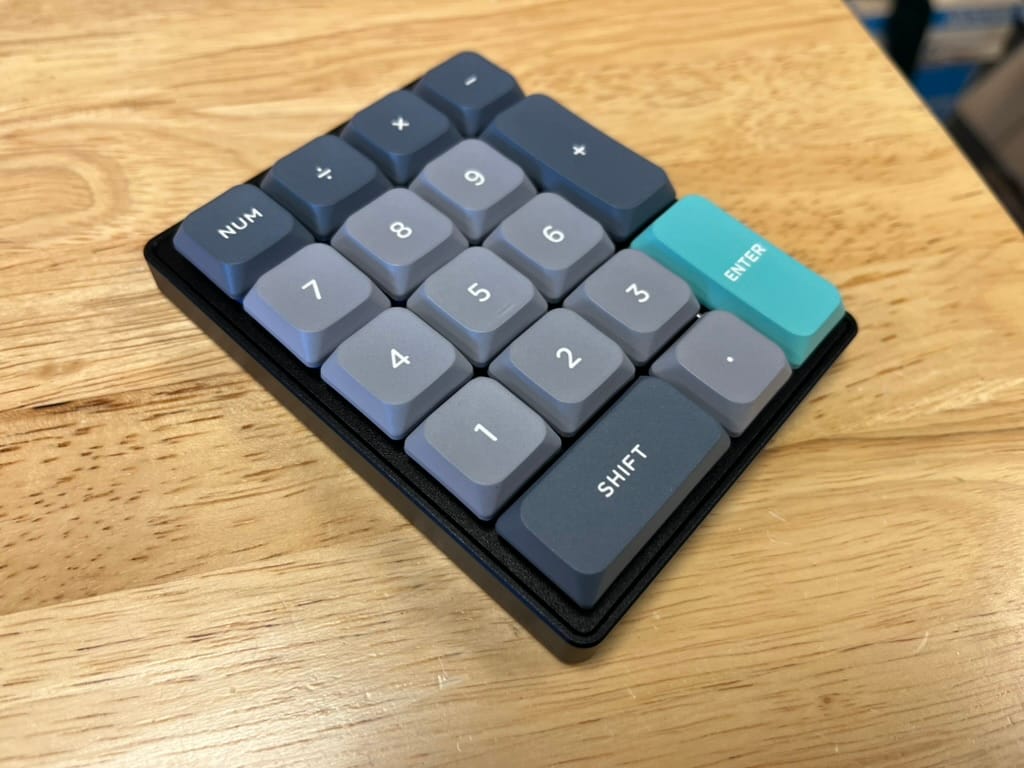
The keysets covered in this post are not the only options for low-profile boards. A number of other keycap profiles work with Choc V2 and Gateron KS-33 switches thanks to their MX-compatible stems. Compatibility varies by profile, though, and not every MX keycap will clear the switch housing without collisions, so before buying, it is worth checking the Low-Profile Keycap Compatibility Sheet for a comprehensive breakdown of what works with which switches. Also, another thing to check for is if the location of the stem receptacles on the bottom of keycap matches up with the correct stabilizer locations, as some keyboards use an offset positioning of stabilizer stems.

Member discussion