


Having trouble deciding which ergonomic keyboard is for you, so you can deal with things like wrist issues, RSI, carpal tunnel syndrome, etc.? Here's a rundown of the keyboards that we offer and what will work best for you. We'll start off with options that don't require much of a learning curve and then move into the more ergonomically aggressive layouts.
Traditional Layout
If you want the ergonomic benefits of a split keyboard without having to relearn where your keys are, the traditional row-staggered options are your best starting point. The key positions follow the same pattern as a standard keyboard, so muscle memory carries over with minimal friction. It's basically just a normal keyboard, but split.
Quefrency

The Quefrency is a split 65%/65XT keyboard with row stagger identical to what you'd find on any standard keyboard. It includes a number row but skips the function row, making it more compact without requiring you to rethink your keymap. The macro section on the left half gives you extra keys for function-row keys, shortcuts, or macros if you want them. There's also a variant for a no-macro version of the board if you want things to be more compact. It's a great entry point if you're switching from a standard keyboard and don't want to deal with adapting to a completely new layout.
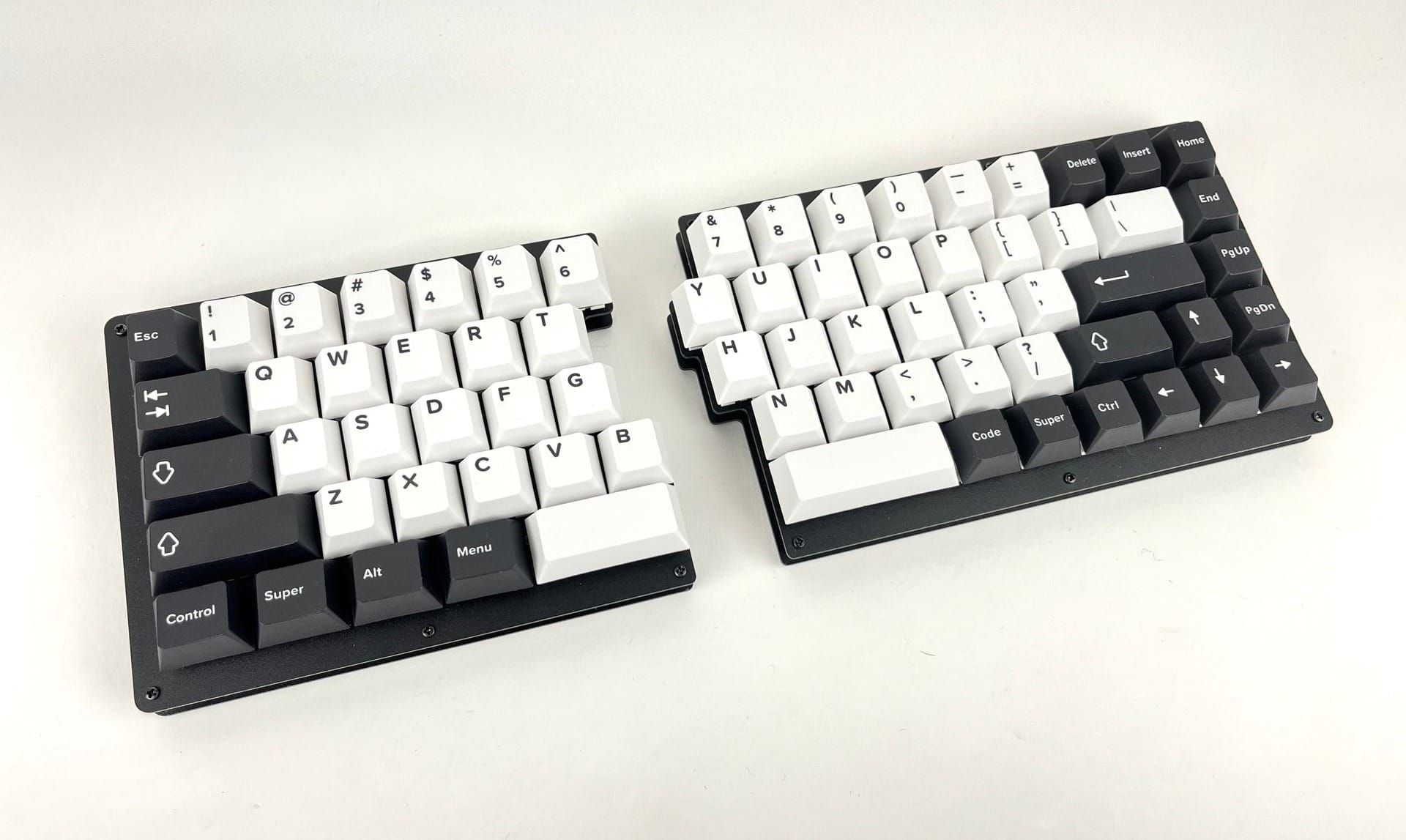
Additionally, the top-left and top-right corners of the Quefrency can have rotary encoders installed there, allowing you to do things like control volume, page up/down, zoom in/out, or whatever else you'd like for it to do.
If you're looking for an ISO layout keyboard, the Quefrency can be converted to be ISO compatible.
Quefrency LM

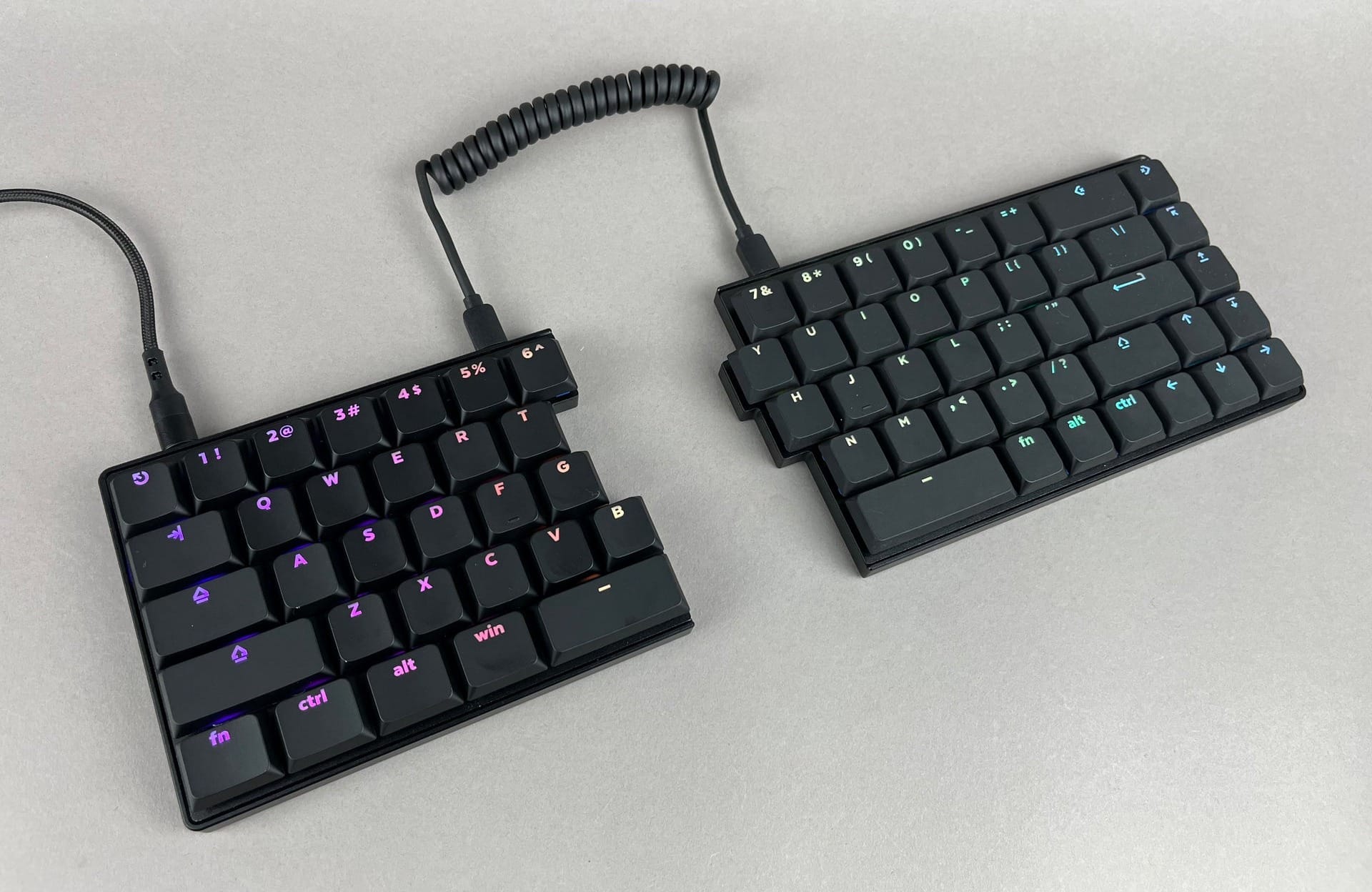
The Quefrency LM is the low-profile version of the Quefrency. It uses Kailh Choc V2, which results in a significantly slimmer profile compared to a standard MX build. The key spacing matches standard MX spacing, so the typing feel stays familiar. If you spend long hours at a desk and want a split keyboard that keeps your hands lower and more relaxed, the Quefrency LM is worth considering.
Sinc
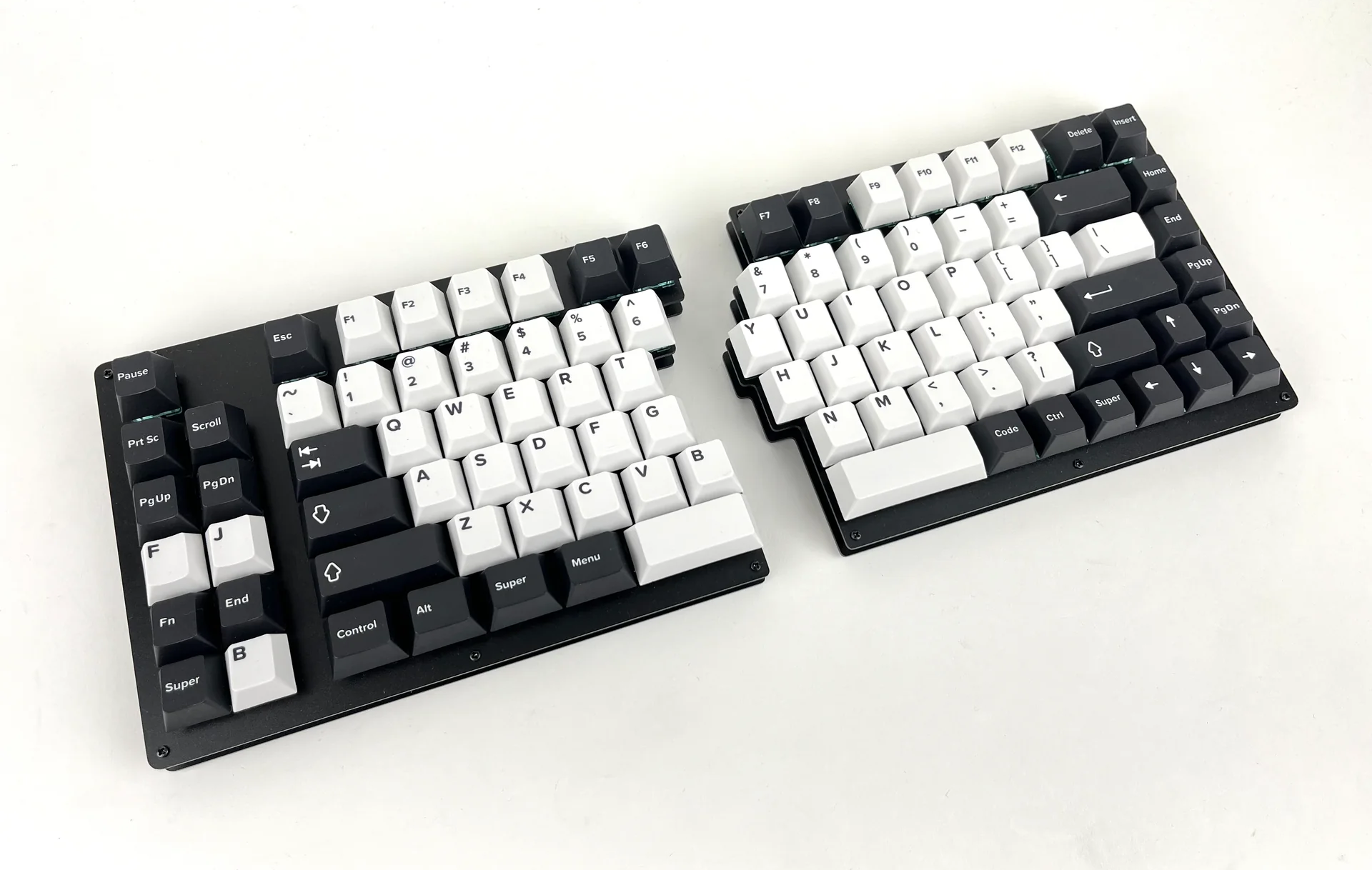
The Sinc is the biggest of the traditional-layout options, coming in as a split 75%/TKL keyboard. That means you get a full-function row across the top in addition to the number row, which makes it the closest experience to a full-size or tenkeyless keyboard. Like the Quefrency, the left half can have a macro section or not.
If you rely on function keys regularly and don't want to give them up, the Sinc is the right call.
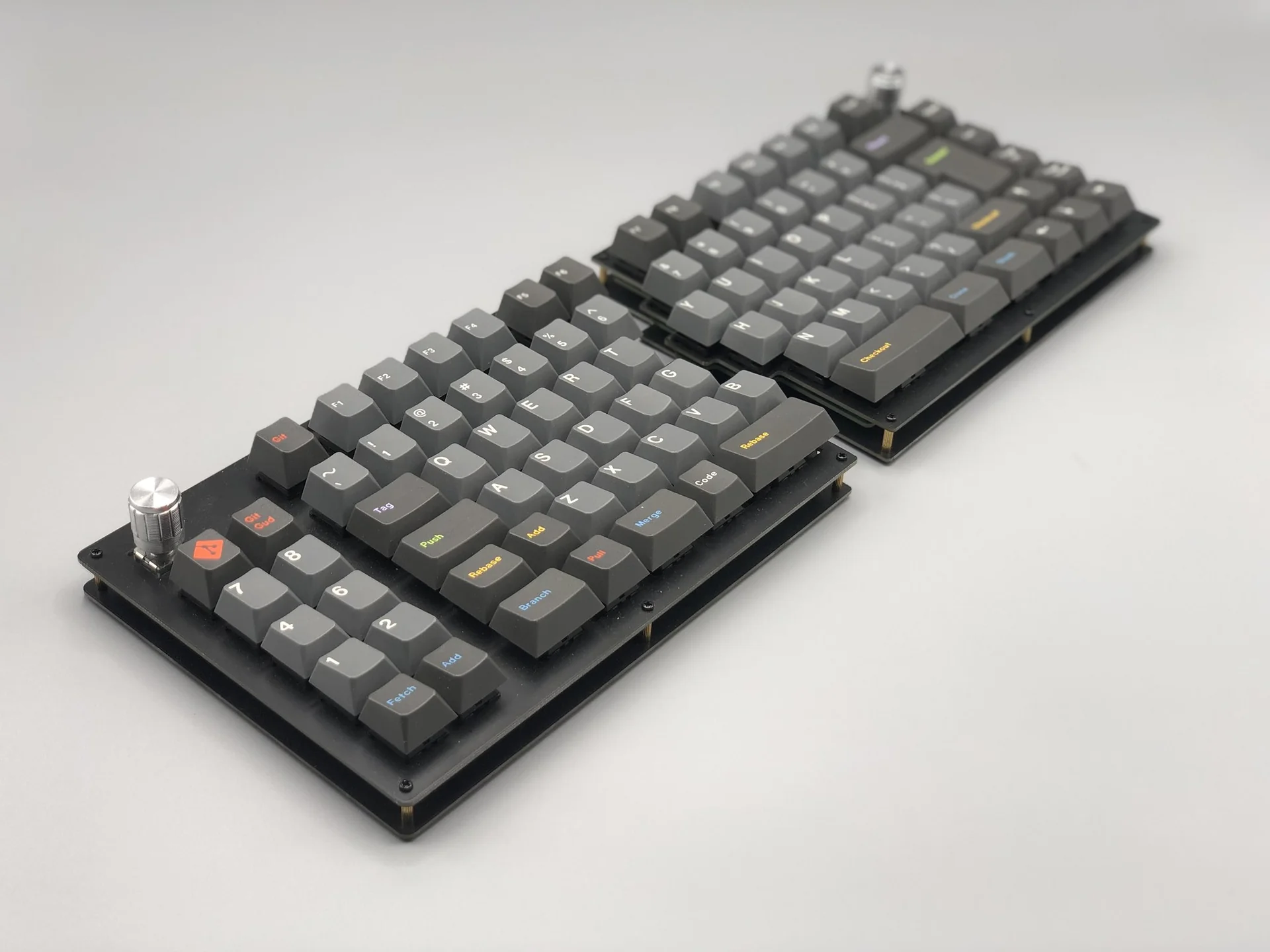
Like with the Quefrency, the Sinc can be converted to be ISO compatible and supports the installation of rotary encoders.
Sinc LM
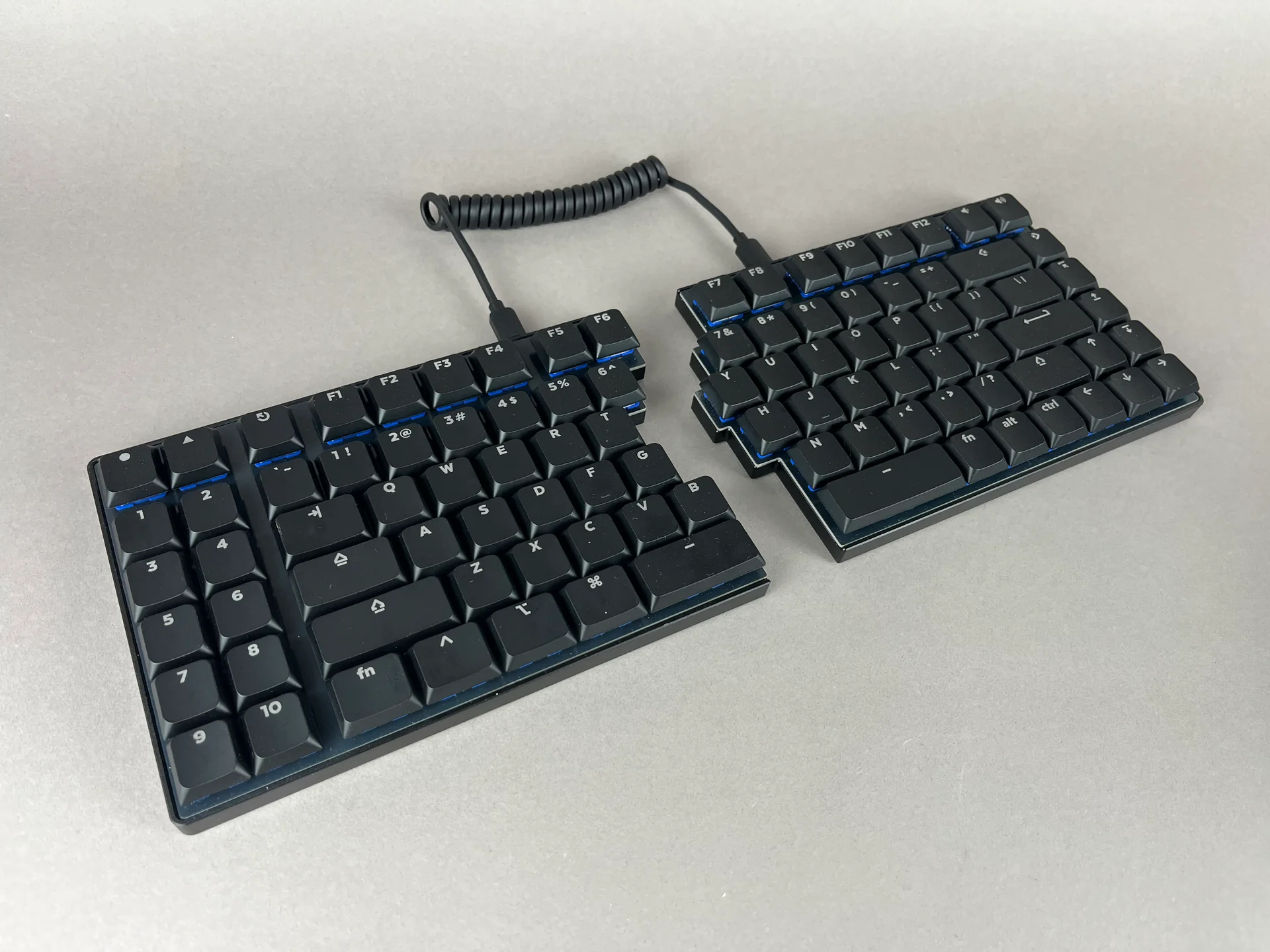
The Sinc LM brings the same 75%/TKL split layout into a low-profile format using Kailh Choc V2 switches. Like the Quefrency LM, it keeps MX-compatible key spacing so your existing keycaps and typing habits transfer directly. If you want the full key count of the Sinc but with a slimmer, lower-profile build, the Sinc LM is the option to go for.
More Ergonomic Layouts
If you're willing to spend 2-4 weeks relearning the positions of some keys, the ergonomic layout options offer a bigger payoff for wrist and hand comfort. The columns of keys are arranged to match the natural curve and reach of your fingers rather than the traditional diagonal stagger inherited from typewriters.
Columnar Stagger
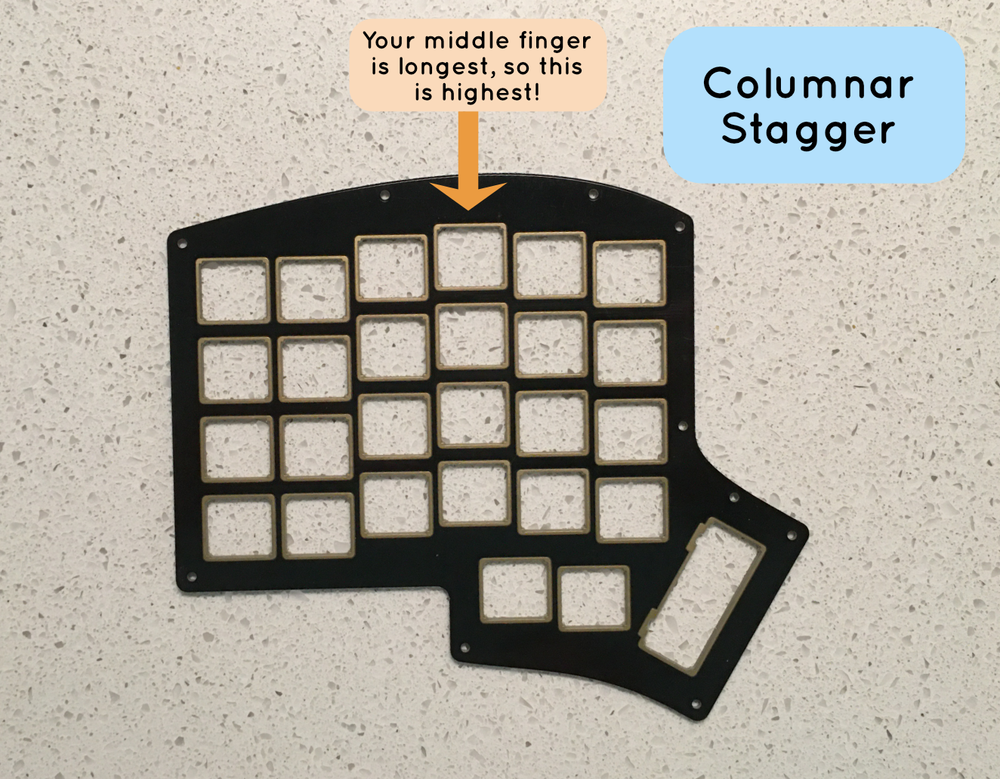
Columnar stagger means the keys in each column are aligned vertically rather than offset diagonally. This matches the way your fingers actually extend and curl, which reduces the lateral strain that builds up with traditional row-stagger layouts over time.
Iris SE
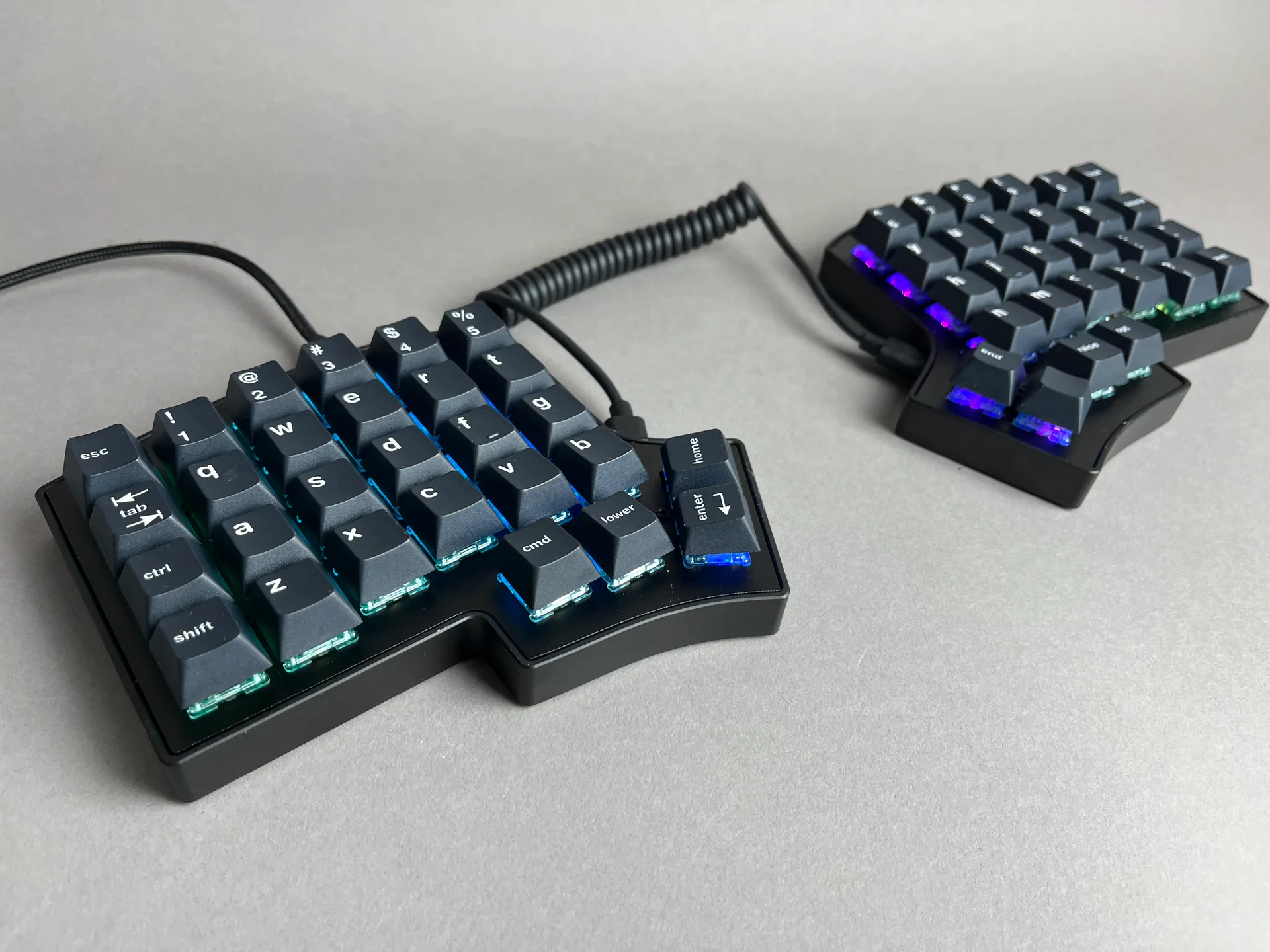
The Iris SE is the standard MX version of our most popular ergonomic split keyboard. Keys are staggered vertically to follow the natural curvature of your fingertips, and the spacing between keys is the same as a regular keyboard, so the individual key feel stays familiar. It comes in an aluminum case for a more polished look, and also offers 3D-printed case options if you want something different. Four thumb keys on each half give you easy access to frequently used keys without stretching. If you're new to columnar stagger boards and want something that feels substantial and well-built, the Iris SE is a natural starting point.
Iris LM
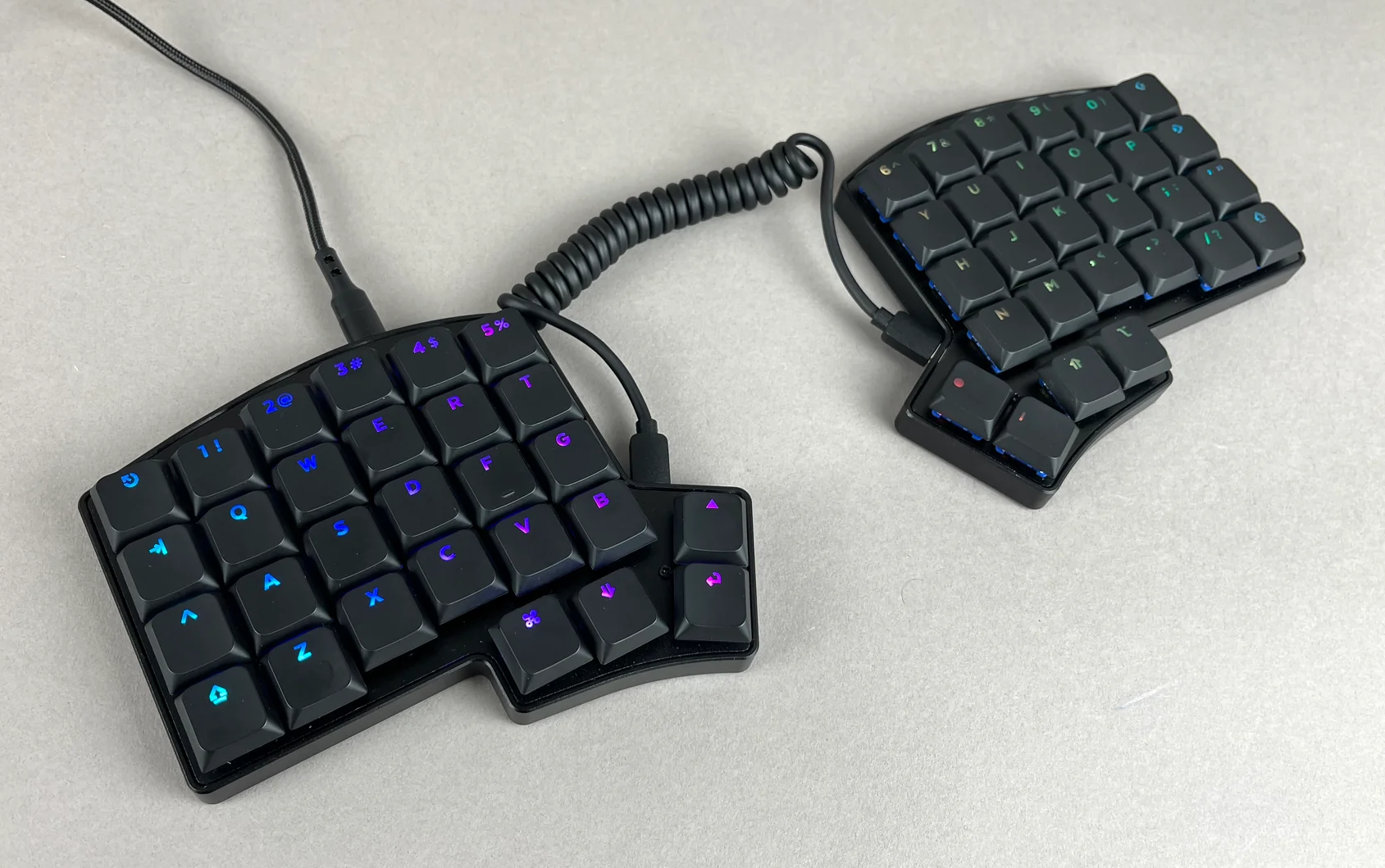
The Iris LM is a low-profile version of the Iris with the same columnar stagger layout and MX-compatible key spacing. It uses Kailh Choc V2 or Gateron LP KS-33 switches, bringing the profile down significantly compared to the Iris SE variant. The board works great with the silent Kailh Choc V2 switch options if a quieter typing experience matters to you. An aluminum case option is available for those who want a more premium build, but the polycarbonate case is still a solid, durable option.
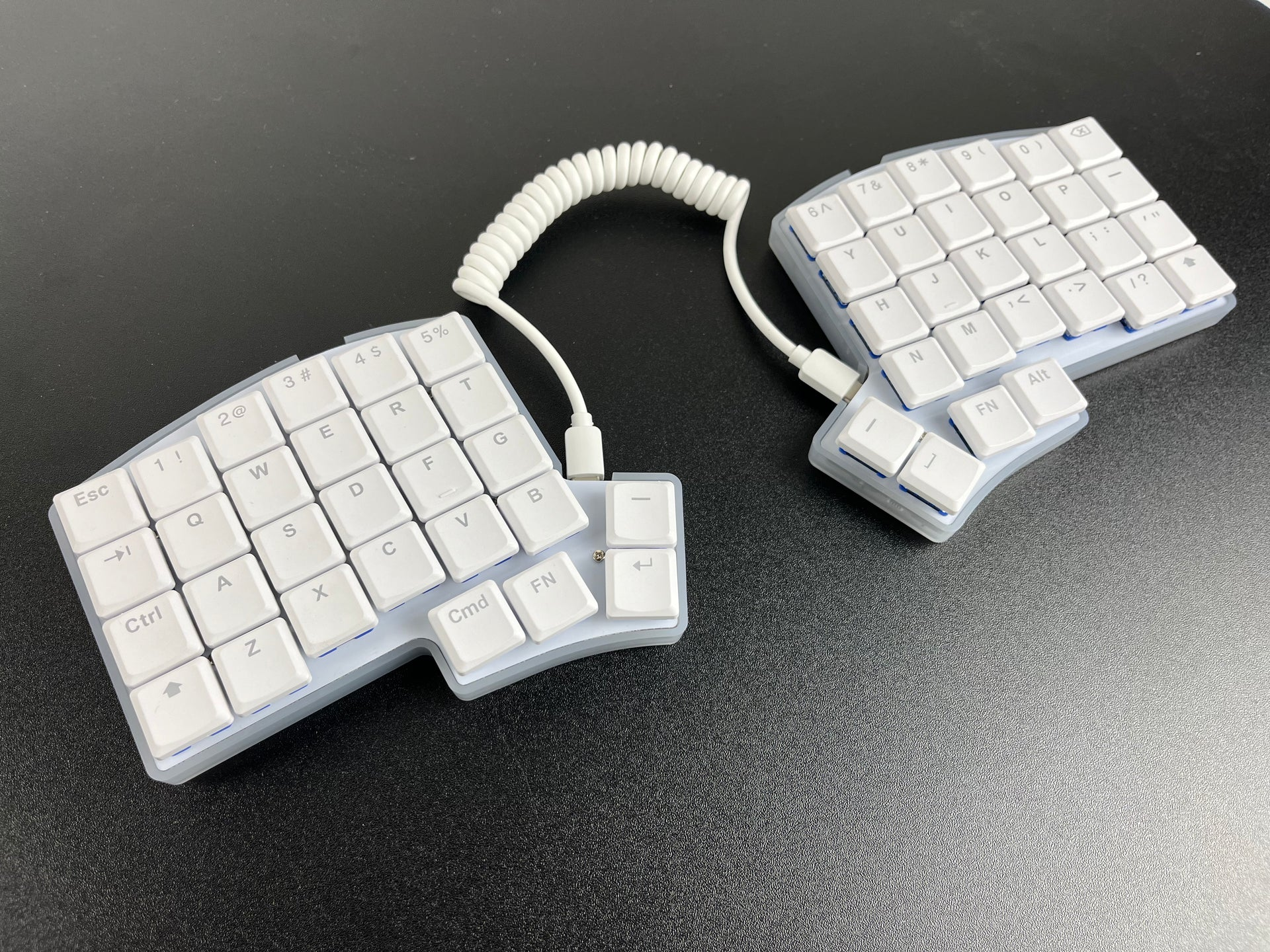
Iris CE
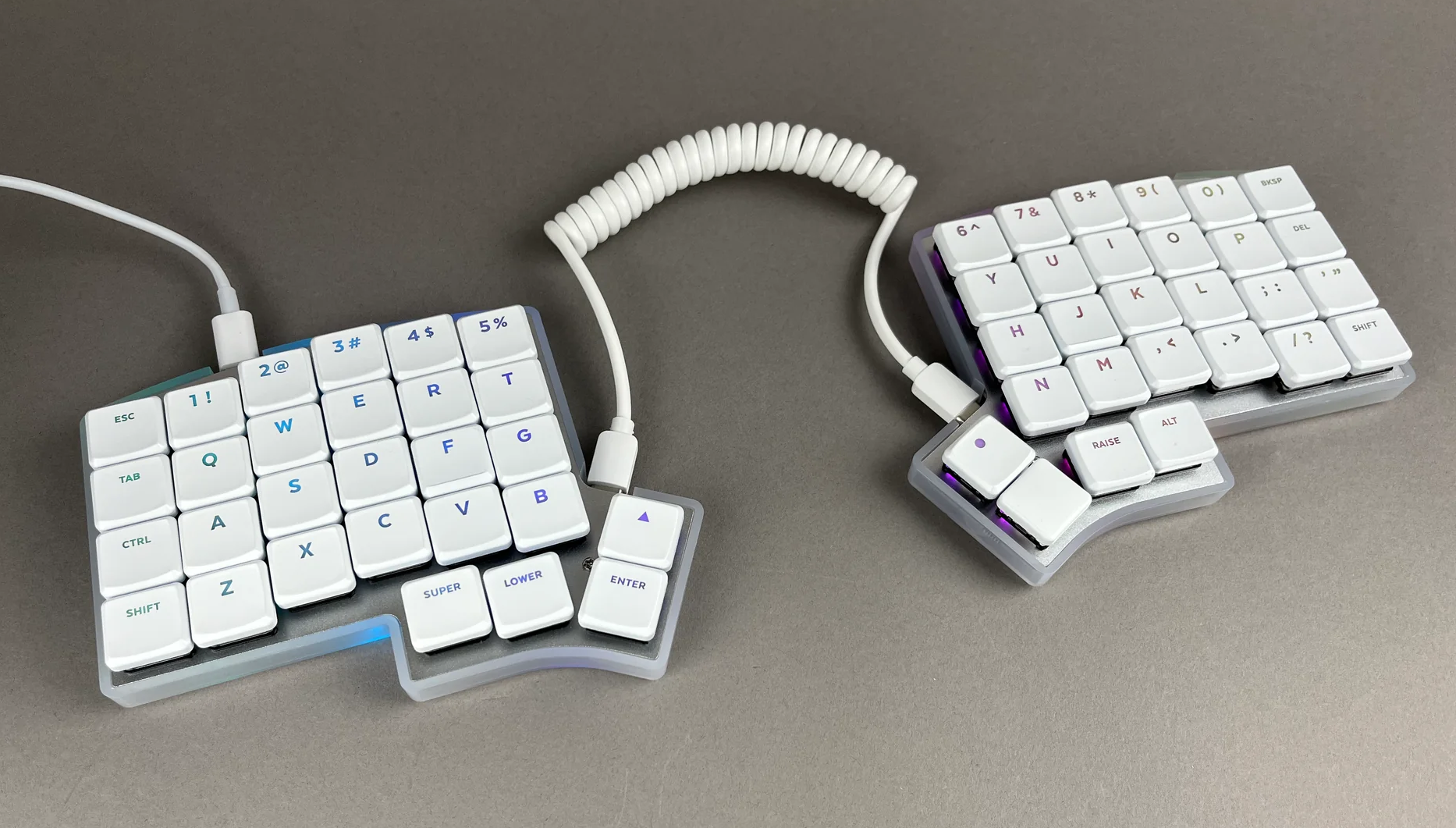
The Iris CE (Compact Edition) is a low-profile Iris built around Kailh Choc V1 switches. The layout is the same columnar stagger as the rest of the Iris lineup, but the key spacing is more compact: 18mm horizontal and 17mm vertical instead of the standard 19.05mm. That tighter spacing can feel more natural if you have smaller hands or prefer a denser layout.
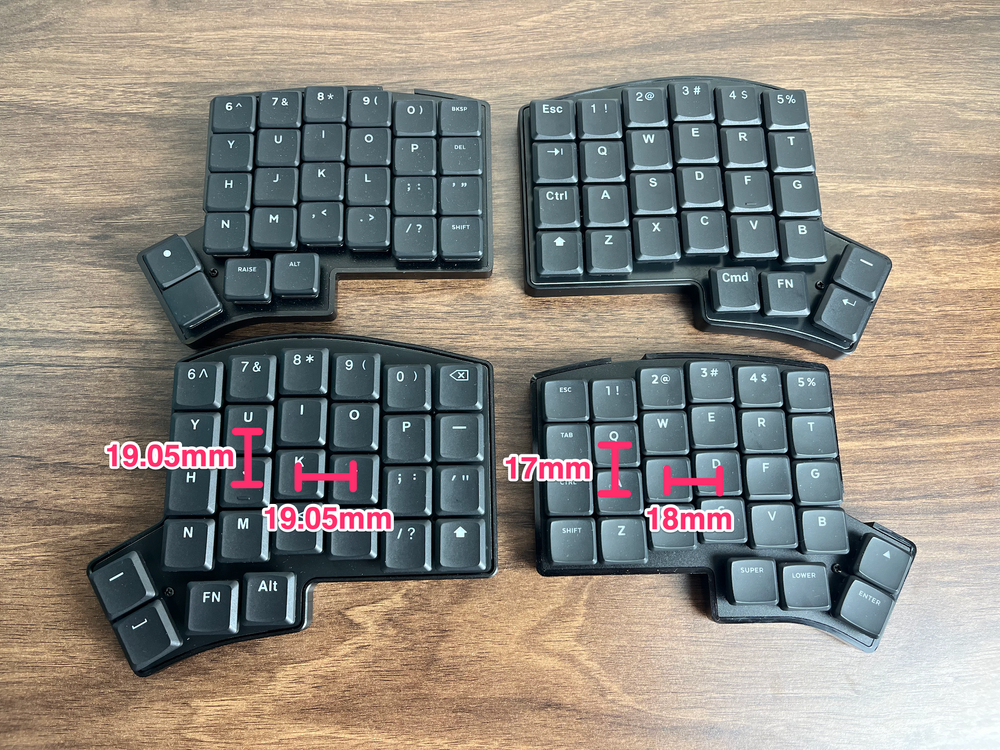
As with the Iris LM, you can go with an aluminum case for a high-end, premium feel, or go with the polycarbonate cases for lighter weight, but still durable build.
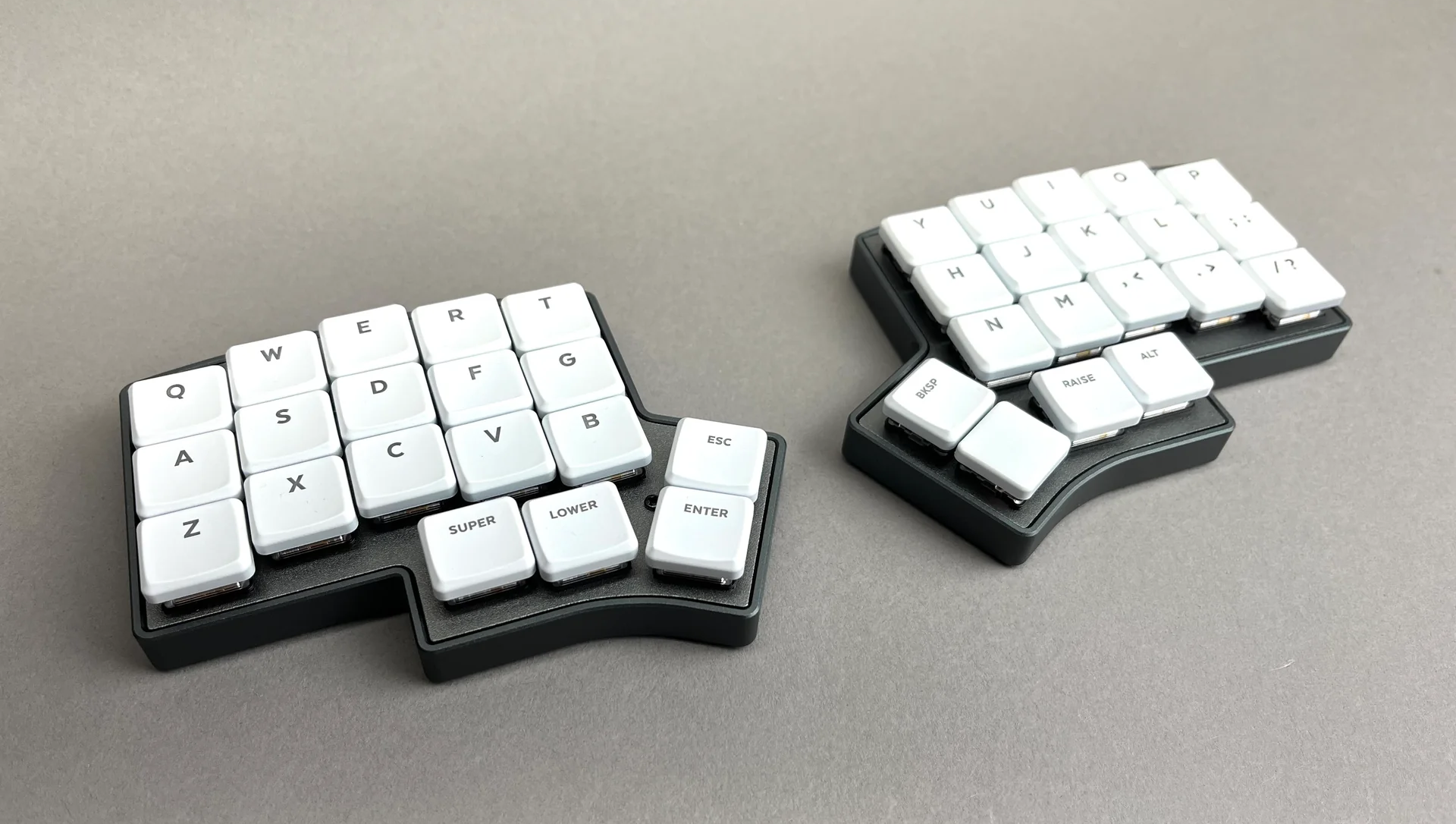
Chiri CE
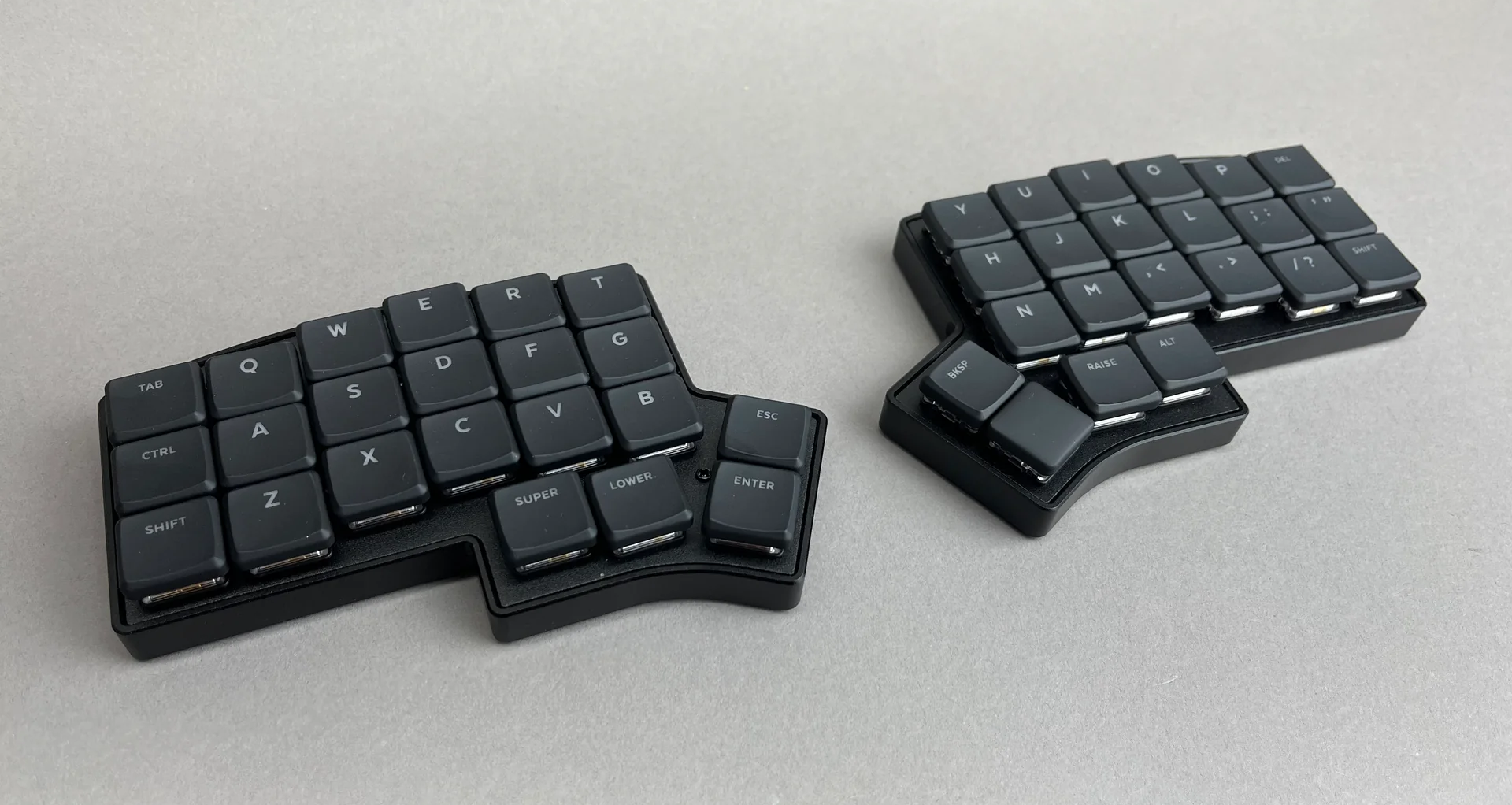
The Chiri CE is for those who want to minimize the number of keys even further. It's similar to the Iris CE in construction and switch compatibility (Kailh Choc V1), but with one fewer row of keys. Think of it as a Corne-style board with the same vertical stagger as the Ergodox, plus four thumb keys on each half. The outer column on each half can be broken off to reduce it to a 3x5 layout if you want to go even more minimal. The Chiri CE is best suited for people who are already comfortable with layering and want the most compact footprint possible.
Ortholinear Layout
Ortholinear keyboards are an alternative to the columnar alignment: keys are arranged in a uniform grid with no stagger at all, horizontal or vertical. There's a short adjustment period, but many people find the grid layout very intuitive once muscle memory kicks in.
Nyquist
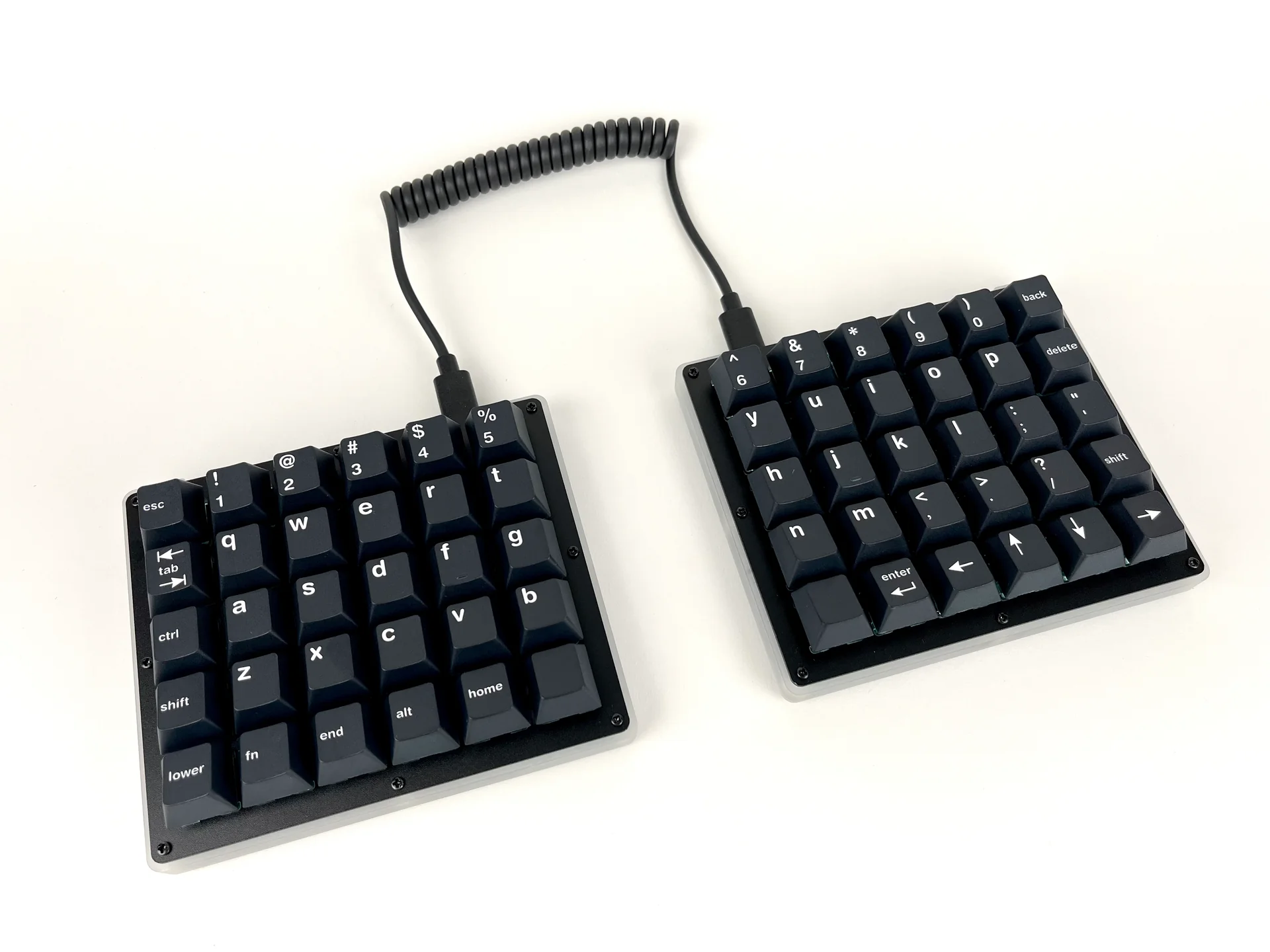
The Nyquist is a 60% split ortholinear keyboard with per-key RGB and hotswap sockets. Each half is a 5x6 grid. The bottom row can be broken off by hand to convert it to a 40% (4-row) layout, which is the same as the Levinson. A 2u thumb key option is also supported.
Nyquist LM
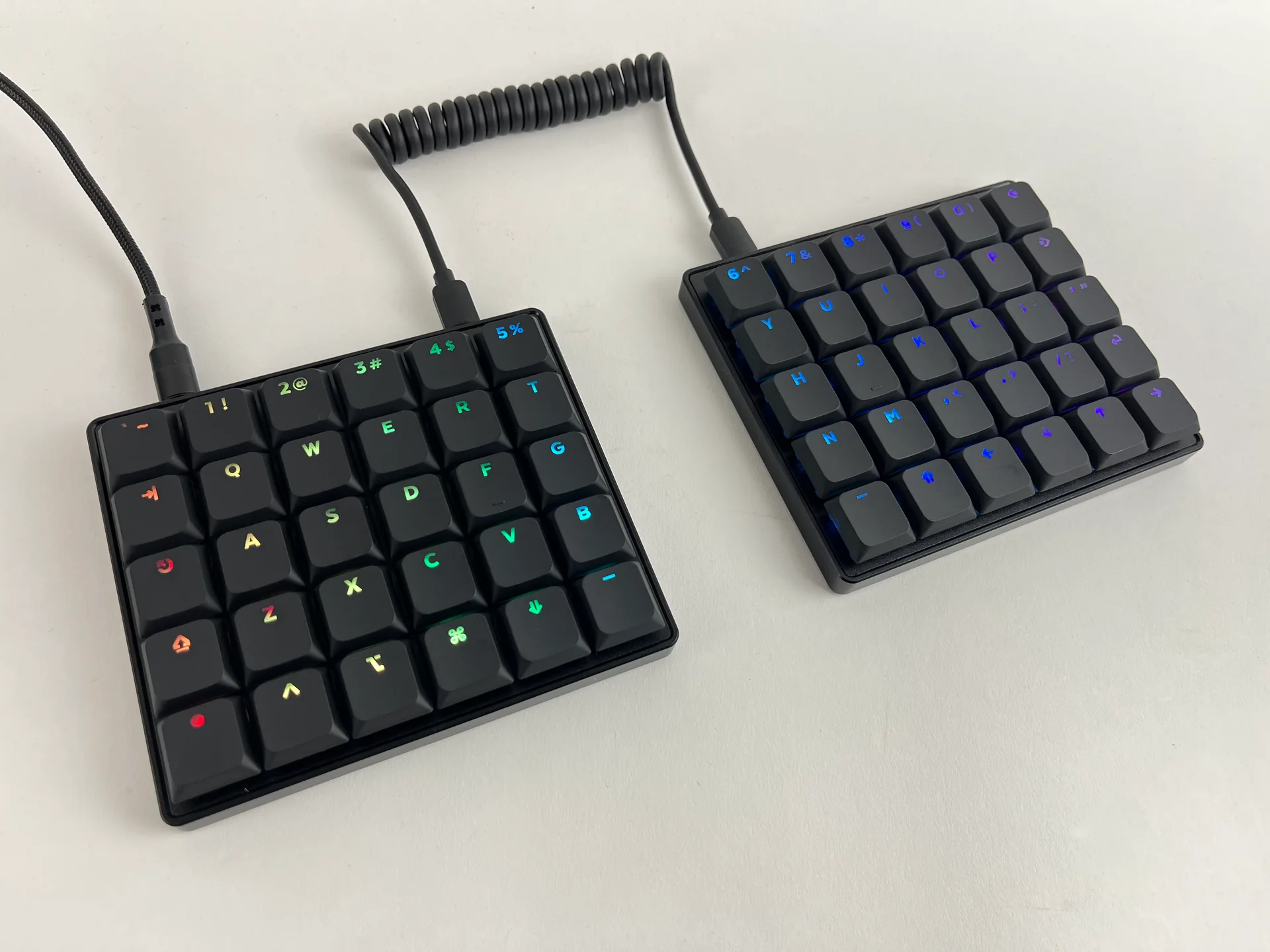
The Nyquist LM is a low-profile version of the Nyquist using Kailh Choc V2 switches. It's available in both 4-row and 5-row configurations, so you can decide upfront whether you want a number row. If you want a compact, low-profile ortholinear board, the Nyquist LM is a solid pick.
FoldKB
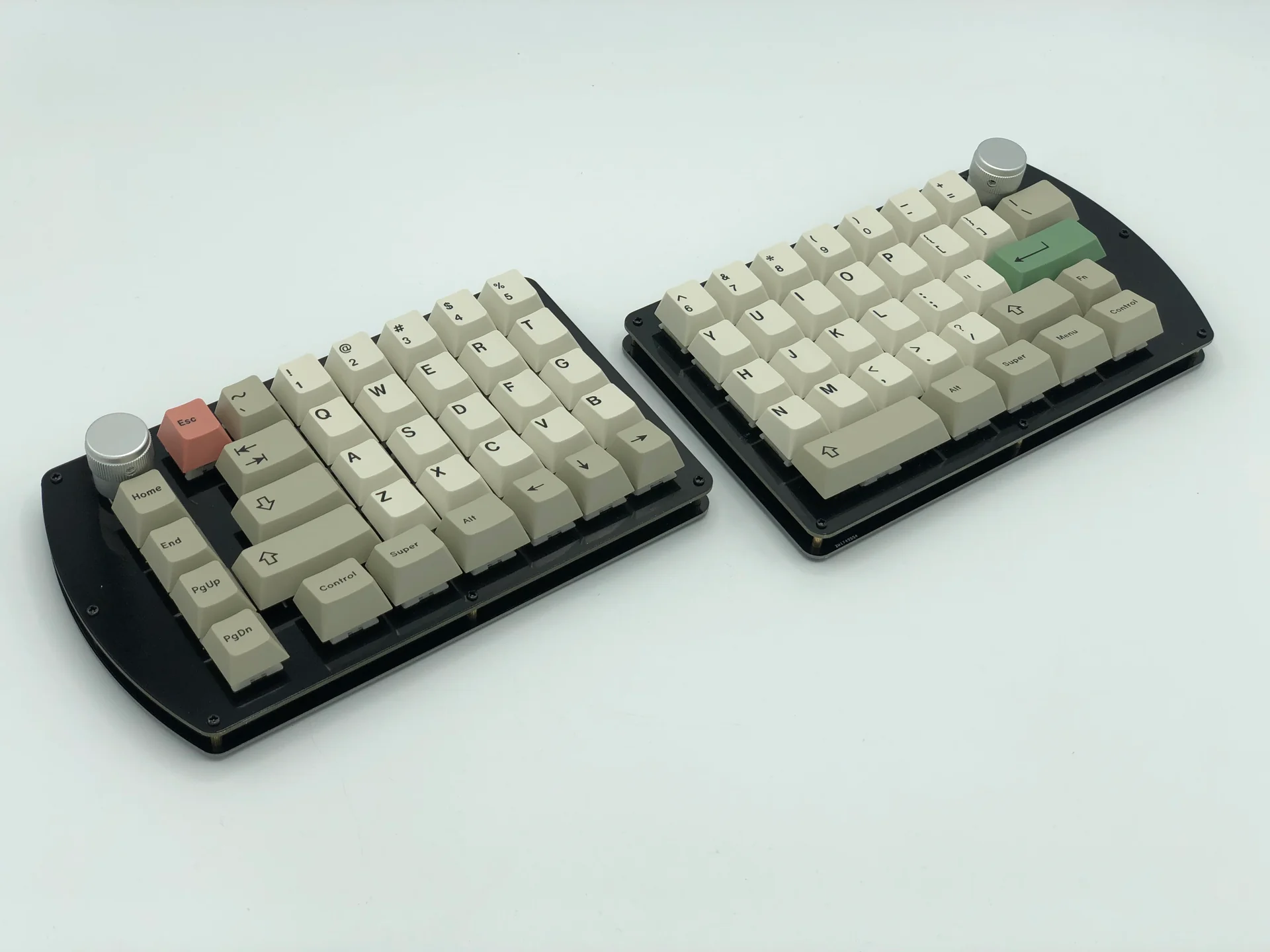
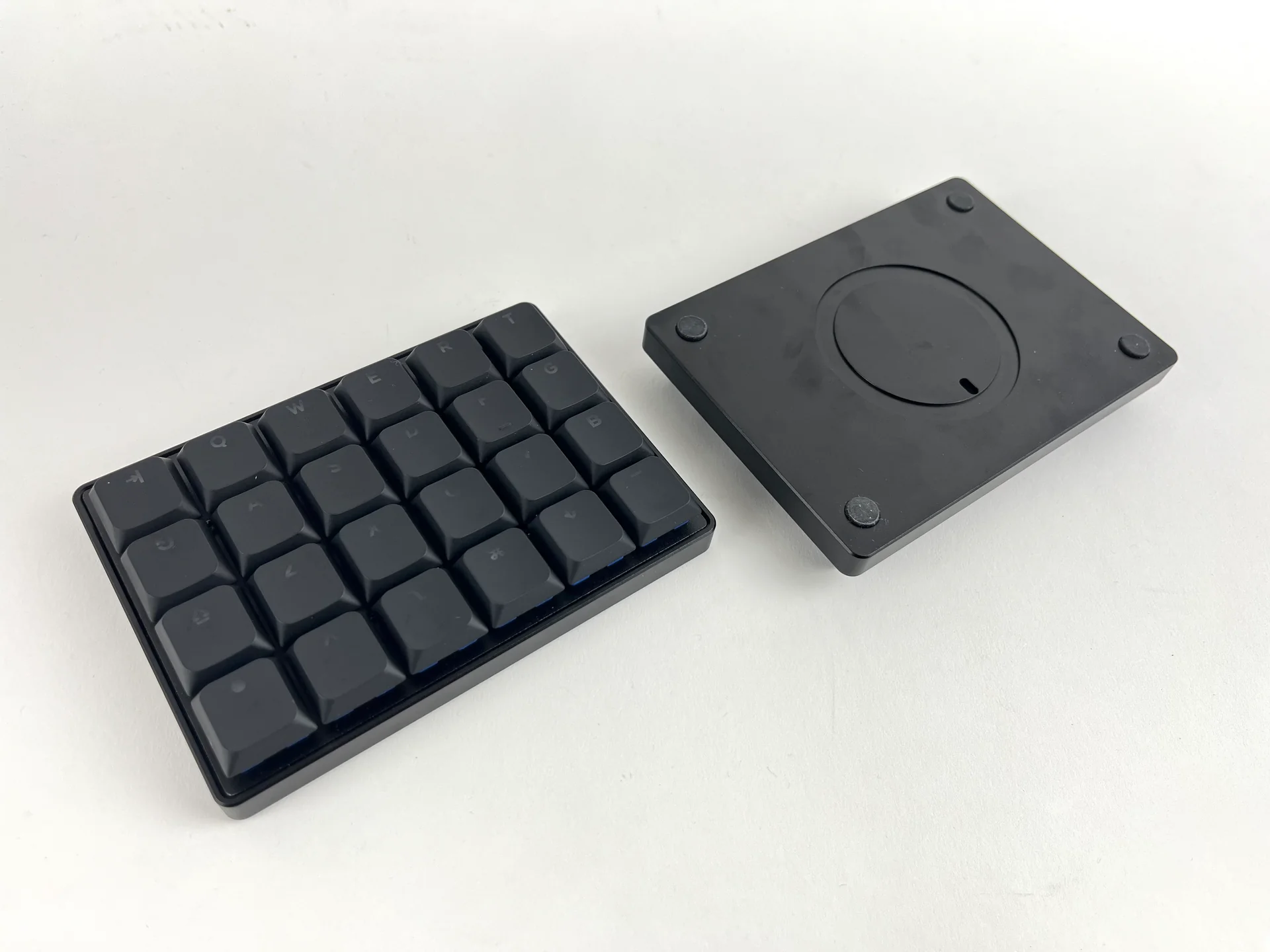
The FoldKB is a split ortholinear board with a practical advantage over most ortho layouts: it's designed to work with a standard keyset. Because of how the key sizes are arranged, you don't need a dedicated ortholinear keycap set to cover it. If you've been curious about trying ortholinear but didn't want to deal with sourcing 1u-only keycaps, the FoldKB removes that barrier. It features hotswap sockets and per-key RGB on the Rev. 2 PCBs.
BFO-9000
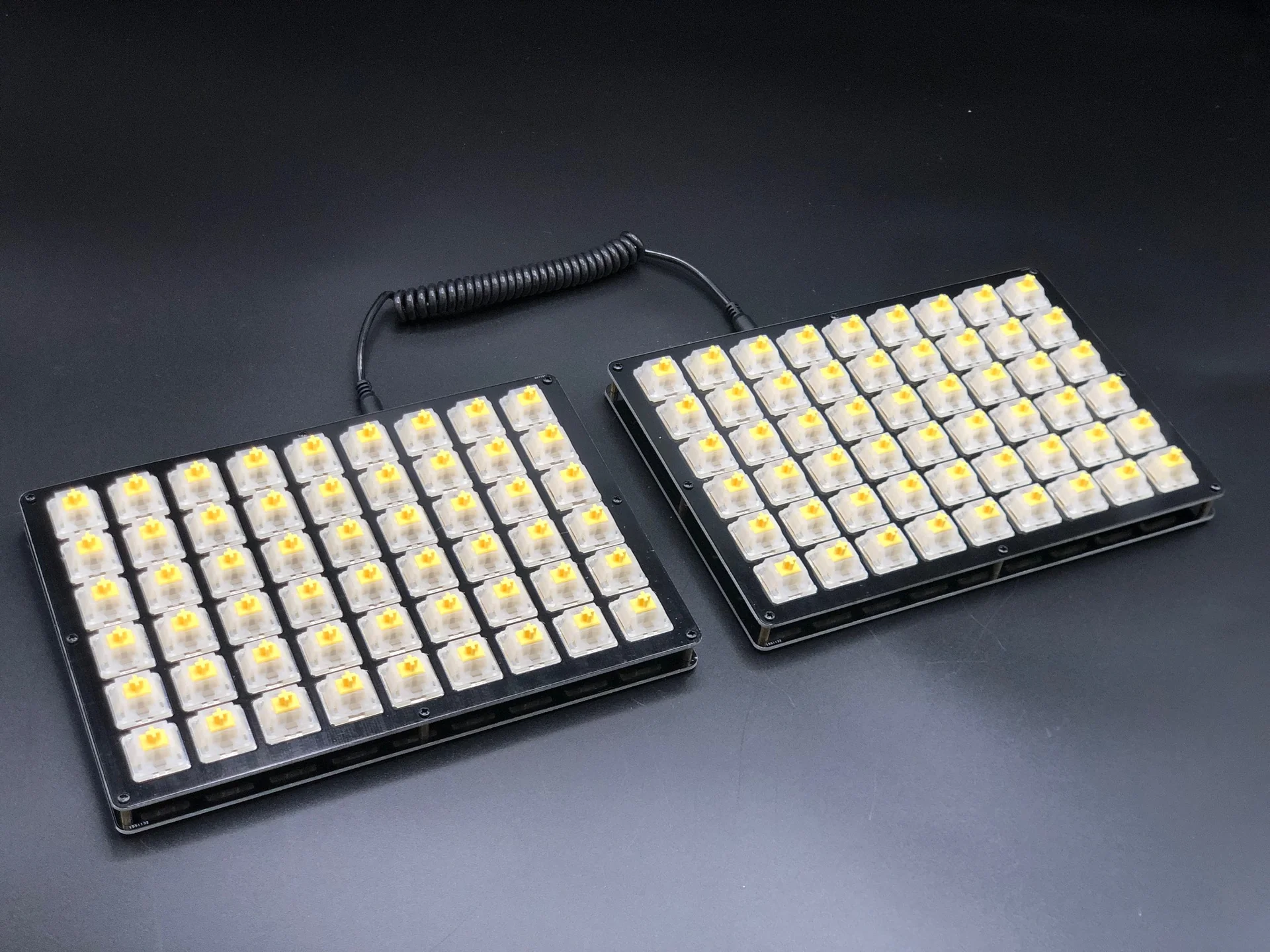
The BFO-9000 is for anyone who needs a lot of keys. It supports up to 6 rows and 9 columns per half, and the PCB has break-off sections that let you configure it anywhere from 4 to 6 rows and 7 to 9 columns, depending on what you need. It's the largest split ortholinear board we offer, and each half can function independently as a large macropad. If you're coming from a full-size keyboard and don't want to give up any keys, or if you want dedicated columns for symbols, macros, or a numpad, the BFO-9000 covers it.
Tenting/Tilting
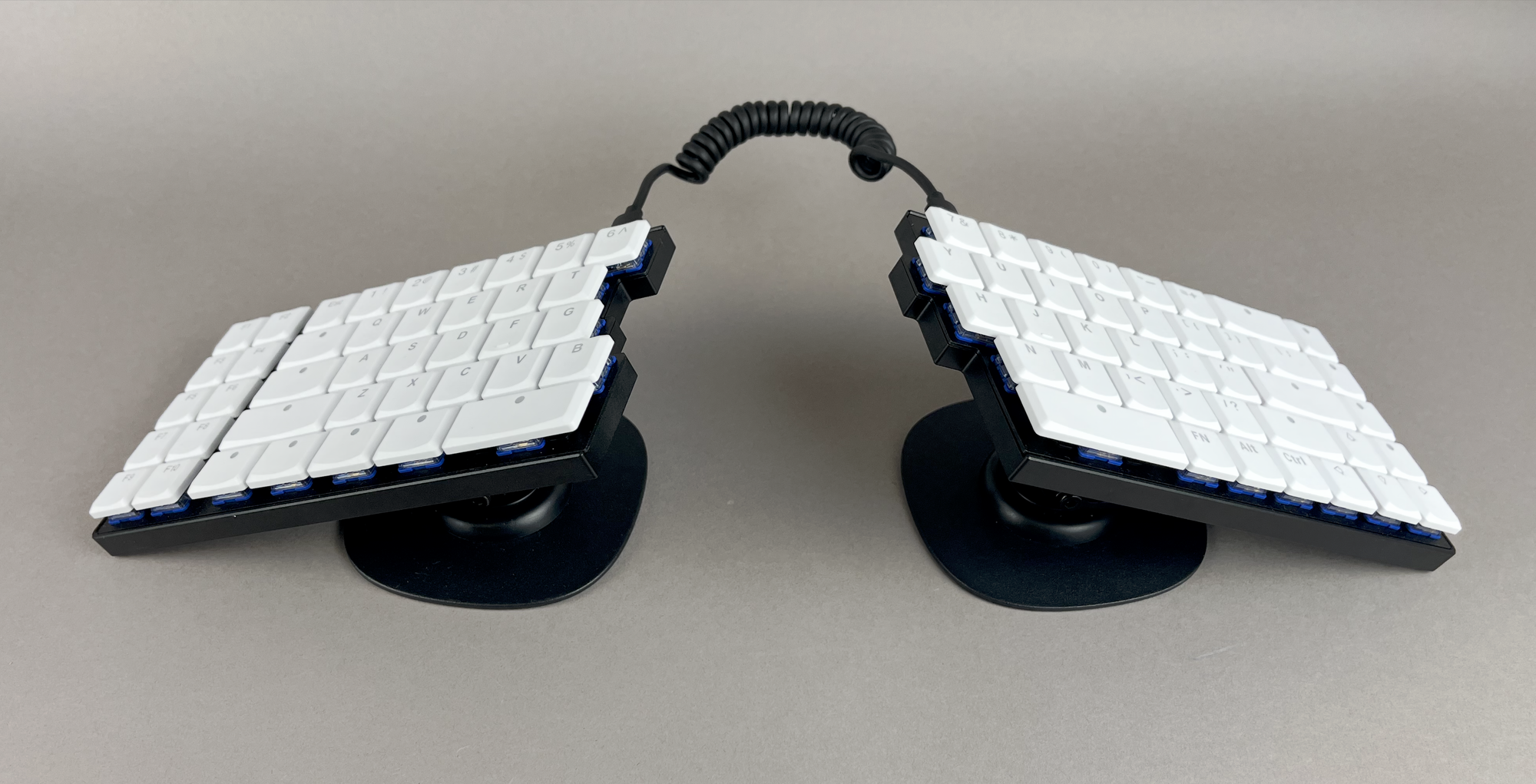
Any of our keyboards can be tilted and tented using our MagSafe Tenting Stands. Tenting raises the inner edges of each half so your wrists sit in a more neutral, handshake-like position rather than flat on the desk, which can make a significant difference for long typing sessions.
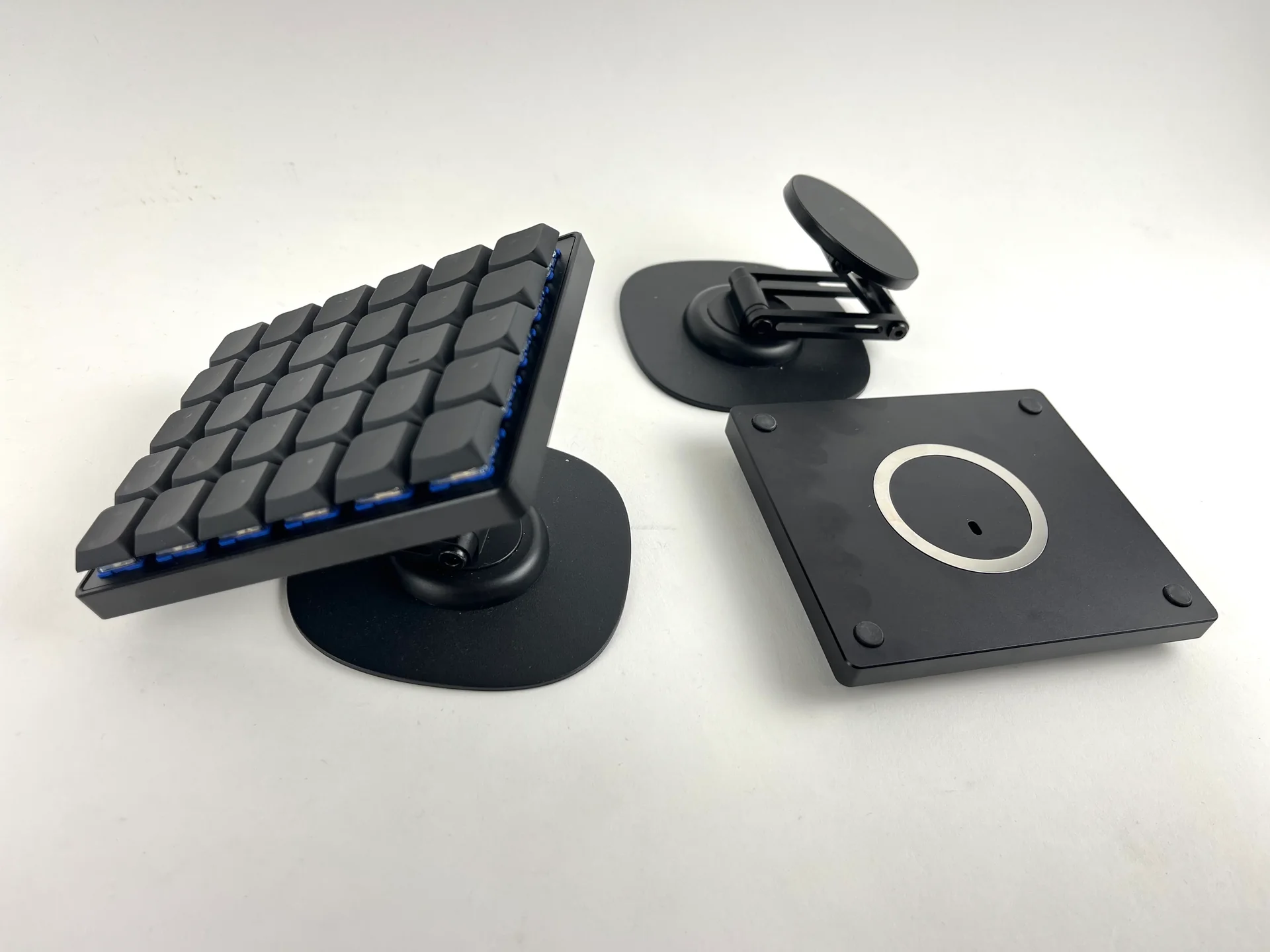
The stands attach magnetically, so adjusting the angle or removing them entirely takes no tools and just a few seconds. The MagSafe stickers can be adhered to any keyboard, making it compatible with anything with a flat bottom. Some cases for the Quefrency LM, Nyquist LM, Sinc LM, Iris SE, and Iris LM include a recessed inset for a MagSafe sticker, making the installation and placement of the rings even easier.
Switches
If you need some info on what switches to select, we've got a separate post on that: Keebio Switch Options.
But if you want a simple answer that works for most people, we suggest the Durock Shrimps if you're getting an MX-compatible keyboard, and the Kailh Choc V2 Deep Sea Mini Whales if you're getting a Choc V2 compatible board. Both of them are silent tactile switches, which makes them great for having a quiet office environment.
Top Picks
The most popular options that we have are:
- Iris SE with Durock Shrimps
- Iris LM with Deep Sea Mini Whales
- Iris CE with Choc Browns
- Sinc with Durock Shrimps
- Quefrency with Durock Shrimps
- Quefrency LM with Deep Sea Mini Whales

Member discussion