


Despite their dramatically different appearances, the concave Glove80 and the columnar-stagger Iris CE have more in common than you might expect. Both embrace low-profile switches and keycaps, split layouts, and extensive keymap customization. But their differences can have a real impact on how you use, carry, and customize your keyboard.
So which one makes more sense for you? Rather than declaring a universal winner, let's look at what each board offers, where they differ, and which tradeoffs might matter most to your everyday typing.
The short version
| Iris CE | Glove 80 | |
|---|---|---|
| Price, assembled | Starting at $259.96 | $384.00 |
| Price, kit | Starting at $219.96 | not offered |
| Price, barebones | Starting at $128.98 | not offered |
| Total keys | 56 | 80 |
| Switch Families | Kailh Choc V1 | Kailh Choc V1 |
| Hotswap | yes | no |
| Case | Aluminum, Translucent Black Polycarbonate, Frosted White Polycarbonate, Atomic Purple Polycarbonate | Aluminum |
| RGB | yes | yes |
| Controller | RP2040 | nRF52840 |
| Firmware | QMK with VIA | ZMK |
| Wireless | no | yes |
| Weight | Aluminum tray is 435g ± 10 g (15.3oz) Fully Assembled Polycarbonate versions are 340g ± 10 g (12oz) Fully Assembled | approx 600g ± 10 g (1 lb 5 oz) Fully Assembled |
| Colemak & DVORAK | yes | yes |
What’s the same?
Profile and Design
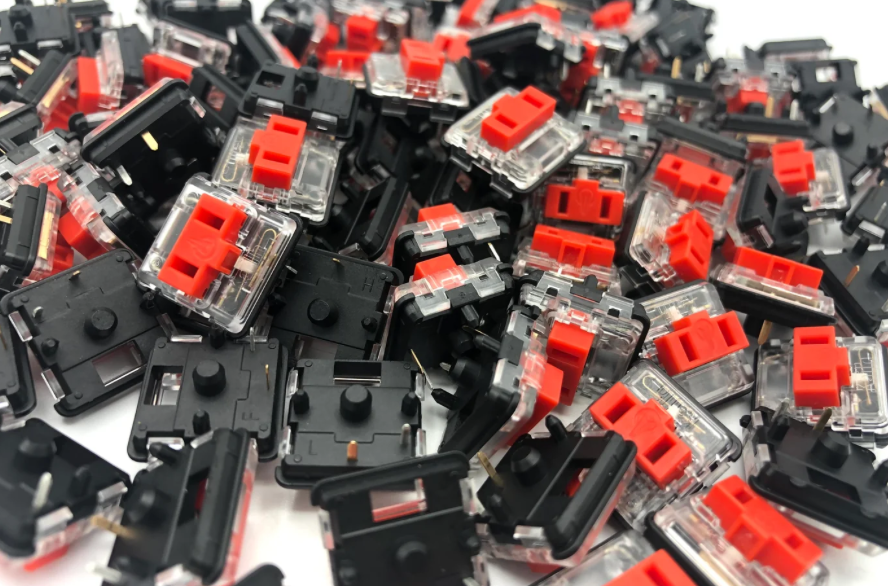
Both split keyboards feature low-profile Choc V1 switches and keycaps. You press a short distance to actuate their key, lessening the amount of muscle effort in typing.
With the Choc V1 design, switches are closer to one another than a standard keyboard, minimizing reach and sideways finger movements. And in the vein of minimizing movement, those who need a board adaptable to the Colemak and DVORAK layouts are in good company with both the Iris CE and the Glove80, as you can easily place the uniform keycaps of both in whatever arrangement suits you.
Compatibility and Customizability
Both keyboards can work with major desktop operating systems and compatible devices. The connection process differs, though: the wired Iris CE needs a USB-C cable, while the Glove80 can connect wirelessly. Check your device's connection requirements before choosing either board.
Both keyboards let you customize their keymaps, but they use different firmware. The Iris CE runs QMK, which has a mature ecosystem of documentation, advanced features, and community resources. If you enjoy tinkering with layers and behaviors like Tap Dance, that ecosystem may be a plus.
The Glove80 uses ZMK and offers a web-based configuration tool to make keymap changes more approachable. Both systems support substantial customization, though the details and implementation differ. If you're curious about the tradeoffs, we cover more of the QMK side in our Quefrency LM vs. Keychron Q11 comparison.
Another great customization is custom mount support. They go by different names, but both give you the option for mounting your board halves individually. The Glove80 has a quick-release version of its mounting plate and a no quick-release version.
The Iris CE has a tripod mount adapter, which you can then apply to a Gorilla tripod or something similar.
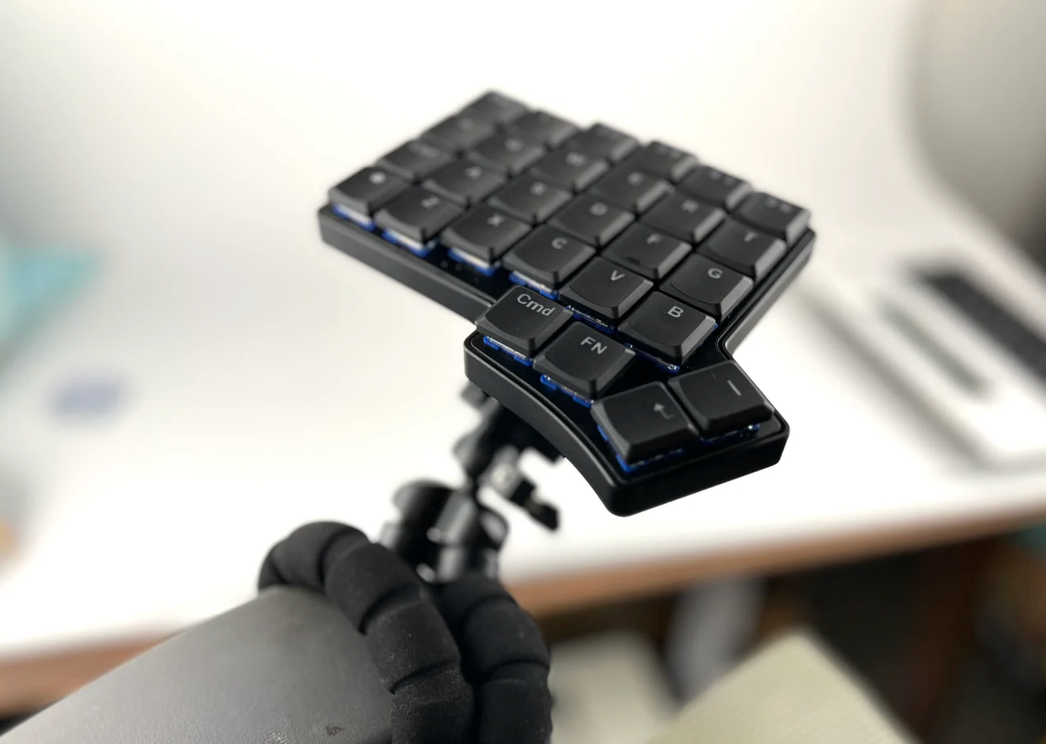
While achieved differently (more on that in the What’s Different? section) tenting is possible for both. The Glove80 has adjustable tenting built-in. It’s worth highlighting that you can start at a less drastically different than usual flat with the Iris CE.
Both boards give you room to customize how you type and how you position your keyboard. But customization isn't the same across the two: their hardware, connectivity, and physical designs determine what you can change, how easily you can change it, and what you have to commit to upfront.
Let's look at where those differences become most noticeable.
What’s different?
Wired vs Wireless
With wireless gear, there's one more thing to keep track of: battery life. The Glove80 gives you the freedom of a wireless setup, while the wired Iris CE doesn't need charging at all.
And if you're worried about keeping track of your cable, the Iris CE carrying case has four built-in cable straps to keep it tidy beside your board when you're not using it.
Hotswaps vs Solder Switches
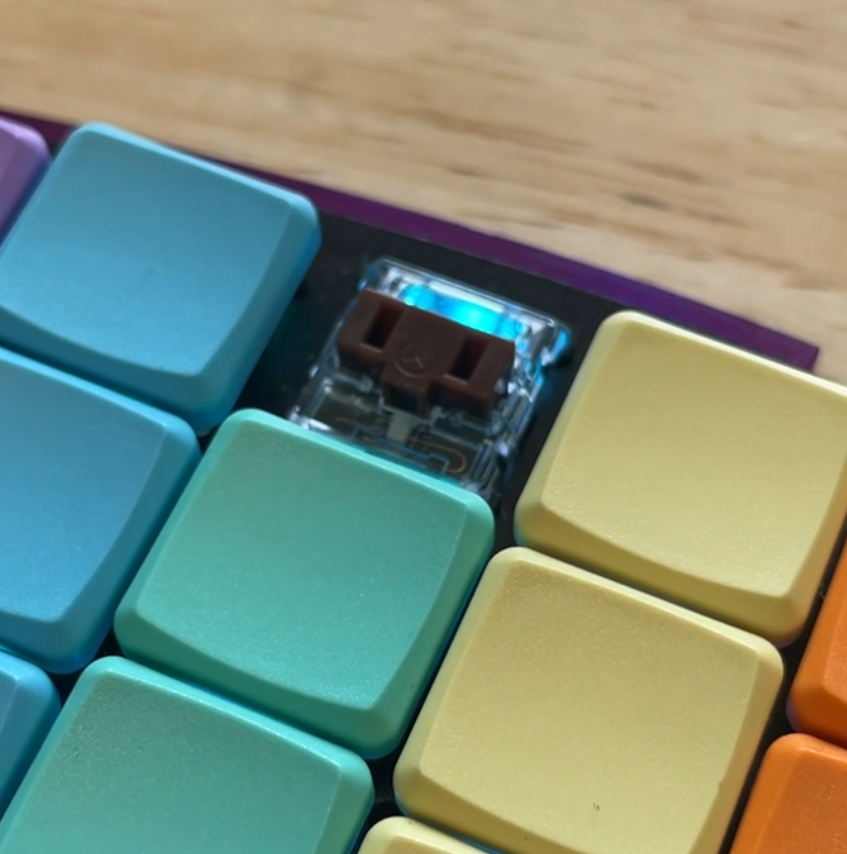
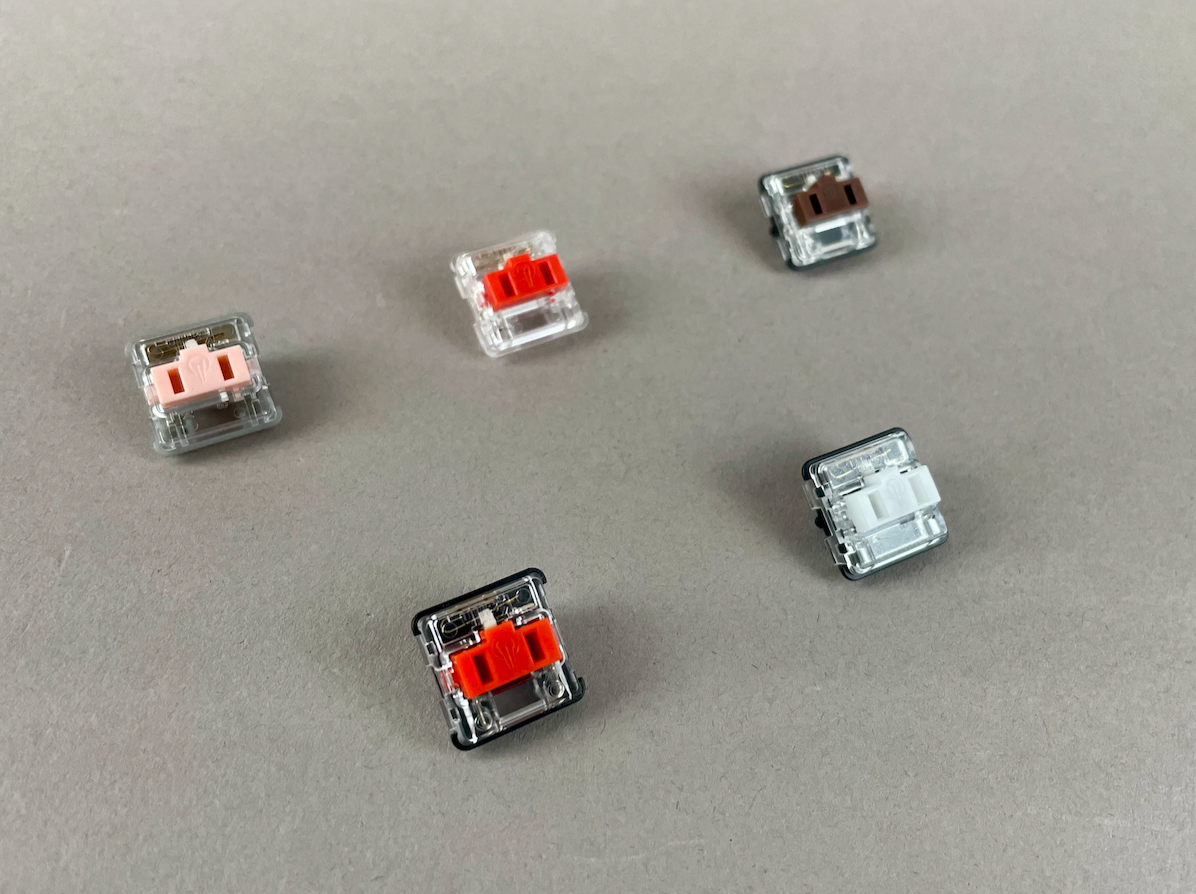
There’s a certain satisfaction in compatible objects snapping together nicely. You can have that with the Iris CE, and you can have it again anytime you want to change what kind of switch you’re using.
A hotswapped board gives you flexibility after your keyboard is assembled. But what if you'd also enjoy putting the board together yourself in the first place?
Things snap into place like with LEGO. And they can come apart without too much trouble, as well.
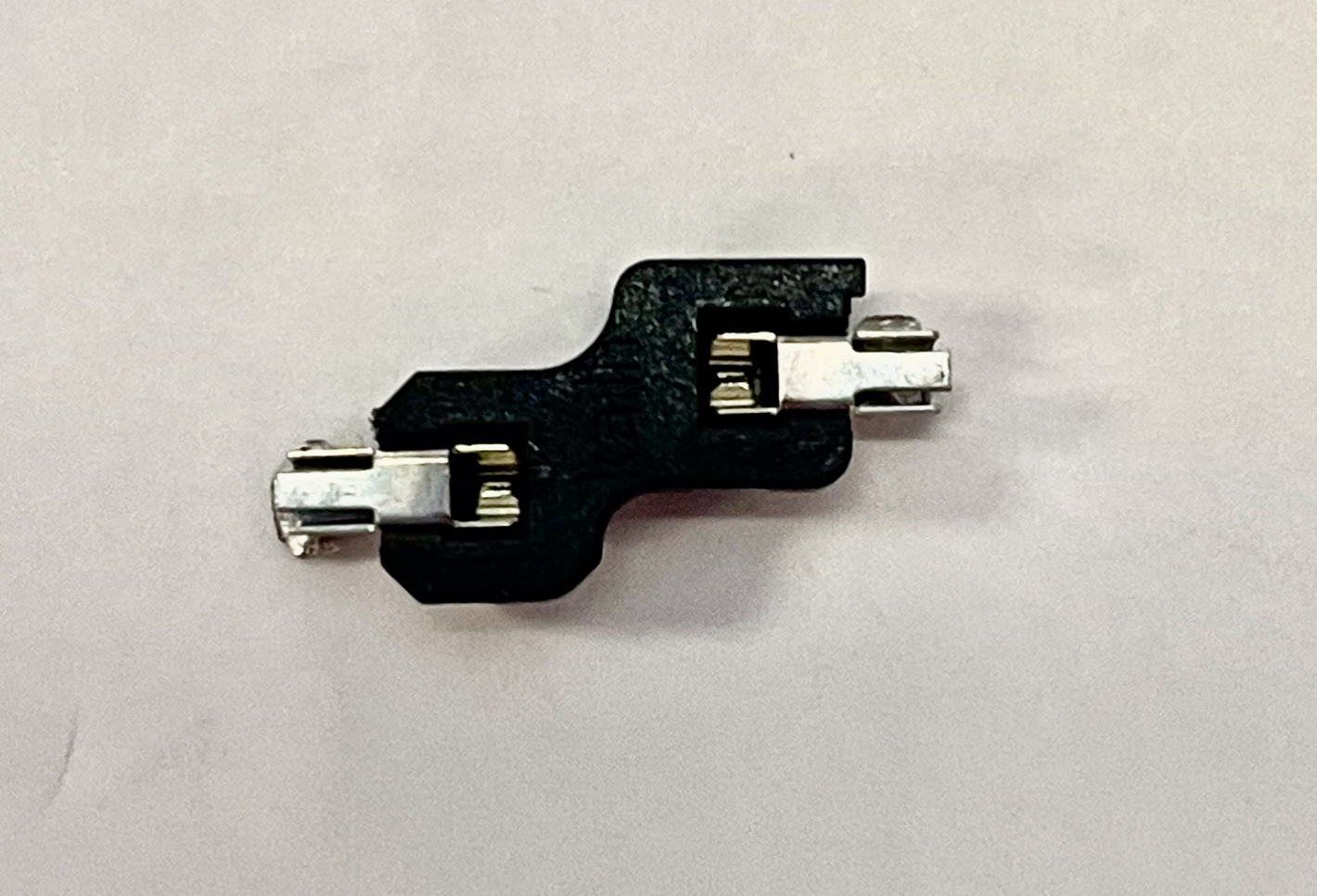
The Glove80's switch setup is less flexible in this regard: its switches aren't designed for the same easy, tool-free swapping experience. That means it's worth thinking carefully about your switch preference before committing to the board.
Build Yourself …or Not
The Glove80, while impressive in its concave form, doesn’t offer the experience of building your board yourself. In the same vein of hotswaps offering flexibility, you have the option with the Keebio Iris CE to build the keyboard yourself.
If you grab a kit, you’ll get:
- a pouch of your chosen switches,
- your selected keycaps,
- the PCB already screwed into its aluminum or polycarbonate tray, depending on your choice, and
- A cable.
- And a tenting stand kit if you’d like one.
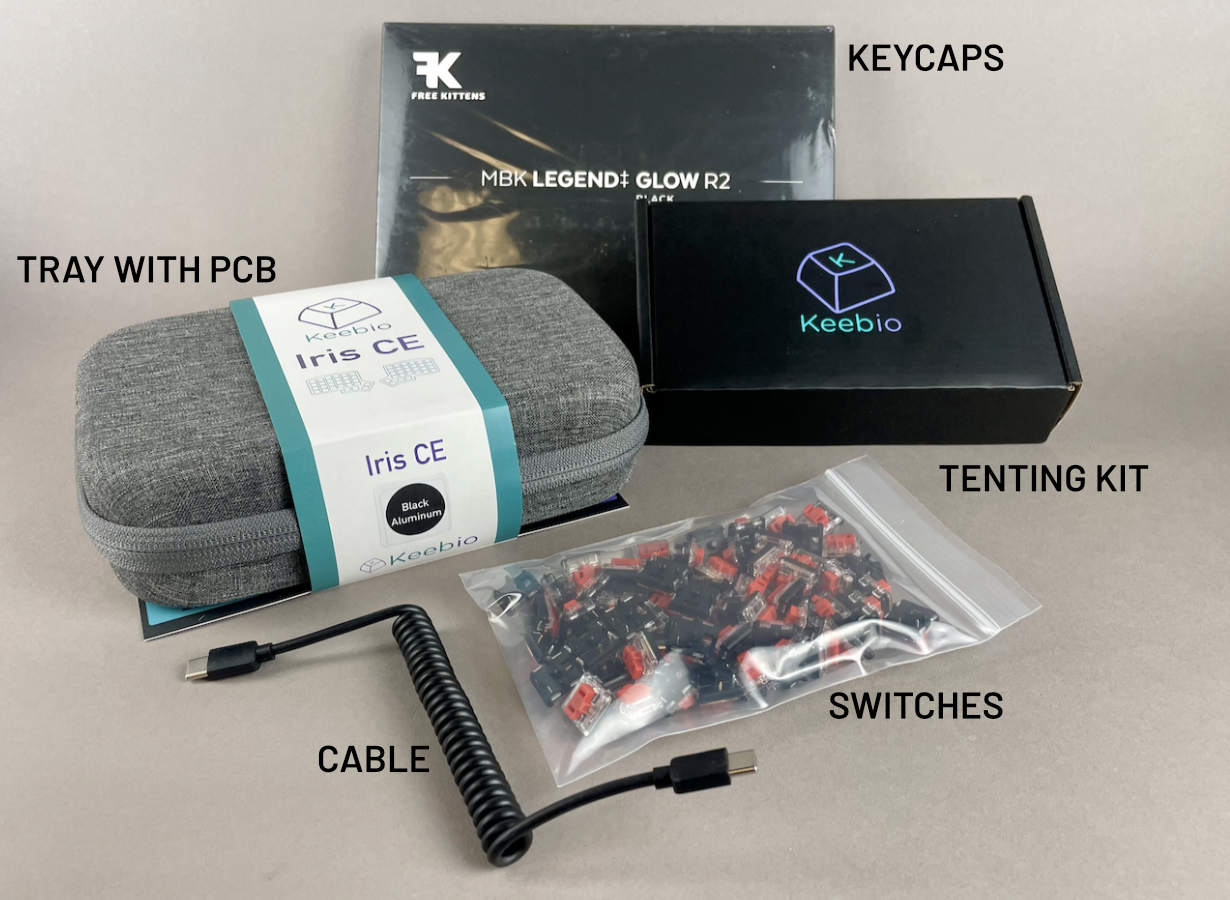
All you need to do is pop in your switches and then push the keycaps onto those switches. Boom! Now plug in and type away with a board you assembled yourself.
You can also go for the Barebones version of the board. All that means is you get the PCB screwed into the aluminum or polycarbonate tray and the soft gray carrying case. You can select your switches and keycaps from a different vendor if you’re looking for different switches from what we have.
Material Choices
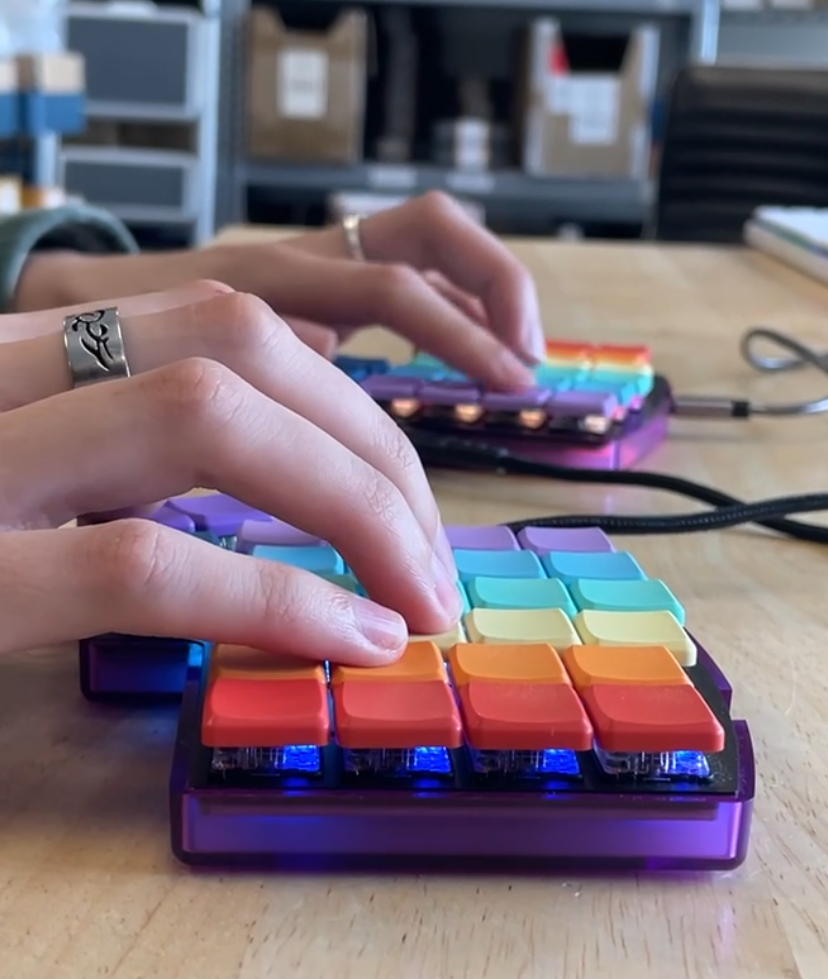
The Iris CE gives you a choice of CNC-machined black aluminum or polycarbonate in translucent black, frosted white, and atomic purple. That means you can choose a finish that fits your workspace or personal style. We also have open source files for 3D printing your own case if you want even more color options!
As far as I could find, the Glove80 body/chassis seems to be made of a lightweight plastic people generally say feels nice and comes in gray and white.
Our black aluminum option remains popular, but I have to make a personal plea for the translucent atomic purple. (I definitely think more people should enjoy the opaque atomic purple that harkens to Gameboy COLORs of the 90’s buuut hey, that’s just me.)
Size
What the Glove80 has in its tilt, the Iris CE makes up for in compact size. Just a glance at the difference in travel cases for these boards lets you know you’re really committing to your travel relationship with your board in the case of the Glove80. How much space are you willing to dedicate to your keyboard when traveling?
On the other hand, the Iris CE even inside its carrying case would take up a modest amount of space in a bag, or hanging on its case strap off your arm (since, y’know, lightweight).
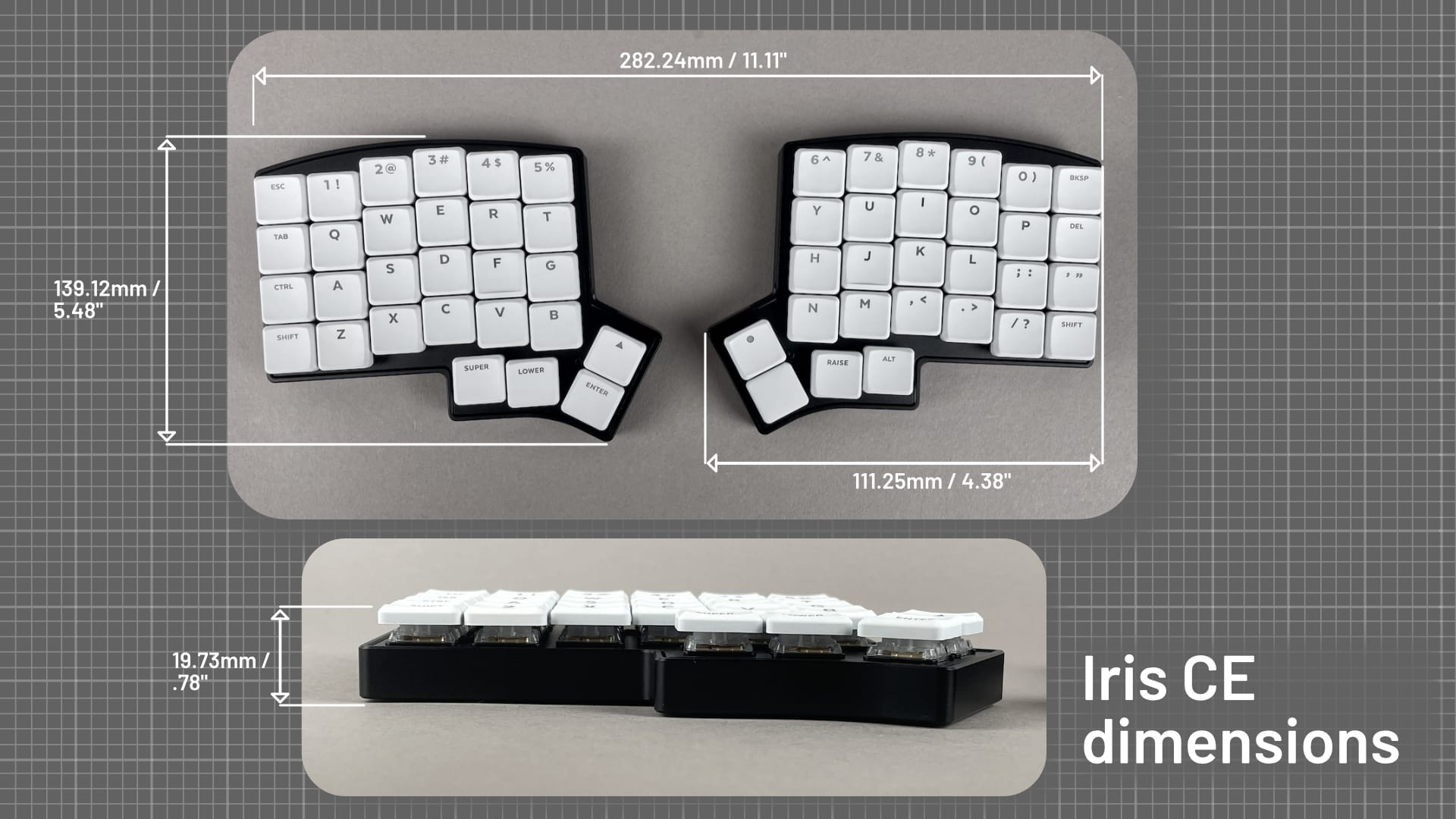
Ultimately, portability is a question of which compromises you're comfortable making. The Iris CE takes up less space, while the Glove80's larger form makes room for its deeply sculpted layout.
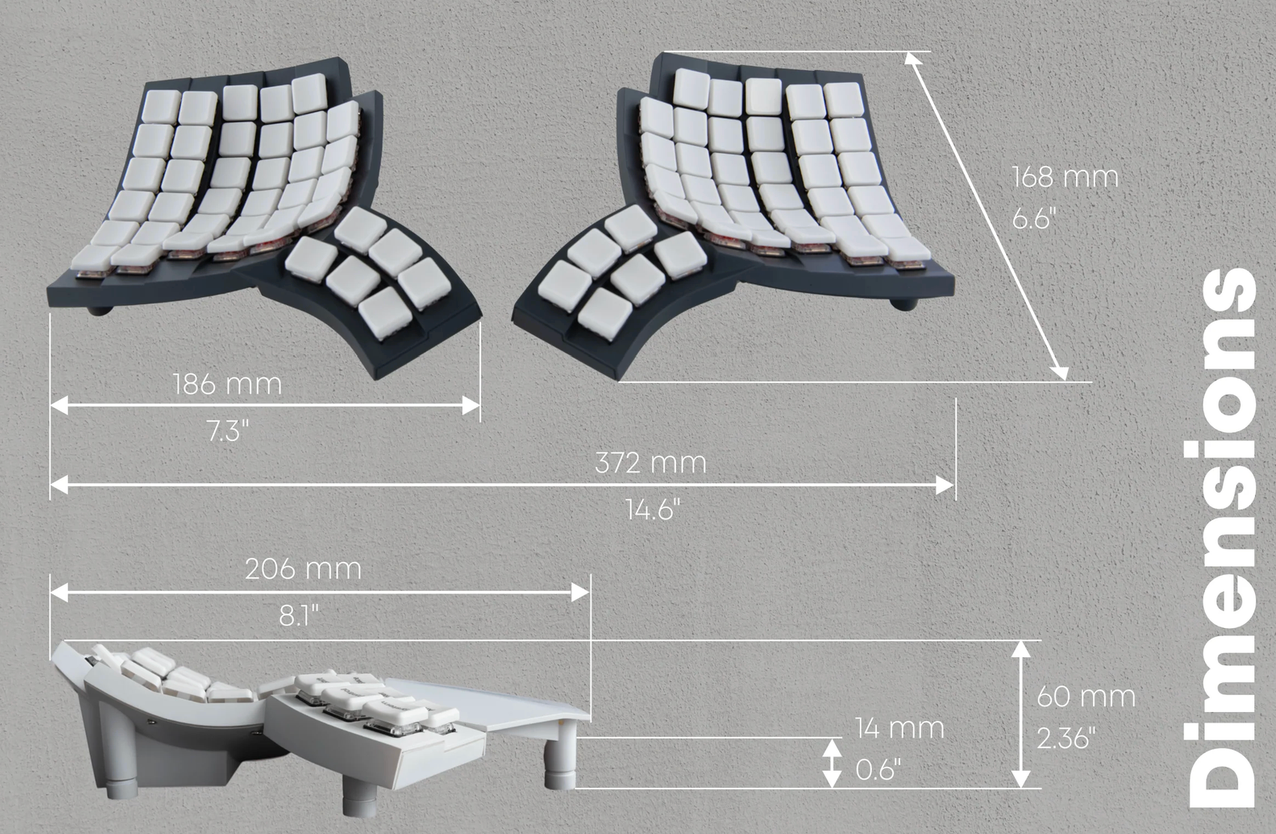
And portability isn't the only physical consideration. The way each board positions your hands matters, too, which brings us to tenting and tilt.
Tenting
The Glove80 incorporates tenting into its design, while the Iris CE offers tenting as an option. Tenting can change how your forearms and wrists are positioned, which may be worth exploring if a flatter keyboard setup feels uncomfortable.
Research has associated certain wrist postures with increased musculoskeletal risk, but there isn't one setup that guarantees comfort for everyone. Your own comfort, workspace, and typing habits matter, too. With the Iris CE, you can start without tenting and explore it later if you decide you'd like to change your setup.
Switches
The switches are a little different in number with the Iris CE standing at 56 switches while the Glove is just what it reads on the tin: 80.
The Glove80 makes your first switch choice final and permanent. And like we covered in the hotswaps section, with the Iris CE, you can choose and fill your board with the first Choc V1 switch you like, then try as many as you like.
Which one is the best for me?
Since it’s not a clear ‘this is an easy winner’ type question, it’s good to evaluate your needs personally. Which tradeoffs are you comfortable with?
Before choosing, ask yourself:
- How portable does my keyboard need to be? Am I mostly typing at one desk, or do I regularly carry it between locations?
- How much customization do I want? Would I enjoy changing switches, experimenting with keymaps, or assembling my own board?
- What kind of setup feels comfortable to me? Would I like built-in tenting, or would I rather start with a flatter setup and experiment later?
- How do I feel about layers? Am I comfortable learning new shortcuts, or would I prefer more dedicated keys?
- Do I want a wireless connection? Or would I rather skip battery management entirely?
While the Iris CE is small and easily portable, you might need an extra 24 switches to avoid layers. Or minimizing finger movement is enough for you, and the tenting and tilting stuff is too much extra.
Both keyboards offer ways to rethink your typing setup. The trick is finding the one that fits your body, your workspace, and your habits—not trying to force yourself into a setup that doesn't.
Think the Iris CE might be your fit? Check it out here!


Member discussion