


The Quefrency LM is one of our newest boards, and we know it shares a lot of DNA with the Keychron Q11. If you’re looking at split traditional-stagger boards, you’re probably looking for something familiar with a little more ergonomic flexibility. So, what’re the differences between these two?
Different vs the Same: what am I getting?
What you get with the Quefrency LM:
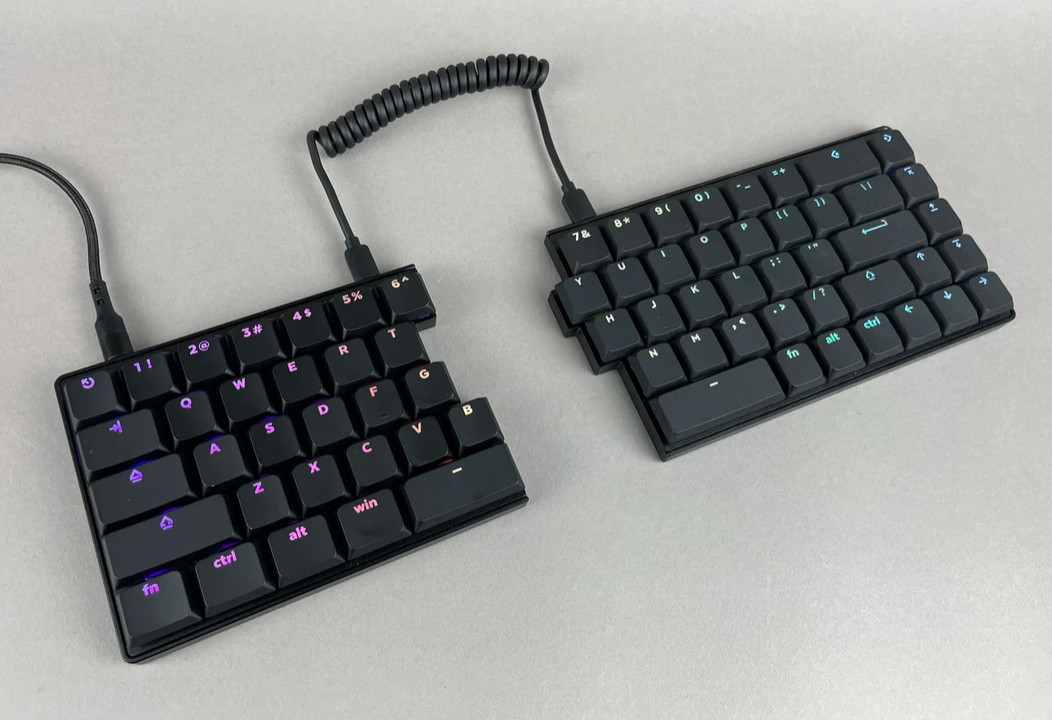
If you’re drawn to the familiar layout but want a lighter, lower-profile typing experience, this is where the Quefrency LM diverges from the Q11.
The Quefrency LM is a low-profile, MX-spaced board, built to provide comfort in low-effort typing. On top of the board being designed to reduce typing fatigue, there’s also no worry of batteries running out.
With a wired board, there’s no battery to remember to charge. Hate the idea of needing to remember to charge something? Me too. A keyboard doesn’t have to live in your pocket, after all. If it’s sitting on your desk, plugging it in isn’t exactly a hardship.
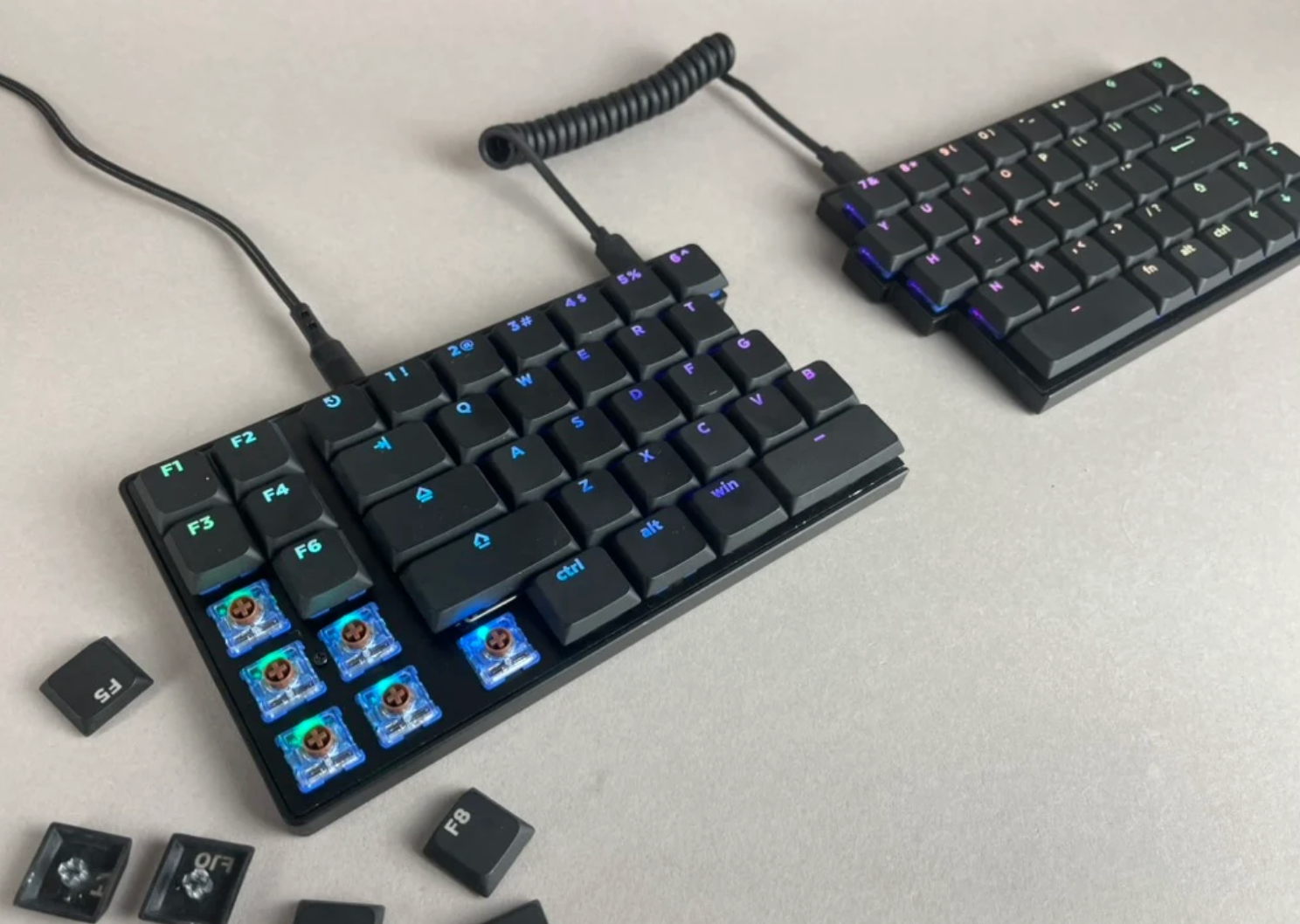
Ease of portability: with a low-profile board, you’ve got less mass to worry about carrying generally. With the Quefrency LM almost half the weight of the Q11, if you need to take your keyboard with you, it’s less to lift and move.
What you get with Q11 and Quefrency LM:
With both of these keyboards traditional row stagger layouts, what other things do they share, and what’s actually different?
Hotswaps on both keyboards make changing out your switches easy, if the need ever arises. This offers flexibility with adapting to changing needs over the years.
Both boards offer extra keys on the left, but they differ in how many you get.
To Macro or Not to Macro
While both these boards feature a similar footprint, there’s a big difference between a board featuring the function row vs not. The larger footprint means more physical keys, and it’s also a greater commitment for physical space. While that could be better for your workflow, it’s good to know an option that lets your function row live on a layer instead of physically on your desk.
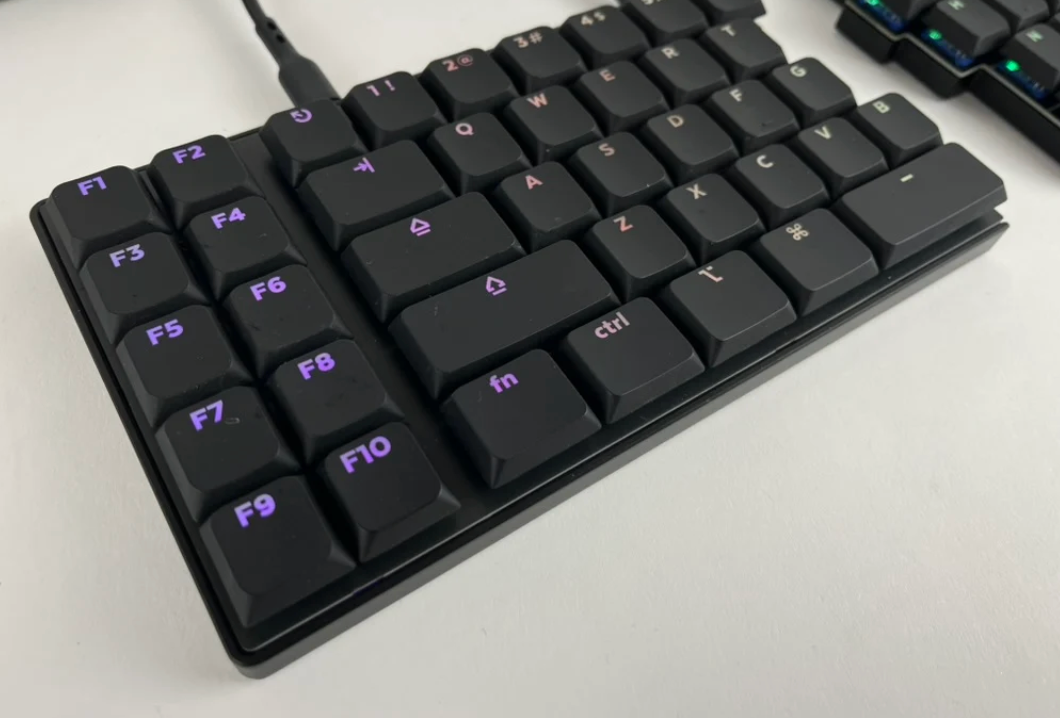
With the Quefrency LM, you get the option of 10 extra keys to your left, and 4 to your right.
You don’t have to get the version with the 10 extra keys… but they’re available if you’d like to have them.
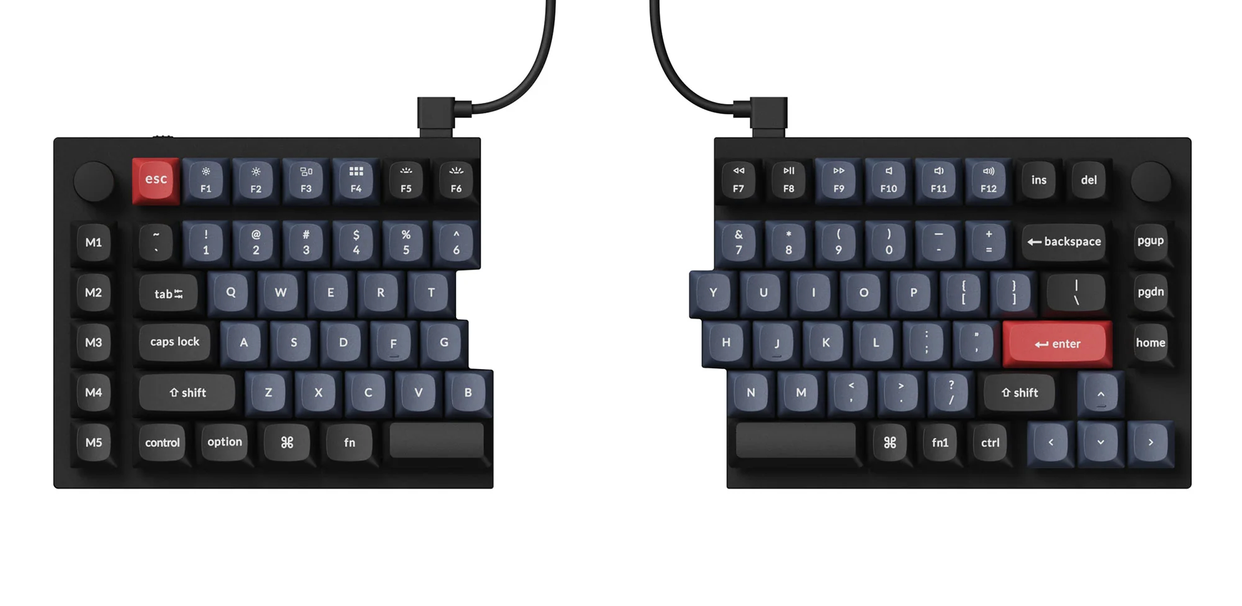
Someone could do with less on the Q11, as the left side features 5 keys, and the right side features 3. Between the two, you get to be picky about what extra keys you do and don’t have to physically make space for or what weight you want to be carrying in your bag.
But more about carrying later, put a pin in that. How do I make up for what I lose in footprint?
QMK vs ZMK
Having a reduced physical footprint doesn’t mean you lose the power that reprogramming offers you. With both the base Q11 and Quefrency LM, you get QMK. However, some slight differences here:
Q11 → QMK → Keychron Launcher web app
Quefrency LM → QMK → Keebio VIA web app
QMK has been around longer, so it has a particularly large ecosystem of documentation, features, and community knowledge behind it. Keep this in mind when I bring up that the Q11 Ultra 8K, while wireless, does require ZMK, which is a much younger firmware.
Perhaps an easy example is QMK’s support for things like Tap Dance (using a single key for different inputs on single-tap, double-tap, or hold). ZMK does have these features, but, as of the writing of this article, you’ll need to put in the work that “involves reprogramming them to fit ZMK’s syntax and framework.”
Switches: Low-Profile vs MX Height
Researchers have found that the resistance we put on our fingertips matters. You can choose your switches to best meet your needs. Maybe lighter (the Deep Sea Mini Pink Islands are 35gf, compatible with the Quefrency LM) if you have a challenge with CTS or RSIs, or a bit heavier if that's not a concern for you.
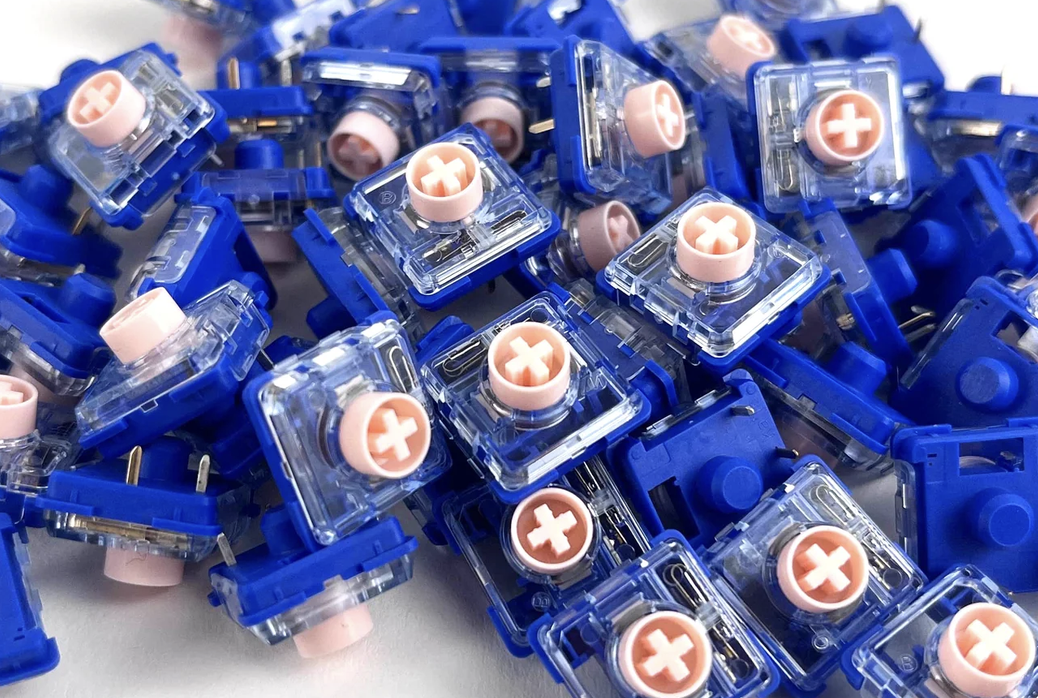
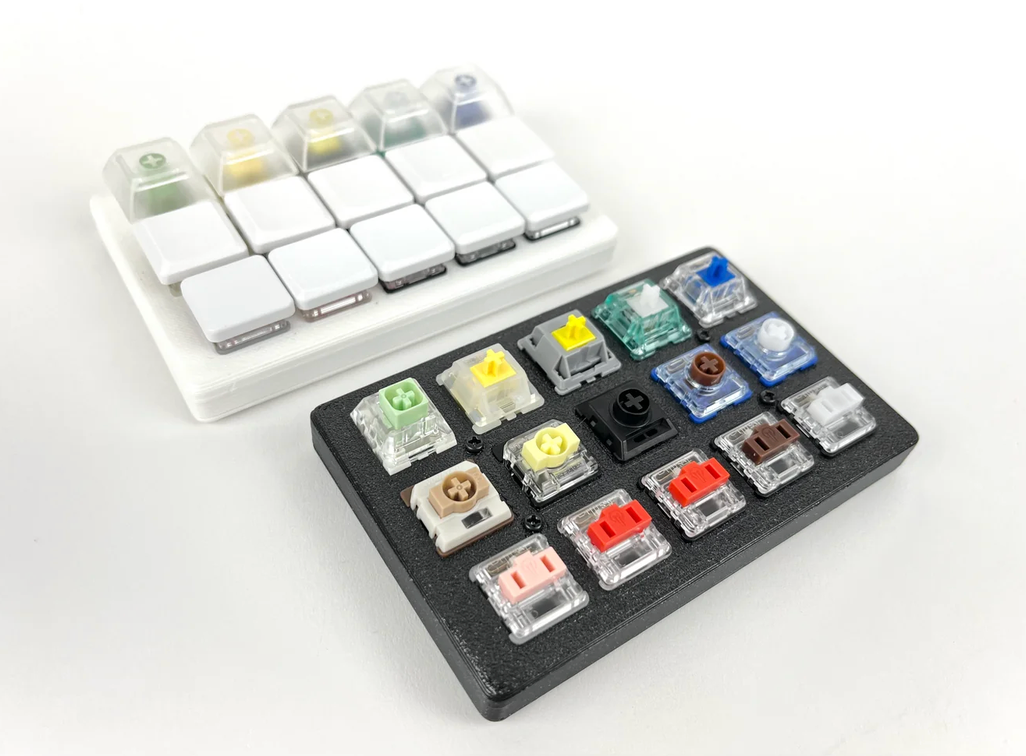
If a deep, satisfying press is what you’re going for, the argument for the Q11 is there. And there’s also the longevity and comfort argument coming from the Quefrency LM corner, too.
If you haven’t given typing on a low-profile board a try, it may be worth checking out our switch tester to see if it might feel better for you.
Peripherals to Consider
Number pad friends
If you depend on having a numpad, in both keyboard instances, you can absolutely have one!
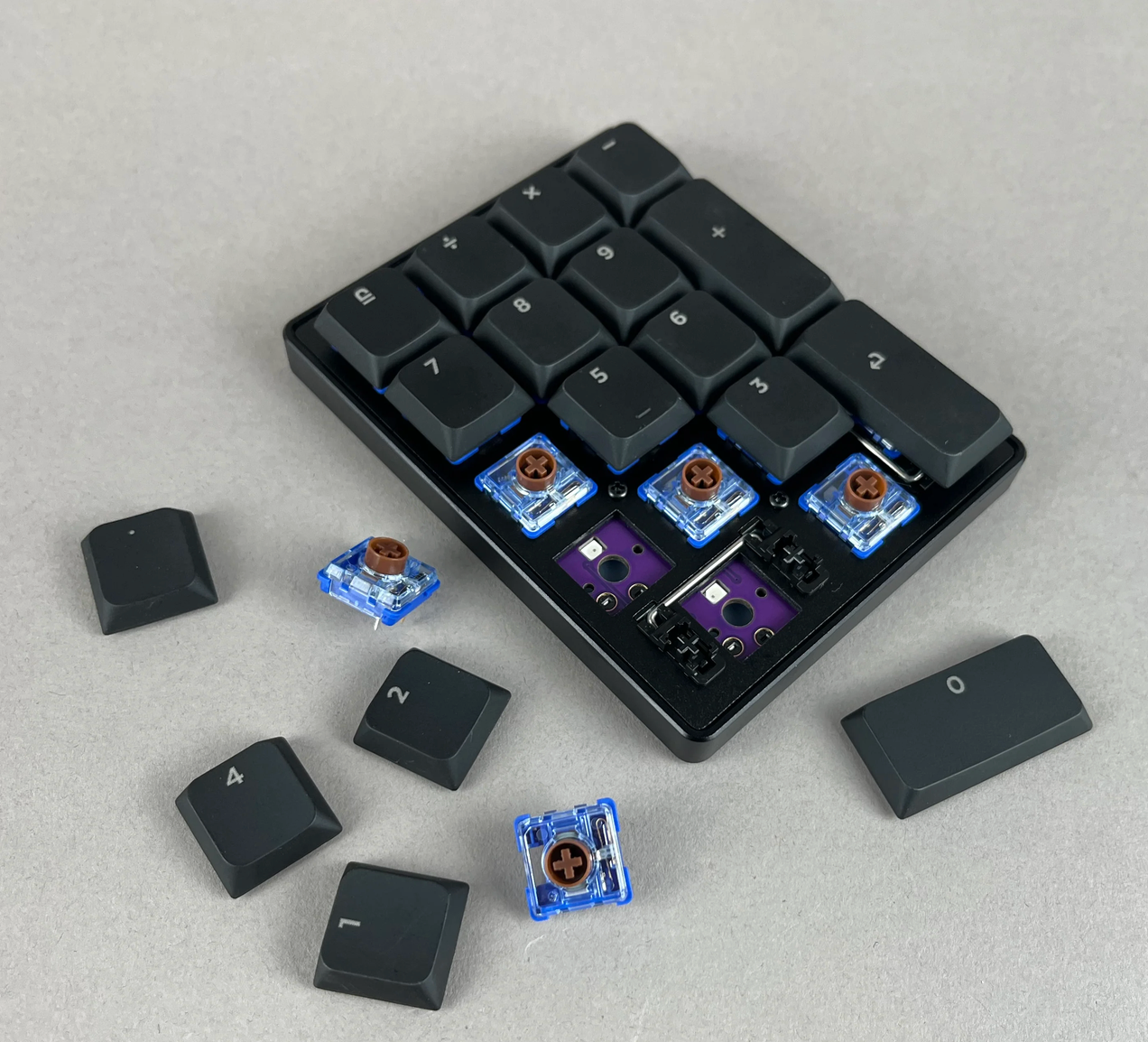
The Quefrency LM has a numpad friend that was designed to seamlessly match its low-profile design, right down to the aluminum chamfers.
The Demod LM matches the Quefrency LM for height and width, and has the same reprogramming power that its bigger sibling has. This little friend comes in its very own gray case too.
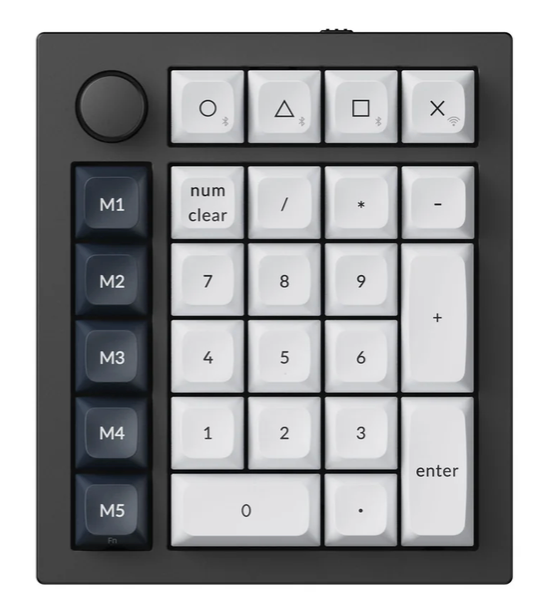
While Keebio offers the Demod LM, Keychron has the Q0 Max.
The Case for Travel
The Quefrency LM, whichever format you choose: Assembled, DIY Kit, or Barebones comes with a soft gray carrying case (say goodbye to visible lint). Each half of your keyboard stows away into each half of the carrying case so it’s a little less length to take up your bag.
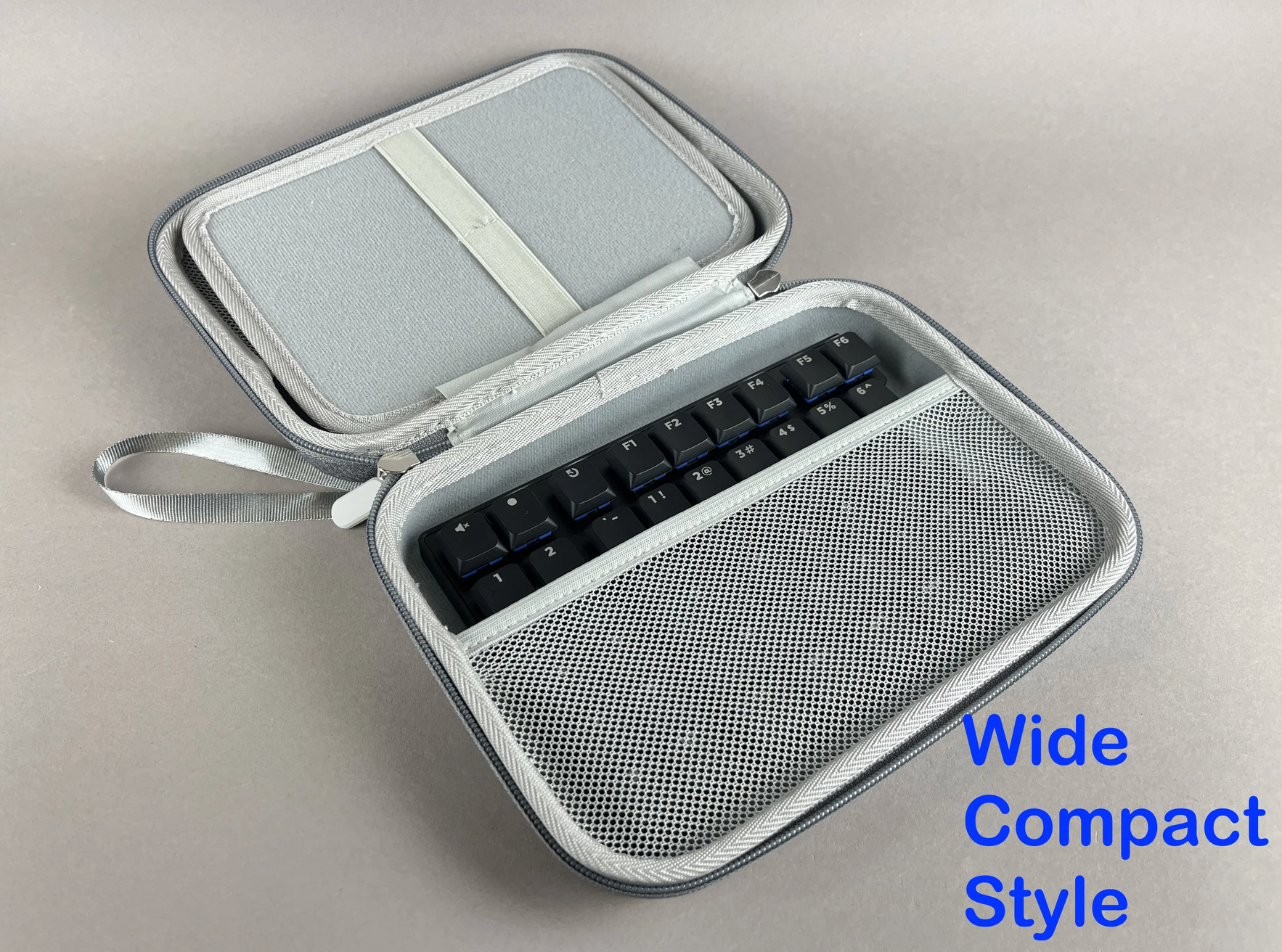
You remember I told you to put a pin in the not-forgetting-your-cables thing, right? 4 straps are sewn into the divider in the center flap, so you can keep your cords neatly in place and maybe toss in a cable for your Demod LM, too. Wink, wink. (Not that you need to, the Demod LM gets its own case.)
Keychron offers their carrying case as a separate purchase, suited to the Q11 and making sure it travels safely. Per a user on Reddit, they don’t consider the case to be taking advantage of the compact nature of the board: “I have the Q11. It is awesome but imo is very far to be "compact". It is not even close to be as compact as a lily [sic]. As it is made of full aluminum it is very heavy also. It is not a keyboard you'd like to move very often”.
What kind of weight you want to carry around is going to vary from person to person of course, but it’s something to keep in mind. Reference the chart at the end if that’s something you need to consider.
Tenting Stands
One of the most beautiful things about split keyboards is that they can match what your body needs. Something that ergonomic researchers have looked into is the position of our wrist having an impact on wrist discomfort. Bringing our wrists into a more neutral, natural position for our bodies for our Olympic hours of computer work is worth considering.
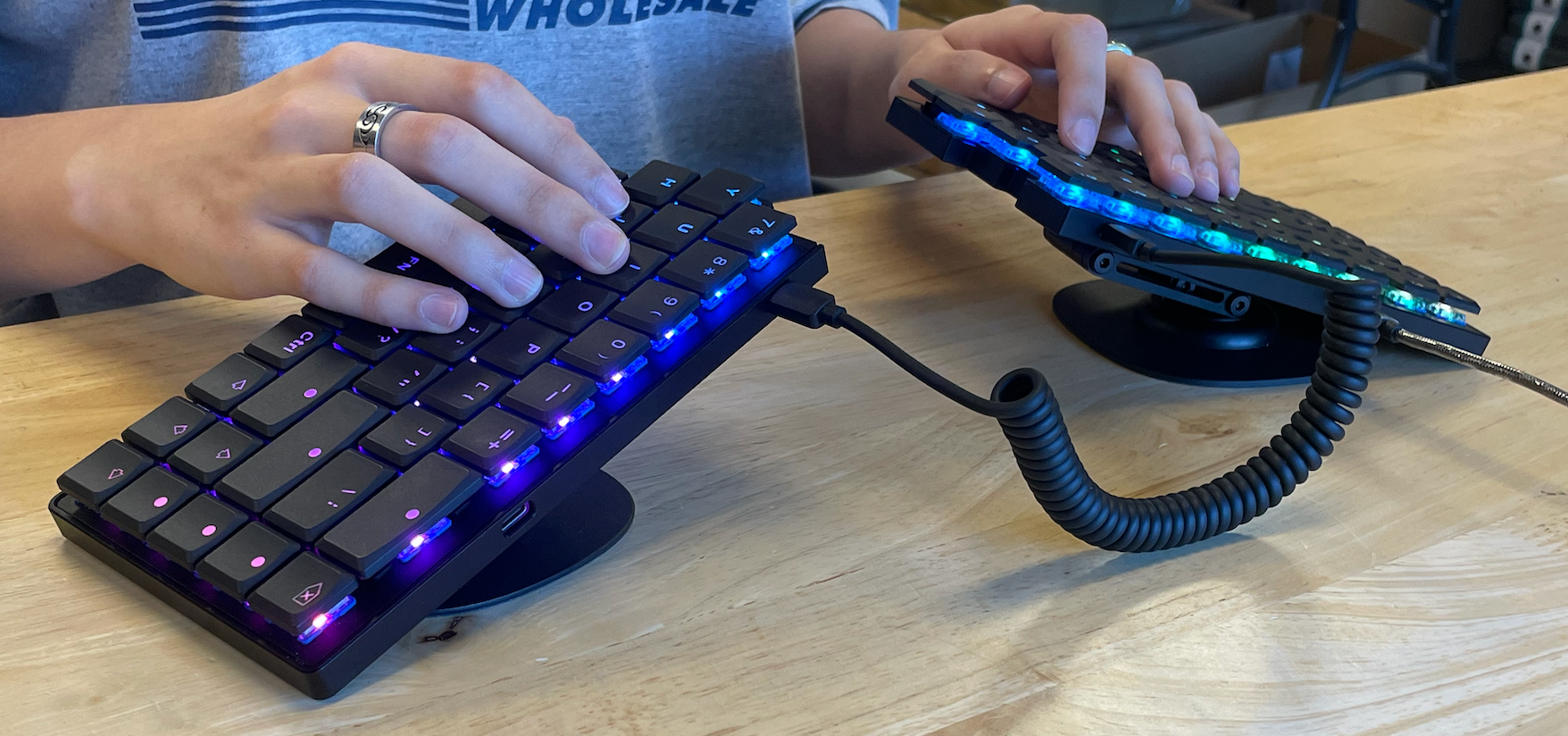
Keebio offers our Magnetic Tenting Stand Kit, but as of this writing, it doesn’t seem that Keychron offers a native tenting kit for their split. Our kit folds down almost as flat as our low-profile keyboard, so it can reasonably travel along with you. (Some of our customers tent to almost vertical and I live for those photos, dear reader.)
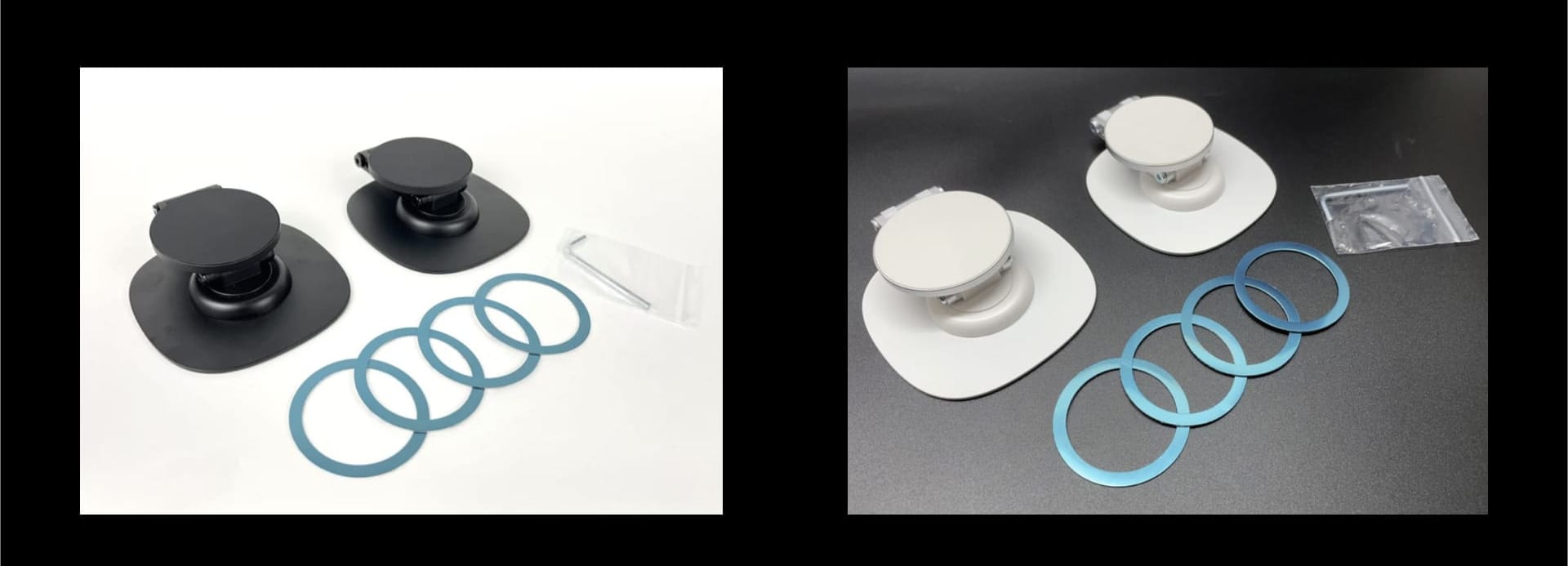
Find comfort from options available to you when you tinker with tenting your keyboard halves.
The short version
| Quefrency LM | Keychron Q11 | Keychron Q11 Ultra 8K | ||
|---|---|---|---|---|
| Price, assembled | $419.96 | $204.99 | $239.99 | |
| Price, kit | $379.96 | Not offered | Not offered | |
| Price, barebones | $263.98 | $204.99 | Not offered | |
| Total keys | 70 or 80 (with macro) | 89 + 2 encoders | 89 + 2 encoders | |
| Switch Families | Kailh Choc V2 | MX | MX | |
| Hotswap | yes | yes | yes | |
| Case | Aluminum | Aluminum | Aluminum | |
| RGB | Yes | Yes | Yes | |
| Controller | STM32G431 | STM32L432 | not listed | |
| Firmware | QMK with VIA | QMK with Keychron Launcher | QMK with Keychron Launcher | |
| Wireless | no | no | no | |
| Weight | 615 ± 10 g fully assembled | 1186 ± 10 g (Fully Assembled) | 1724g ± 10g |
Picking the Best Option for Your Needs
The biggest questions to ask yourself are:
- What weight do I want to carry?
- How many physical keys do I need?
- Am I working long hours at my keyboard?
- How much reprogramming am I going to be doing?
There isn’t one right answer here; the better fit depends on what you want your keyboard to do for you.
If low-profile switches, lighter weight, wired reliability, portability, and flexible physical layouts are high on your list, the Quefrency LM may make more sense for your setup.
If you prefer a more traditional MX typing experience, want wireless connectivity, or like having more physical keys and knobs built into the board, the Q11 or Q11 Ultra 8K may be a better match.
If you're looking for a board that's like the Quefrency LM, but equipped with a function row, we've got the Sinc LM. More on that another day!
Either way, you're getting a split traditional-stagger layout, so you don't have to trade familiarity for the ability to position each half where it works best for you.
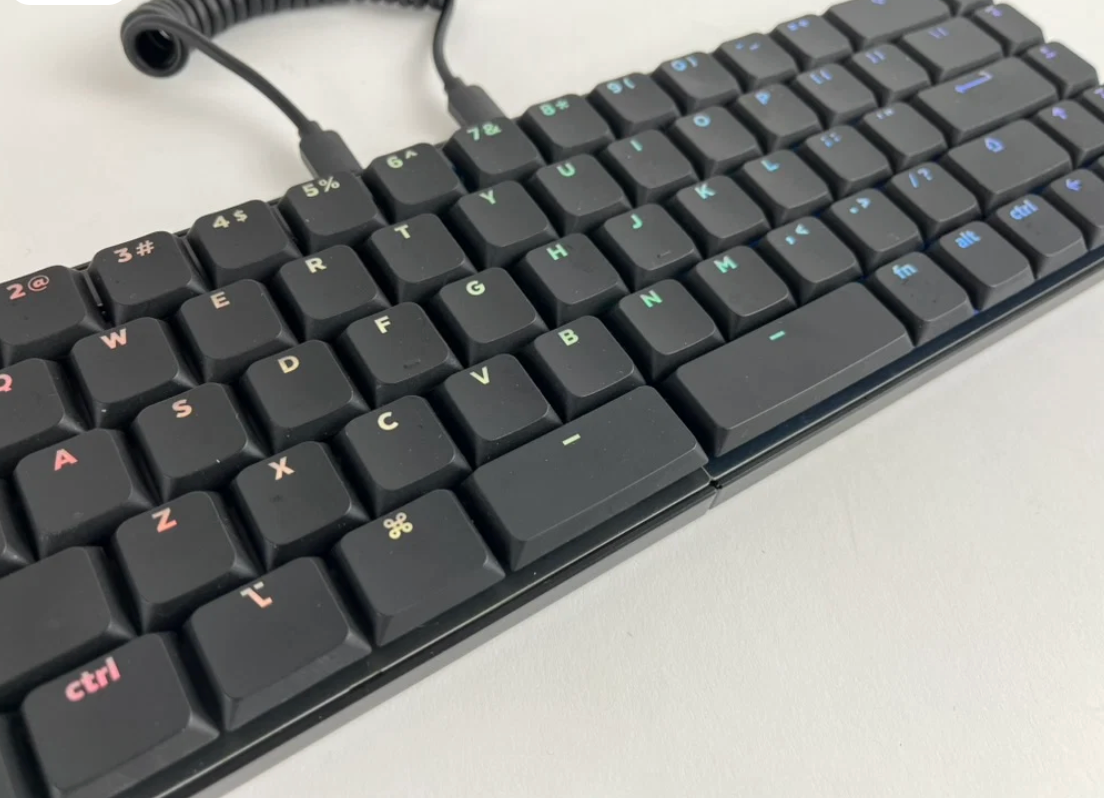
Need that low-profile life to keep your hands comfortable? Check out the Quefrency LM!


Member discussion